

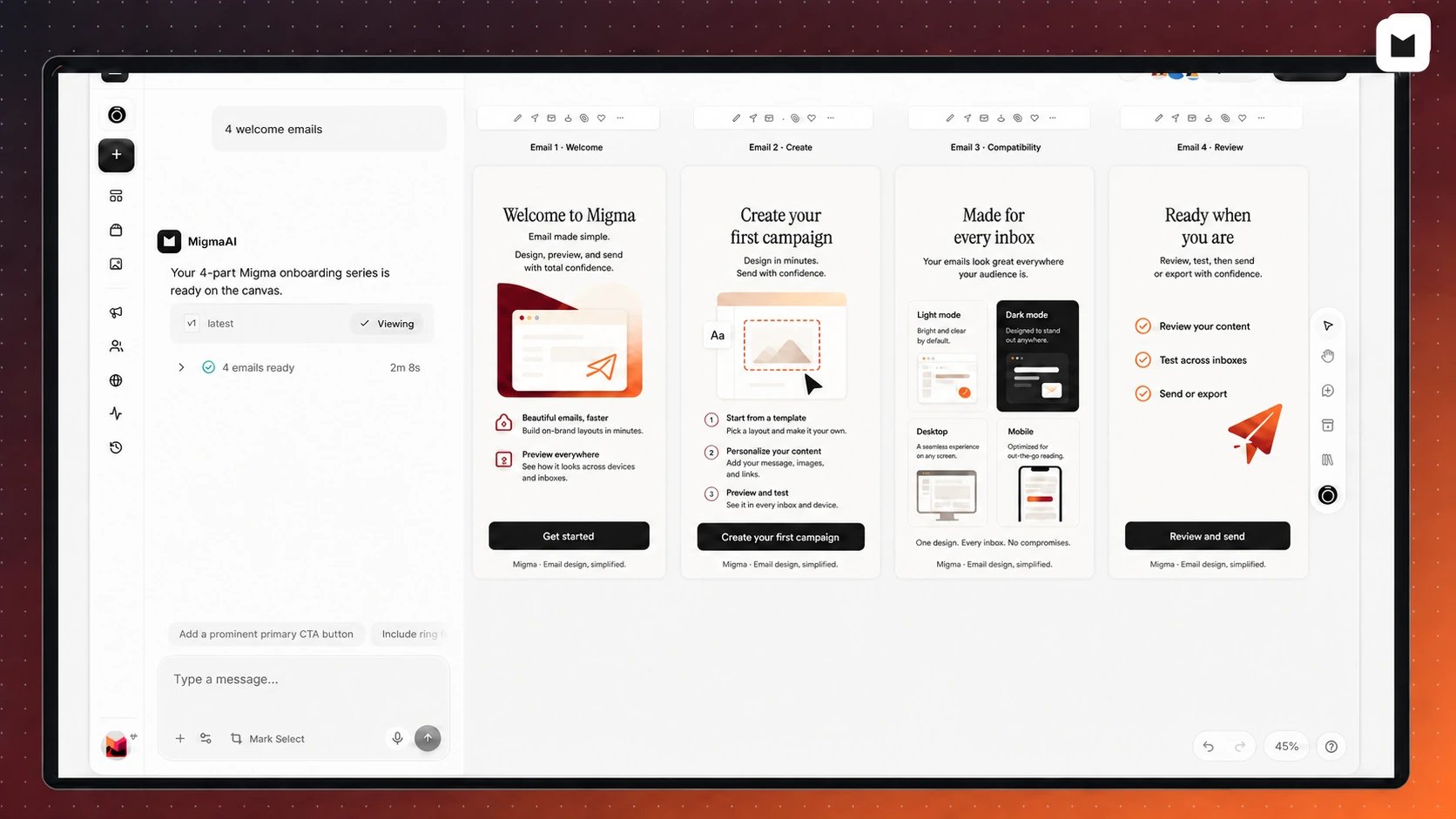
One request can become a complete email series
Complete emails, not flat pictures
Migma keeps copy, buttons, links, and layout live and editable. Images support the design instead of replacing the whole email. Each email is prepared as email-safe HTML for Outlook, Gmail, Apple Mail, Yahoo, mobile, light mode, and dark mode. Email Preflight checks inbox previews, links, wording, and common sending problems before anyone receives it.- One email or a full series: ask for a welcome flow, launch, newsletter, onboarding series, win-back campaign, or transactional email. See email series.
- Designed around your goal: Migma plans the message, structure, images, and calls to action around what the reader should understand or do next.
- Built from your brand: reuse your logo, colors, fonts, products, voice, approved facts, and standing instructions. Set up your brand.
- Easy to change: edit through chat, mark one exact area on the canvas, or change text, images, buttons, colors, spacing, links, and sections directly. Use the Visual Editor.
Start with almost anything
Describe what you need, or bring work you already have. Migma can start from a Figma frame, screenshot, HTML email, Claude design, video, past email, or saved reference. Favorite an email or save a design reference when you want Migma to use it again. Your current request still decides what the new email should become.Describe the email
Say what you are sending, who it is for, and what should happen next.
Bring in a design
Use Figma, a screenshot, HTML, Claude design, or video as your starting point.
Use inspiration
Browse saved work and competitor emails, add references to the canvas, then remix them for your brand.
Review everything together
Migma puts every email in a series on one visual canvas. Your team can compare the full journey, comment, make changes, and work together in real time.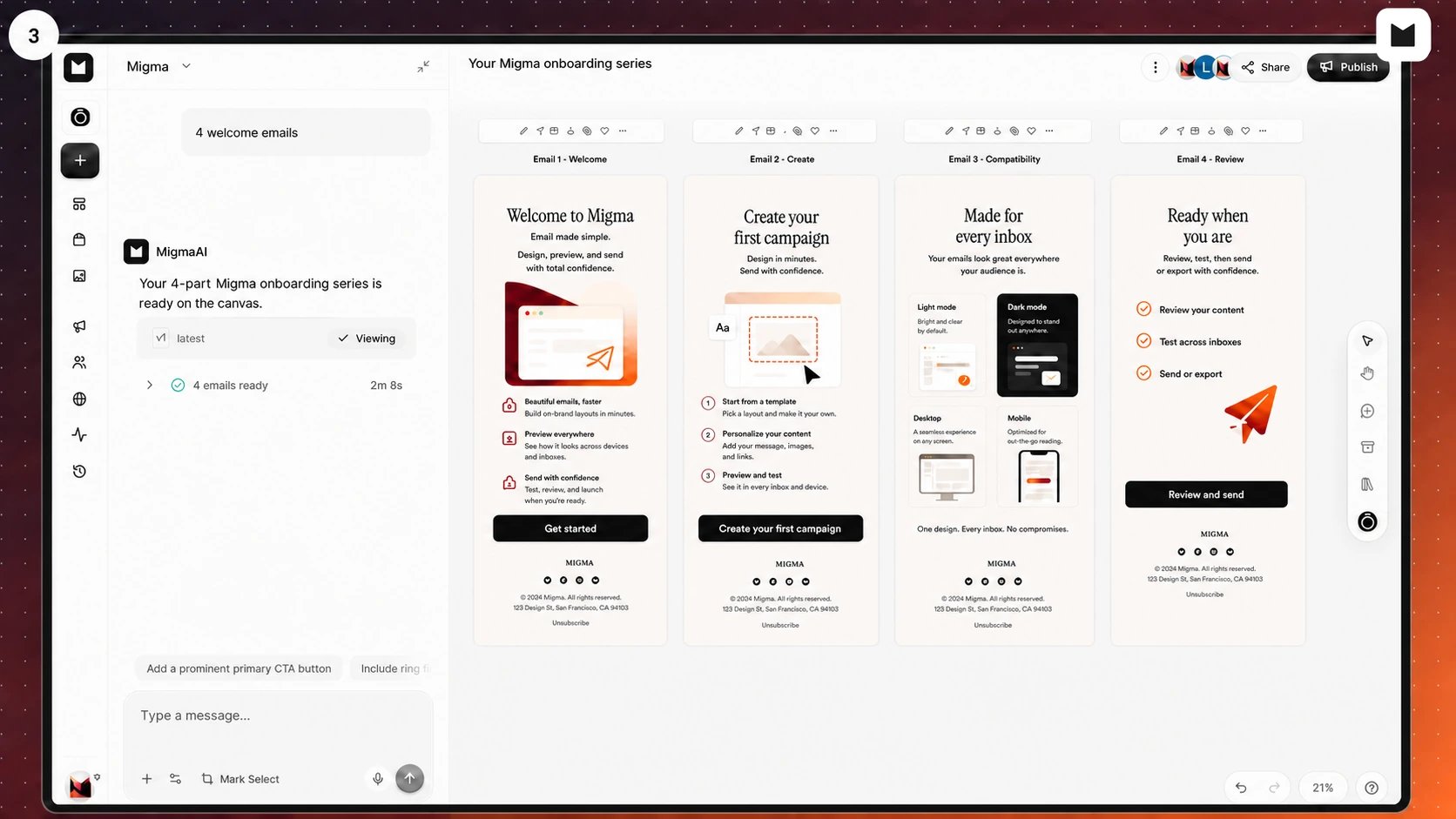
Review a complete series together before publishing
Prepare every version your audience needs
Use one campaign to deliver supported language versions based on each contact’s language. Migma keeps the design and message consistent while the language changes. Before sending, preview the email across major inboxes and display modes. Send yourself a test when you want to check the real result.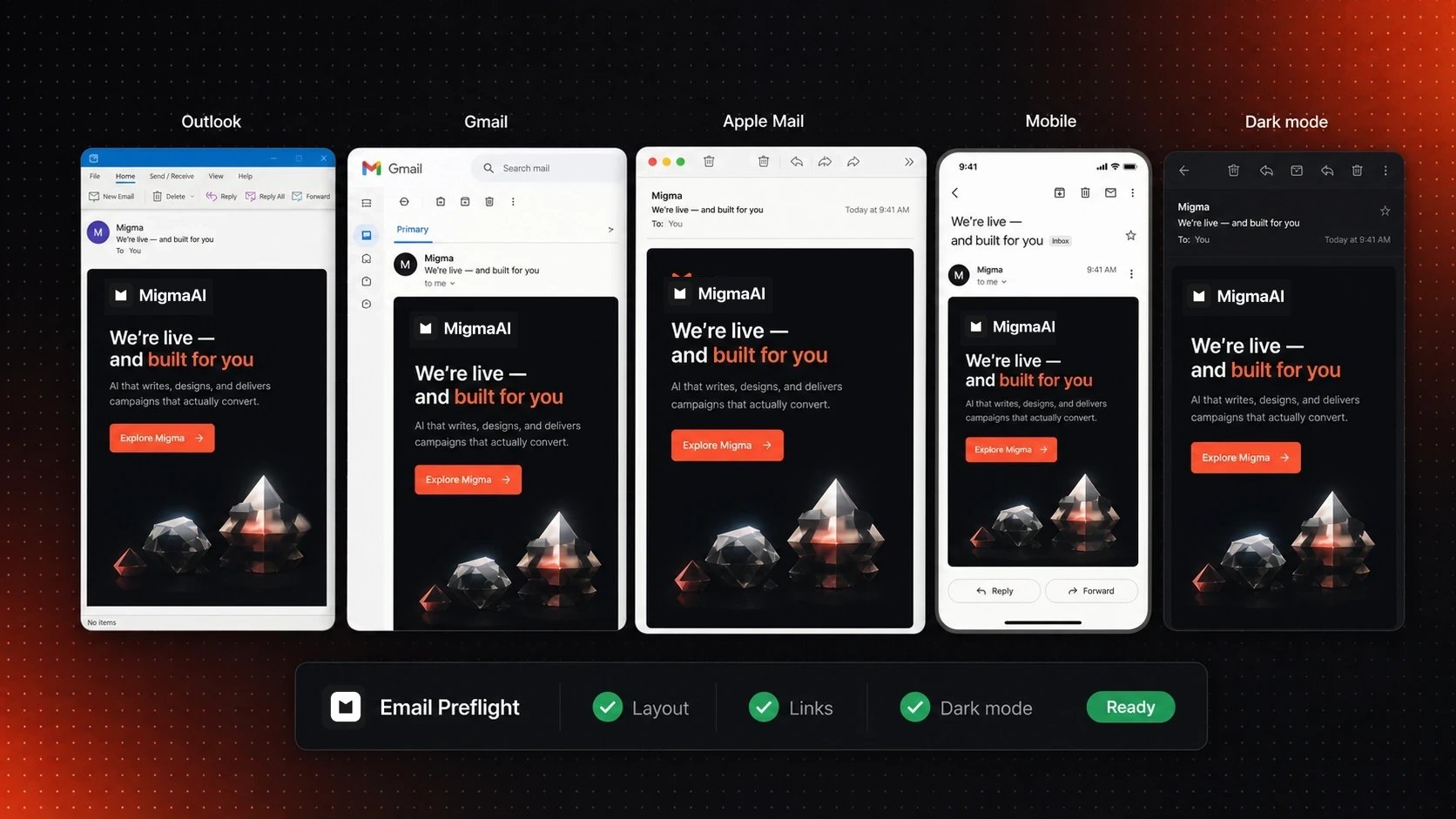
Check one email across major inboxes and display modes
Language versions
Prepare supported translations and send each contact the right version.
Inbox checks
Review Outlook, Gmail, Apple Mail, mobile, light mode, and dark mode before sending.
Work from Migma or your AI assistant
Create and review in Migma, or connect Claude, ChatGPT, Grok, Slack, Telegram, Codex, Cursor, and other supported AI clients. They use approved Migma access for brands, drafts, opted-in audiences, campaigns, and results.
Claude
Prepare email work from Claude Code, Claude Desktop, or Claude.ai, then review the result in Migma.

ChatGPT
Use the Migma plugin in ChatGPT, approve access, and open completed drafts in Migma.
Grok and other agents
Connect through Migma’s agent tools, approve access, and keep one reviewed email workflow.
Slack and Telegram
Ask for branded drafts from chat, then open Migma to review, export, or send.
Connecting an agent does not give it unlimited control. You review requested access, and sending requires send-capable permission.
Keep your current tools
Migma can use product and business context from connected tools while writing. When the email is ready, send with Migma or hand it to your existing platform.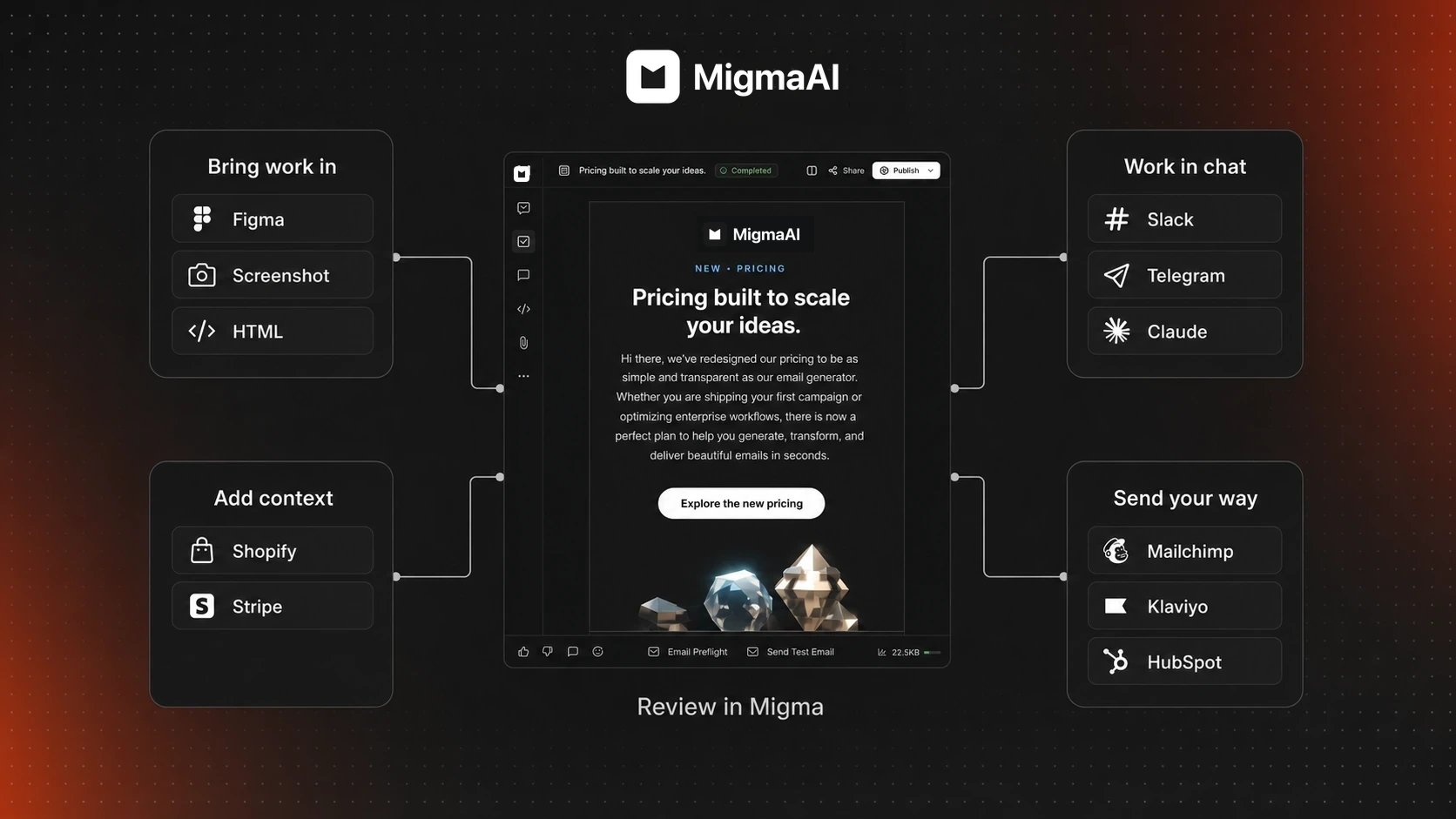
Bring work and context into Migma, then choose where the reviewed email goes
Use business context
Use connected Shopify, Stripe, and external tools while preparing the email.
Export to your platform
Hand reviewed work to Mailchimp, Klaviyo, Brevo, Omnisend, or an existing HubSpot connection.
Send from Migma
Choose an audience, sender, schedule, and tracking options, then approve the send.
See what happened
Review delivery, opens, clicks, recipient activity, and Click map results for Migma sends.
Plan, audience, and sending
- Marketing Calendar: review suggested moments and emails Migma prepared for upcoming events. You approve each one before it is scheduled.
- Audience: import opted-in contacts from Mailchimp, Klaviyo, HubSpot, or CSV. Build changing segments from plain English, such as “customers in Spain with an active plan.”
- Sending Domains: start with a Migma address for tests and small sends, connect a domain you own for production, or buy a domain in Migma.
Plan email
Review upcoming moments and prepared drafts.
Manage your audience
Import contacts, organize lists, and build dynamic segments.
Set up sending
Choose the right sender for testing or production.
Start using Migma
Choose a guide to continue.How Migma works
Follow the path from brand and brief to reviewed email.
Make your first email
Create a draft, make changes, and send yourself a test.