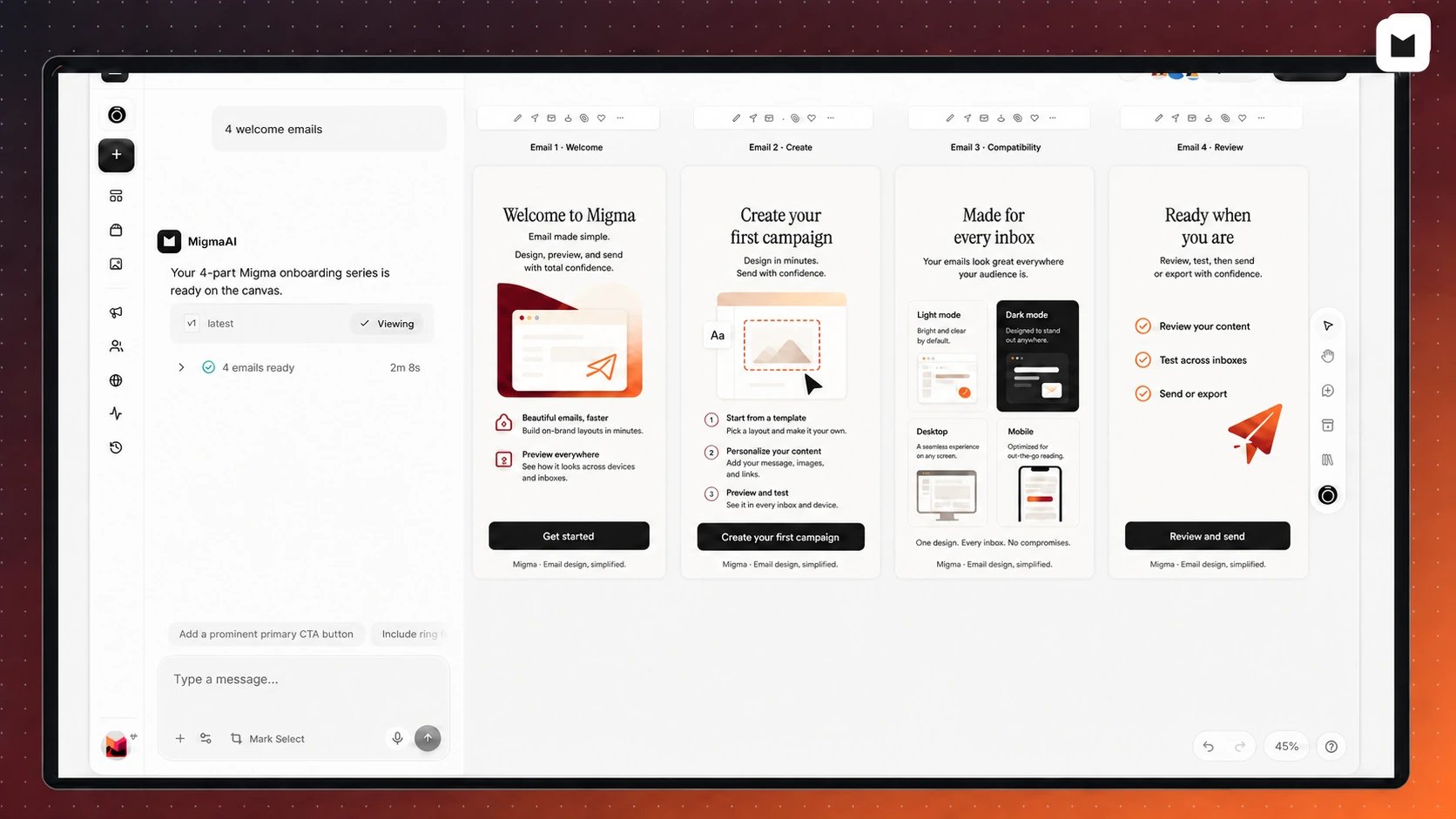
Overview

Migma offers multiple ways to create professional, on-brand emails. Every method automatically applies your brand identity—colors, fonts, logos, and voice.

AI-Powered

Generate from text prompts

Multi-Modal

Create from images, Figma, or HTML

Always On-Brand

Every method uses your brand automatically

Creation Methods


Choosing the Right Method

Use: Prompt-Based CreationSimply describe your email in plain language. Fastest and most flexible method.Prompt Guide
Use: Image Upload or Figma Import
  • Image Upload for screenshots or inspiration
  • Figma Import for precise design implementation
Image Clone | Figma Import
Use: Email RemixStart from previous emails or trending templates and make variations.Remix Guide
Use: Multi-Language GenerationCreate localized versions simultaneously while maintaining brand consistency.Multi-Language Guide
Use: YouTube to EmailConvert video content into email format with automatic content extraction.YouTube Guide

Quick Comparison

MethodSpeedPrecisionBest Use Case
Prompt-Based⚡ FastestGoodQuick campaigns, newsletters
Image Upload🔥 FastVery GoodRecreating designs, inspiration
Figma Import🚀 FastExcellentDesign team handoff
YouTube to Email🏃 MediumGoodVideo promotion
Email Remix⚡ FastestGoodVariations, A/B tests
Multi-Language🏃 MediumGoodInternational campaigns

Creation Workflow

Regardless of which method you choose, the workflow is similar:
1

Create

Use any creation method to generate your email
2

Refine

Make adjustments through conversational AI
3

Test

Preview across devices and run quality checks
4

Export

Download HTML or export to your email platform

Tips for Best Results

The more details you provide, the better the results:
  • Specify tone and style
  • Include structural elements (hero, sections, CTAs)
  • Mention target audience
  • Indicate desired length
Ensure your brand is configured:
  • Import from website URL
  • Upload logos and assets
  • Define brand voice
  • Set style guidelines
Configure Brand
Don’t expect perfection on first try:
  • Generate initial version
  • Refine through conversation
  • Make incremental improvements
  • Save successful templates
Always quality check:
  • Preview on multiple devices
  • Check spam score
  • Validate links
  • Send test emails
Email Preflight
Migma emails are built for inbox placement. Our case studies show:Dark Mode Support:
  • All Migma emails automatically support dark mode
  • Proper dark mode = higher inbox placement rates
  • 60%+ of users prefer dark mode—your emails should look great in both
Quality HTML vs Plain-Text:
  • Contrary to popular belief, high-quality HTML outperforms plain-text
  • Plain-text is associated with spam and low-effort cold outreach
  • Migma’s professional HTML signals legitimate business communication
  • Result: Better engagement and higher inbox placement
What This Means for You:
  • Always run Email Preflight to ensure dark mode works perfectly
  • Don’t fall for the “plain-text is better” myth
  • Trust Migma’s AI to generate deliverability-optimized HTML
Deliverability FAQ

Advanced Features

AI Model Selection

Choose from Claude, GPT-4, Gemini, or MigmaAI based on your needs

Visual Editor

Make manual tweaks with drag-and-drop editor

Email Builder

Use structured inputs for precise control

Template Library

Save and reuse successful emails

Common Questions

Prompt-Based and Email Remix are the fastest. You can generate an email in under 30 seconds.
Figma Import gives the most precise results. Claude 3.5 Sonnet model gives the highest quality AI generation.
Yes! Start with one method (e.g., Image Upload) then refine with prompts. All methods lead to the same editor.
No! Prompt-based creation requires zero design skills. Just describe what you want.
Absolutely! Refine through chat, use the visual editor, or make manual HTML edits.

Next Steps


Need Help?