

Overview
A 12-week view of campaign ideas based on your brand, your industry, and what’s happening in the world. Pick one and create the email in one click.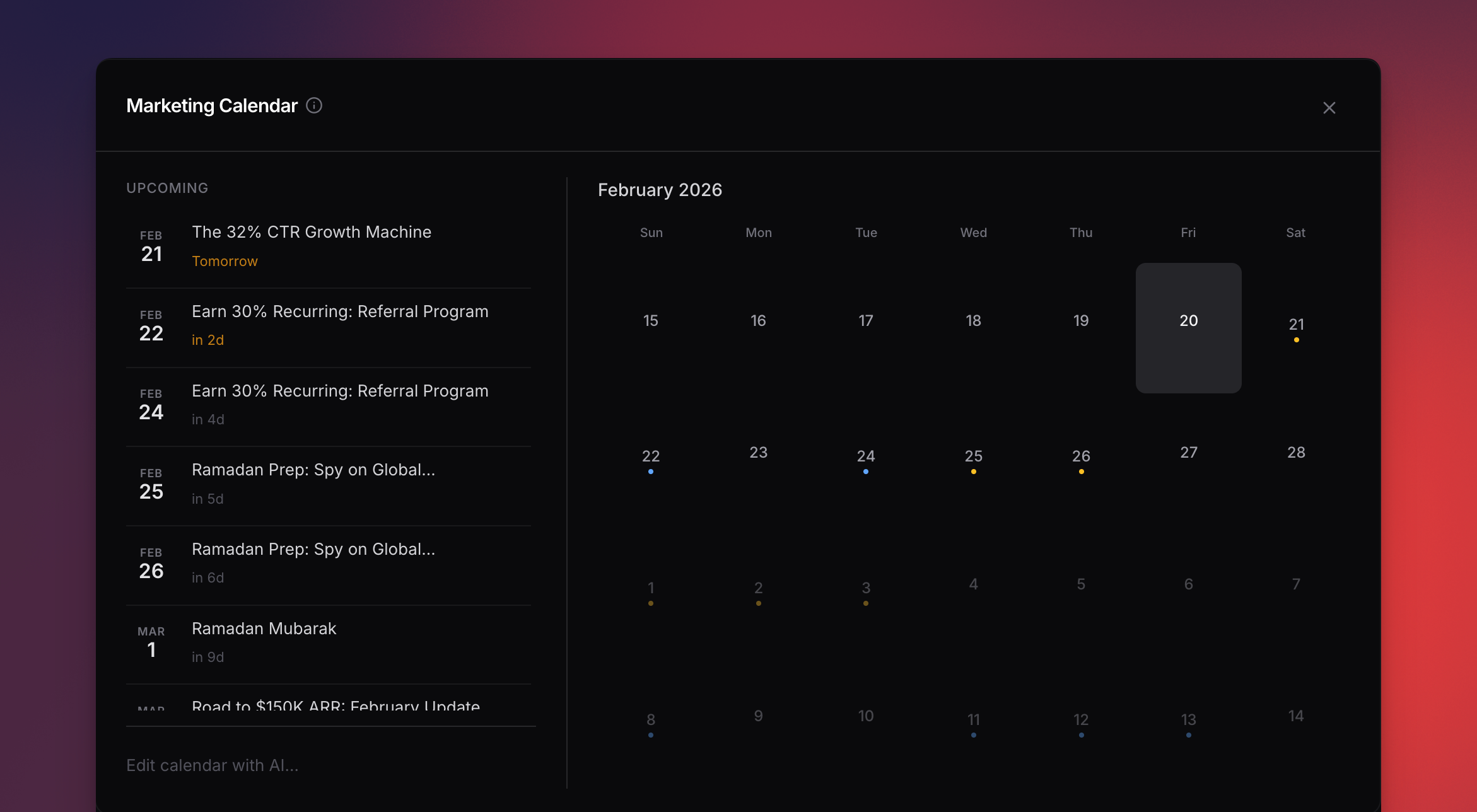
Interactive marketing calendar with on-brand campaign suggestions
How It Works
1
Open your calendar
Go to your project and open the calendar tab. Suggestions generate automatically on first visit.
2
Browse suggestions
Scroll the 28-day grid. Dots are color-coded by priority — amber for time-sensitive, blue for recommended, gray for nice-to-have.
3
Pick one
Click any suggestion to see the idea, why it matters, and a ready-to-use prompt.
4
Create the email
Hit Create email — the editor opens with the prompt pre-filled.
What Migma Considers
Your brand & industry
Suggestions match your industry, audience, and goals.
Holidays & events
Country-aware holidays in your language.
Email history
Never suggests something you just sent.
Sending patterns
Detects your rhythm and suggests the next send at the right time.
Past campaign results
Uses recent human clicks and delivery volume to make better timing choices. Opens are supporting context.
Competitor activity
Suggests timely responses when competitors send campaigns.
Trending topics
Surfaces what’s relevant in your space right now.
Prepared for You
Migma prepares the next few calendar campaigns ahead of time. Each prepared item is a finished email with a suggested audience and a send time, listed under Prepared for you in the calendar.1
Review
Open the prepared item to see the email in the editor, or check the suggested audience and send time on the card.
2
Approve
Click Approve, confirm, and the campaign is scheduled.
3
Or dismiss
Not right for your brand right now? Dismiss the item and it goes away.
Approving needs a verified sending domain and an audience. If either is missing, Migma tells you exactly what to set up first.
Calendar settings
Open Calendar settings in the calendar header for three controls:- Automatically create emails based on my calendar: Migma prepares upcoming calendar emails without you opening the calendar. Works with or without a connected calendar.
- Send notifications about created emails: when prepared emails are ready, you get an email, like “Your Black Friday email is ready to approve”, with a review link for each one.
- Google Calendar: connect, reconnect, or disconnect the read-only calendar link.
Connect Your Calendar
Click Connect calendar in the calendar header to link Google Calendar. The connection is read only: Migma never edits your calendar. Once connected, real business events like launches, sales, and webinars anchor planned emails to their true dates. A launch on your calendar becomes a teaser before, an announcement on the day, and a follow-up after.It Learns
The calendar improves with every send. Migma weighs recent results by delivered audience size and favors the send days that earned the strongest human click rates. Open rates remain supporting context because some email clients inflate them. Past campaigns appear as subdued items on their sent dates, so they add context without competing with upcoming plans. Click one to see its click and open rates or open the full campaign report. Migma only treats a weekday as a timing signal after it has enough campaigns and delivered emails to be useful.Managing Your Calendar
Add your own events
Click any empty date to add a custom campaign idea — product launches, sales, announcements.Edit with AI
Type “Add a back-to-school campaign in August” and the calendar updates automatically.Remove suggestions
Click a suggestion and hit Delete to remove it.Mark as completed
Suggestions auto-mark as completed once you create the email.Refreshing
Click Refresh to regenerate with the latest data. Future-dated items you haven’t acted on are preserved.Daily Reminders
Get a morning email with upcoming campaigns for the next few days. Each includes a direct link to create the email.Next Steps
Send a Campaign
Turn a suggestion into a live campaign
Track Results
See how your campaigns perform
Competitor Tracking
Feed competitor data into your suggestions
Manage Your Audience
Set up contacts you’ll be sending to