

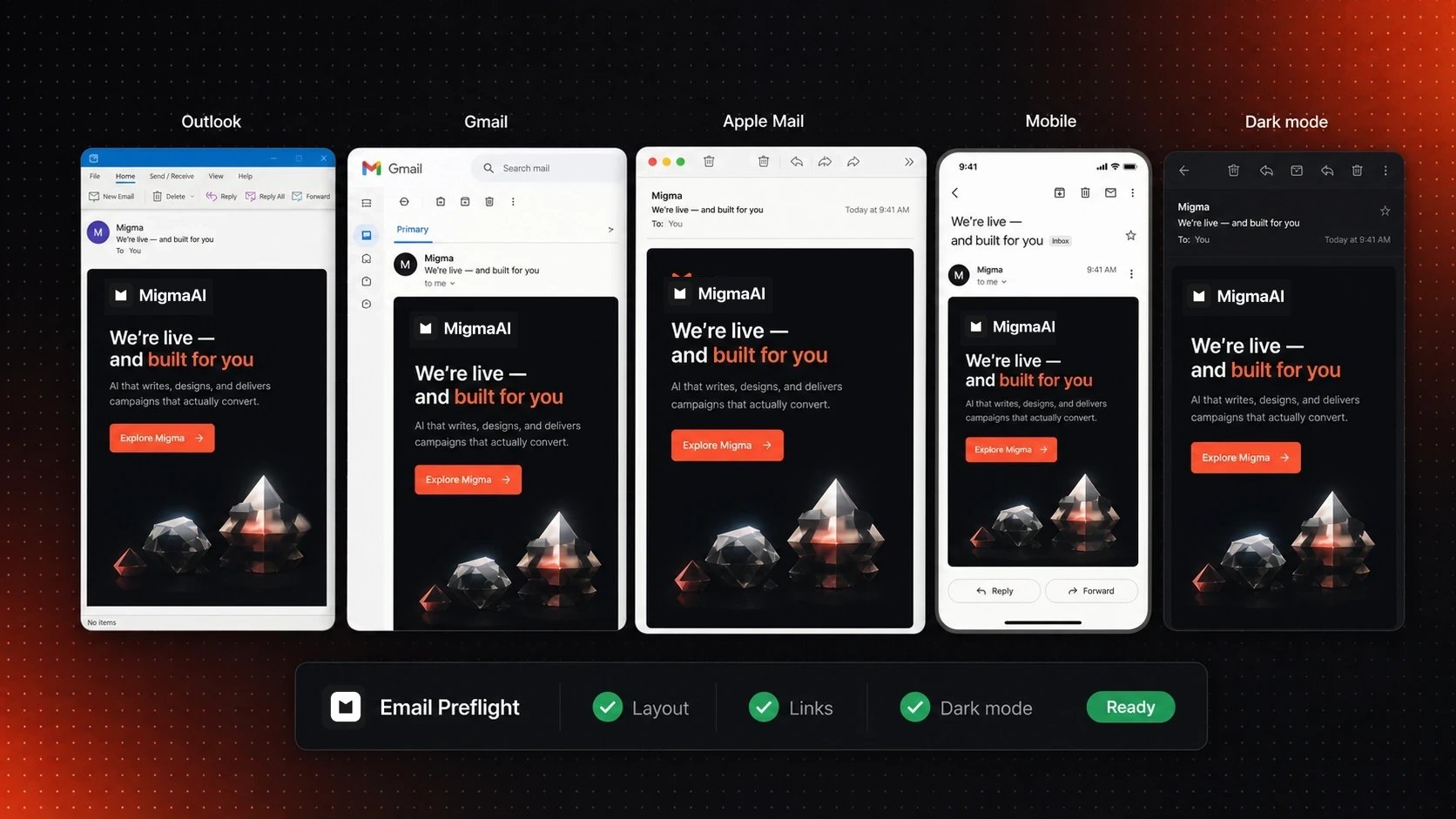
Preview the same email across major inboxes before you send
What Migma prepares for
Outlook
Extra layout care keeps sections, spacing, buttons, and backgrounds stable in desktop Outlook.
Gmail and other webmail
Email-safe styles keep the layout readable in Gmail, Yahoo, Outlook on the web, and similar inboxes.
Phones and tablets
Content resizes and stacks so it remains easy to read and tap on smaller screens.
Light and dark mode
Text, key colors, buttons, and logos get protection against common color changes.
Light mode and dark mode
Inbox apps can change colors on their own. Without care, dark text can disappear, a logo can lose contrast, or a button can become hard to read. Migma adds light and dark color information and keeps important brand colors where inbox apps allow it. Email Preflight lets you see the result before sending.Inbox apps do not all use the same dark-mode rules. Preview both modes instead of assuming they will look identical.
Check before you send
1
Open the email you want to send
Focus the finished email on your Migma canvas.
2
Choose Email Preflight
Review inbox previews, layout warnings, links, writing, and common sending problems.
3
Fix anything important
Make the change yourself or use Fix with AI, then run Preflight again.
4
Send yourself a test
Choose Send Test Email and open it on the devices and inboxes your audience uses.
Why small differences still happen
Outlook, Gmail, Apple Mail, and mobile apps do not render email in exactly the same way. Some block images, replace fonts, or change colors. Migma aims for the result that matters: stable layout, readable content, working buttons, and a design that still feels like your brand.After you export
Migma hands off the same email-safe HTML you reviewed. Your email platform may add its own wrapper, fill variables, or apply sending rules, so open the exported result and send one final test from that platform.Next
Run Email Preflight
See every check and how to read the result.
Export your email
Move the reviewed email to your preferred platform.
Make your first email
Follow the full flow, including a test to your own inbox.
Use Outlook
Learn the Outlook handoff when direct sending is not ready.