Overview
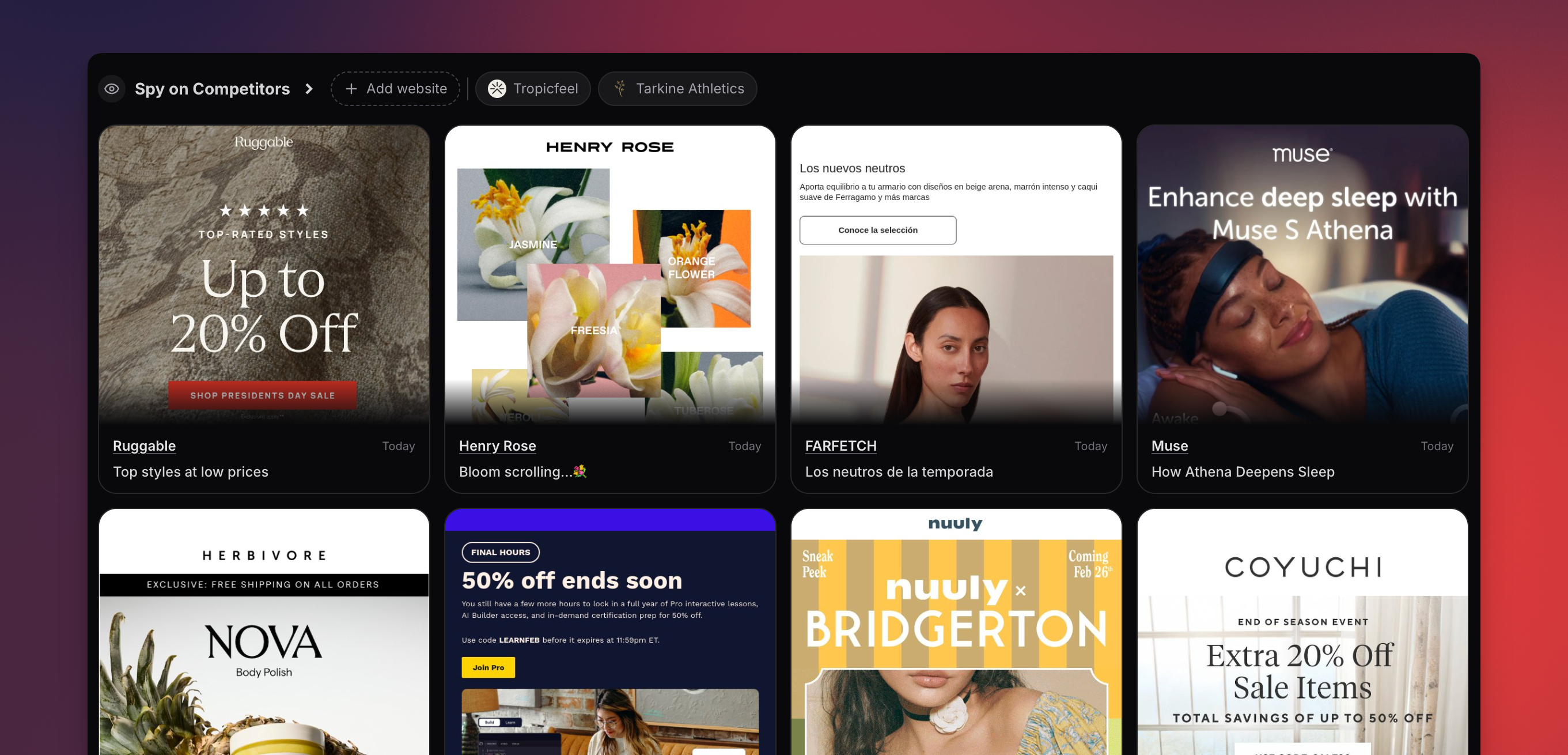
Subscribe to any competitor’s newsletter and Migma automatically collects their emails, analyzes sending patterns, and lets you remix their best campaigns into your own brand style — all without leaving the platform.Track Newsletters
Subscribe to any competitor and collect their emails automatically
Analyze Patterns
Visualize sending cadence with a 12-month heatmap calendar
Remix Emails
One-click remix adapts any competitor email to your brand
How to Watch a Competitor
Enter Their Website URL
Paste the competitor’s website URL (e.g.
https://competitor.com)Migma will find their newsletter signup and subscribe on your behalfAdd Details (Optional)
Optionally fill in extra info to help organize your competitors:
- Name — A friendly label (e.g. “Acme Corp”)
- Country — Where they’re based
- Industry — Their sector or niche
Browsing Competitor Emails
Once Migma starts collecting emails, you’ll see them in a masonry card grid. Click any card to view the full email. You can read the complete HTML, inspect the design, and analyze their strategy.View limits: There’s a limited amount of views allowed per day. Browsing cards, metadata, and the sending cadence heatmap is unlimited.
Sending Cadence Heatmap
The heatmap calendar gives you a 12-month overview of when a competitor sends emails. How to read it:- Each cell represents one day
- Darker cells = more emails sent that day
- Click any day to see the emails sent on that date
- How often they send (daily, weekly, monthly)
- Whether they ramp up before holidays or product launches
- Gaps in their schedule you can fill
- Patterns you can adapt for your own sending strategy
Remix a Competitor Email
Turn any competitor email into your own on-brand version in seconds.AI Adapts to Your Brand
Migma’s AI takes the competitor’s layout and structure, then applies:
- Your brand colors
- Your fonts and typography
- Your logo and imagery
- Your content and messaging
What the AI Extracts
When Migma collects a competitor email, it automatically analyzes and extracts:| Category | What’s Extracted |
|---|---|
| Tags | Industry, email type, campaign category |
| Tone & Style | Formal, casual, urgent, playful, etc. |
| Design Score | Overall quality rating of the email design |
| CTA Analysis | Button text, placement, color, and urgency |
| Color Scheme | Primary, secondary, and accent colors used |
| Journey Stage | Welcome, nurture, promotional, re-engagement, etc. |
| Language | Detected language of the email content |
Access & Limits
| Feature | Access |
|---|---|
| Watch competitors | Paid plans only |
| Browse email cards & metadata | Unlimited |
| Sending cadence heatmap | Unlimited |
| Full HTML email views | 10 per day per project |
| Remix competitor emails | Unlimited |
Tips for Best Results
Track direct competitors
Focus on competitors whose audience overlaps with yours. Their successful emails are the most relevant for your strategy since you’re targeting similar customers.
Check cadence before campaign launches
Before launching a major campaign, review your competitors’ heatmaps. Avoid sending on the same day as their big pushes, or intentionally time yours to follow up.
Remix top performers
Don’t remix random emails — focus on the ones with strong design scores and compelling CTAs. These proven layouts are more likely to perform well for your brand too.
Monitor multiple industries
Don’t limit yourself to direct competitors. Watch brands in adjacent industries for fresh ideas and design inspiration you can adapt to your niche.
Next Steps
Clone from Image
Recreate any email from a screenshot
Remix Emails
Browse trending emails and remix them
Visual Editor
Edit any email visually