

Connected agents save references and set brand rules, MCP clients connect without registering first, native app redirect schemes, Grok Bot claim-code connection
Connected agents keep your brand on track (September 5th)
An agent connected to Migma over MCP now behaves like your email person from the first message. After connecting it reads your setup (brand kit, saved references, audience, sending domain) and proposes the one next step instead of listing features.Two new tools back that up. Save reference stars one of your emails or stores a design you paste so future emails match it. Update brand guidelines writes a lasting rule (a tone, a layout habit, an image style) into the brand so every future email follows it. Migma keeps a snapshot of the previous rules before each change. The same capabilities are available in the public API and the Node SDK.Agent setup · Grok BotMCP clients connect without registering first (September 3rd)
Improves how AI clients connect to Migma over MCP. A client no longer has to register itself before the browser approval, and native apps can return to their own app scheme (for examplecursor:// or com.example.app:/callback) after you select Allow. The approval page shows the exact place the connection returns to, and the security model is unchanged: you still sign in, review the permissions, and allow the connection yourself.Grok Bot connects through Migma’s claim-code flow with a single approval link, since its cloud computer cannot receive a browser callback.Agent authentication · Grok BotColumn layouts and image captions in the Visual Editor, image region effects, HTML import for agents, billing credits and domain purchase for agents, send one campaign to several segments or lists, clearer sending limits, main-domain sending, custom DNS records and forwarding, all-brands managers can run sending domains and People, point at a section of an email, faster MCP drafts and CSV import, brand facts from MCP, Klaviyo editor adapt, one-prompt agent setup, PNG export, MCP email previews, CLI and agent browser sign-in
Add columns in the Visual Editor (August 31st)
Adds a Columns group to the Add block menu in the Visual Editor. Choose 2 columns, 3 columns, 1/3 + 2/3, or 2×2 grid to place a side by side layout, then fill each cell with text, an image, or a button. Columns stack on narrow screens, so the email still reads on a phone.Visual Email EditorImage captions in the Visual Editor (August 31st)
Adds Add caption to the image toolbar in the Visual Editor. Select an image and choose Add caption to place a small line of text under it, then click it to write your own. The caption uses your brand’s font and colors like any other text.Visual Email EditorHighlight or cover part of an image (August 30th)
Adds Effects to Adjust image in the Visual Editor. Use Spotlight to keep one rectangle or oval clear while dimming the rest of the image. Use Cover area to tint or hide one selected area. Drag the area or its corners to adjust it, then choose the overlay color and strength.Visual Email EditorReady Migma addresses without warmup (August 25th)
Updates managed Migma addresses to use their fixed daily limit without Domain Warming. Eligible new accounts can receive a ready address after email verification. Connect a domain you own when you need separate sending reputation and higher limits.Sending Domains · Domain warmingSend to several segments or lists (August 24th)
Adds multi-select on campaign Recipients and Publish for Migma sending. Pick several segments, or several lists, in one campaign. People who appear in more than one still get a single email. You cannot mix segments and lists. A selection with no eligible people still blocks send.Send CampaignAgents can convert existing HTML emails (August 23rd)
Adds HTML import for agents. Convert an existing HTML email or a saved.eml into an editable Migma email, the same way as HTML to Email on Create. One import can make a series. Each email is a canvas slot with its own emailId and canvas link.HTML to Email · MCP ServerAgents can check credits, upgrade, and buy domains (August 20th)
Adds billing and domain purchase to the API and the Migma MCP server. Agents can check the current plan and remaining credits, get a Stripe checkout or billing portal link to upgrade, and search, buy, and track domains until registration is active. Domains renew yearly, and failed registrations are refunded automatically. Agents can also add and remove DNS records on domains bought in Migma; email sending records stay protected. Addsbilling:read and billing:write API key scopes. Payment always happens in the user’s browser via Stripe.MCP Server · API reference · Agent Auth ReferenceClearer sending limits (August 20th)
Improves Campaigns when you reach today’s or this month’s sending limit. You can still prepare a campaign. Before send or schedule, Migma says whether to wait, send what is left today, or increase limits. A campaign that is paused at the limit now says Waiting.Send CampaignSend from your main domain (August 19th)
Adds your main domain as the campaign sender, so recipients seenews@yourbrand.com with no subdomain. Receipts and password resets stay on notify.yourbrand.com, so a rough campaign cannot take them down. New domains include both addresses in the DNS records shown at setup. A domain you connected earlier that still has send.yourbrand.com keeps that address as a marketing sender.Sending DomainsDNS records and forwarding for domains bought in Migma (August 19th)
Adds Custom DNS records and Domain forwarding to the DNS records tab for domains bought in Migma. Add and remove A, AAAA, CNAME, MX, TXT, and NS records at any name under your domain. Verify the domain with another service, receive email through your inbox provider, point a subdomain at your own server, or delegate one elsewhere. You can also change where visitors land when they open your domain. Records that keep email authenticated, like SPF, DKIM, and DMARC, stay with Migma.Buy a DomainManagers on all brands can run the account (August 19th)
Updates Manager on All brands so they can manage sending domains, People, invites, seats, and API keys. Paid seat or free collaborator does not matter. A manager on one brand still only runs that brand. Plan and billing stay with the workspace owner.Team access · Sending domainsPoint at a section of an email (August 17th)
Adds Mark Select in the message box, next to the visual editor. Drag a box over part of an email, like a footer, a header, or one block, then say what to do with it: “use this footer everywhere” or “make this smaller”. The section you marked stays attached to your next message so edits land exactly where you pointed. It works on references pinned to your canvas too, so you can mark a competitor email and ask for your own version of that part.Visual canvasFaster CSV import and draft previews from MCP (August 17th)
Agents connected to Migma MCP can import a contact CSV in one step, with optional list tags and automatic column matching for common headers. After generating emails, agents show preview images and canvas links first, and only run inbox checks when you ask or before a send.MCP Server · Manage contacts · ChatGPTSave brand facts from MCP (August 17th)
Agents connected to Migma MCP can add and list knowledge-base entries for a brand. Lasting facts like tone, products, offers, and policies improve later email generation.MCP ServerAdapt emails for Klaviyo’s editor (August 16th)
Adds Adapt for Klaviyo editor on the Klaviyo export panel. Migma prepares a simpler version if needed, creates the template in Klaviyo, and shows Open in Klaviyo the same way HTML export does. The canvas email stays unchanged. Create HTML template still sends the original layout.KlaviyoOne-prompt agent setup (August 16th)
Adds an Agent Setup page. Paste one line into Claude Code, Codex, Cursor, or any AI coding agent, and the agent installs Migma skills, the CLI, and the MCP server itself.Agent Setup · SetupExport emails as PNG (August 14th)
Adds PNG image export for coding agents and the API. Export a generated email as an image from Publish, MCP, the SDK, ormigma export png.Removes MJML export. Use HTML, PNG, or PDF instead.Export options · MCP ServerAgents can see email previews (August 13th)
Adds preview images when a coding agent lists, opens, or finishes generating emails through MCP. Agents can also pass reference images or an existing email when generating.Improves those same tools so they return a canvas link and skip full HTML unless asked. Validation accepts an email id instead of raw markup. Brand list is compact and searchable.MCP ServerCLI and agents sign in without pasting a key (August 13th)
Adds browser sign-in formigma login and the same start path for coding agents: connect hosted MCP, run migma login, or approve a claim code. List and get MCP tools are available as soon as you are signed in.CLI · MCP Server · Agent registrationSending metrics and campaign notifications, content renaming, deeper brand import, Founder Pass, comment threads, campaign click maps, calendar prepared campaigns, Migma for Telegram, events and conversion tracking, provider contact imports, brand settings redesign, MCP OAuth, audience insights, bulk contact imports
Sending Metrics and Campaign Notifications (July 19th)
Adds account-level sending metrics to the Migma API. Review current-month sent, delivered, bounced, and complained totals; today’s sent and reserved usage; daily and monthly limits; remaining capacity; and up to 12 previous months.Adds campaign notifications in Slack and Telegram. Tell Migma in the current channel or chat to notify you about campaigns. Migma posts when sending starts, when a campaign is sent, or if it fails, then follows a successful send with a stats digest about 30 minutes later.Adds next-campaign planning in Slack and Telegram. Ask what to send next and Migma answers from your Marketing Calendar: prepared campaigns with their reasons and proposed send times, plus upcoming moments worth covering. Confirm a prepared campaign in chat and Migma schedules it.Slack · Telegram · API referenceRename campaigns, chats, series, and emails (July 18th)
Adds Rename to campaign, chat, series, and individual email menus. Campaign names can be changed before or after sending, while individual emails keep their original subject.A chat and its series share one name, so renaming either keeps both labels aligned.Visual Canvas · CampaignsDeeper Brand Import (July 16th)
Improves Brand Import: Migma now studies relevant About, product, pricing, news, and contact pages in addition to the homepage. It learns the brand’s products, positioning, copy and CTA patterns, footer details, social links, and observed icon or emoji style.Useful findings appear in Brand Guidelines and guide future email design and copy. Recent public brand and industry updates are kept in one dated research entry, while anything you add manually stays untouched.Configure your brandFounder Pass for Product Hunt (July 11th)
Updates the limited Founder Pass with a direct Premium overview: up to 200,000 monthly sends for marketing and transactional email, API and hosted MCP access, analytics, and Slack and Telegram beta access.Eligible new customers create an account, start a seven-day trial, then continue into setup. The first 200 keep the $49 monthly Founder price while the qualifying subscription stays active.Claim Founder PassComment threads on canvas (July 11th)
Adds anchored comment threads to Visual Canvas. Place a comment beside an email, mention a teammate with@, reply in the thread, and resolve or reopen feedback without covering the canvas with sticky notes. Mention alerts open the exact thread and wait for teammates who are away. Comment markers show who started each thread and how many replies it contains.Commenters can now create, reply to, move, and resolve canvas comments while email editing and sending stay disabled for their role. Unresolved feedback remains available to Migma during the next design turn. Resolved threads stay on canvas for reference without affecting later edits.Visual Canvas · Real-time collaboration · Team accessClick map for campaign emails (July 9th)
Adds Click map to each campaign’s Analytics tab. See recorded human clicks directly on links and buttons in the sent email, with stronger intensity for actions clicked by more people. Select a marker to see its total clicks.Bot and scanner activity stays hidden, along with system actions such as unsubscribe and preference links. The map shows which email action was clicked; email clients do not provide cursor coordinates.Track resultsMarketing Calendar Prepares Your Campaigns (July 6th)
Improves the Marketing Calendar: Migma now prepares upcoming calendar campaigns before you ask. Each item under Prepared for you is a finished email with a suggested audience and send time. Review it, click Approve, and the campaign is scheduled. Dismiss anything that does not fit.Adds Connect calendar: link Google Calendar (read only) and real business events like launches and sales become planned emails anchored to their true dates.Improves performance learning: recent sent campaigns now appear as subdued items on their calendar dates. Open one to see click and open rates. Migma uses delivered-weighted human clicks as the main timing signal and treats opens as supporting context.Adds Calendar settings: turn on automatic email creation from your calendar (works with or without a connected calendar) and Migma prepares upcoming emails in the background, then emails you when they are ready, like “Your Black Friday email is ready to approve”, with review links. Notifications have their own toggle. Migma skips anything you already created yourself, and nothing sends without your approval.Marketing Calendar · Send a CampaignMigma for Telegram (July 6th)
Adds Migma for Telegram, so you can create and edit branded emails from a Telegram chat or a group. Start a chat with the bot, connect your account once with the Telegram Login Widget, then ask it to list your brands, import a brand from a URL, generate emails, edit them, or find design inspiration. Attach an image to generate an email from it.Connecting uses Telegram’s verified Login Widget, so your identity is asserted by Telegram and nothing is pasted. The bot creates and edits drafts only. Sending, scheduling, and exporting stay in Migma, where you review and approve the send.Telegram · Agent authImport Contacts from Mailchimp, Klaviyo, and HubSpot (July 3rd)
Adds Import from integration to the Add Contact menu on the Contacts page. Choose a connected Mailchimp audience, saved segment, or tag, a Klaviyo list or segment, or a HubSpot contact list, and Migma imports the contacts as a background job with progress and final counts in Import History.Consent stays intact: by default only subscribed contacts are imported, contacts without clear marketing permission stay non-sendable, and existing unsubscribed or bounced contacts are never resubscribed. Every import creates a source tag and a matching snapshot segment, so the imported audience is ready to target right away.Mailchimp · Klaviyo · HubSpot · Manage contactsBrand Settings Redesign (July 3rd)
Improves brand settings: sections now follow how an email reads, and a new Visual Identity section groups Logos, Colors & Styling, and Typography in one place. Knowledge Base is now Brand Guidelines, with generation rules in their own AI Instructions section. The Gallery now holds brand images only, and Company Profile and Sitemap sit together under Footer, where social links are managed.Adds a Search settings box to the settings sidebar. Press slash to focus it, then search by setting name or by what lives inside a section, including connected tool names like Notion or Stripe.Brand setup · External MCP serversEvents and Conversion Tracking API (July 3rd)
AddsPOST /v1/events and /v1/events/batch so your backend can report customer events like purchases, trials, and refunds. Send a single event with an Idempotency-Key header, or batch up to 500 events with per-row dedupe keys and row-level partial success.An event that carries an order identifier and a numeric value is recorded as a conversion and attributed to the last email the recipient clicked within the previous five days, credited once. Event names containing refund or cancelled record negative amounts, so returned revenue is subtracted instead of counted.Conversions and revenue then appear in campaign stats, shown only when real activity has been reported so a campaign with no attributed revenue shows no figures rather than fake zeros. Events never change subscription status.Events · API referenceMCP Clients Connect with OAuth (July 2nd)
Adds OAuth connection for hosted MCP clients that support it, including claude.ai custom connectors. Addhttps://migma.ai/mcp, sign in, review scopes on the Migma consent page, and approve. Migma gives the client a scoped key automatically, so no API-key pasting is needed.Manual bearer-key setup remains supported. Sending access is shown as email:send on consent, and generated keys can be revoked from Settings → Developers → API Keys.MCP · Agent authAudience Insights in Email Analytics (July 2nd)
Adds device, email client, top clicked link, and inbox provider breakdowns to the Activity page, covering every send in the selected date range. Inbox provider open rates for Gmail, Outlook, Yahoo, and Apple sit side by side, making it easy to spot a provider filtering your mail before it affects a whole campaign. Top links ranks the links and buttons in your emails by clicks.Each campaign’s Analytics tab shows the same breakdowns scoped to that campaign. Engagement counts exclude bot and scanner activity, and the card notes where Apple’s Mail Privacy Protection inflates opens.Send campaigns · Domain metricsBulk Contact Imports (July 1st)
Adds bulk contact import from a CSV in the dashboard and through the API, SDK, CLI, and MCP server. Large lists upload and process in the background, columns map to contact fields automatically, and Import History shows a live breakdown of contacts created, updated, skipped, and failed.Adds suggested segments after an import, so a fresh list becomes a targeted audience in one step. Choose to update or skip contacts that already exist.Manage contacts · API reference · SDK · CLI · MCPRemote MCP, Omnisend export, and AI-native ESP updates
Draft-Only API Key Permissions (June 30th)
Addsemail:write for creating and editing generated emails without granting send access. API keys and agent registrations can now let tools prepare drafts while keeping test and live sends behind email:send.Updates brand import and retry permissions to use project:write, matching the permissions shown in Settings → Developers.Authentication · Agent registrationDuplicate Emails and Series (June 29th)
Adds Duplicate email and Duplicate series to the email card menu. Duplicate opens the latest canvas version in a new chat, so you can try another direction without changing the original.Visual canvas · Email seriesEmail Metrics and Domain Warmup (June 28th)
Adds per-email performance to the app, API, SDK, CLI, and MCP server. Open a generated email’s metrics to review delivery, opens, clicks, period deltas, campaign usage, transactional send logs, top locations, preflight status, and improvement options across every send of it.Adds Copy for AI to Publish and API setup surfaces, so coding agents can wire a selected Migma email into an app with a short setup prompt.Improves Domain Warming with starting volume, daily growth, and safety settings before warmup starts. The Warming tab now shows today’s cap, safe remaining capacity, the next cap, a schedule preview, and bounce and complaint thresholds.Paused warmup now turns off warmup caps until you resume. Automatic safety pauses still protect risky domains.API reference · SDK · CLI · MCP · Domain warmingAPI, Sender, and Agent Updates (June 27th)
Adds batch contact deletion to the API. Remove many contacts by email in one request, and see which emails had no matching contact.Adds From addresses to Sending Domains. Manage each domain’s sender names and addresses, set the default sender, and keep Publish using the same verified sender list.Adds safe retries for write requests. Retry after a network error or timeout and Migma replays the original result instead of doing the work twice. The official SDK carries the retry key automatically.Adds campaign performance to the API, SDK, CLI, and MCP server. Read opens, clicks, bounces, unsubscribes, and per-recipient delivery activity for any campaign.Adds MCP capabilities and guided workflows. Your agent can ask what Migma can do, then follow recipes to design an email, send a test, launch a campaign, and read results.Adds domain security to Sending Domains. If another team is using a domain you own, you can prove DNS ownership and claim it back to your workspace. Migma re-provisions the domain and prepares it for sending under your account.Adds bot protection to public forms. Signup, login, password reset, waitlist, and careers forms now verify you are human before submitting.Adds a redirect URL option when buying a domain. The domain apex can point to your brand site while you set up sending.Sending domains · Contacts API · MCP · Bring your agentRemote MCP for AI Tools (June 24th)
Adds remote MCP support so teams can connect Migma to MCP-compatible AI tools without running a local server. Once connected, agents can help create, send, validate, and export emails from the tools your team already uses.Local setup remains available for teams that prefer it.MCPOmnisend Export
Adds Omnisend as an OAuth export destination from Publish. Connect a brand, export a draft campaign to Omnisend, or keep using HTML export when you want to import manually.Export optionsEmail has an agent now. Connect your brand, set a goal, and Migma turns it into production-ready email marketing. This is the biggest release yet: Migma is no longer just an AI email creator. It is now an AI-native ESP that helps teams create, segment, collaborate on, render, send, export, and improve email sequences from one workspace.Email Canvas: Full Sequences, Not Single Emails (June 22nd)
You can now generate complete email sequences inside one canvas instead of designing one email at a time. Welcome, onboarding, product launch, abandoned cart, win-back, lifecycle, and transactional sequences are all generated from a single prompt. Every email in the sequence can be edited, rewritten, localized, personalized, and improved in the same workflow, so teams can shape the full customer journey instead of building isolated emails.Email series · Visual canvasEmail Rendering Built for Inboxes
Migma now produces email-safe output for major inboxes, including Gmail, Outlook, Apple Mail, mobile, dark mode, light mode, and older clients. Designs should hold up when subscribers open them, not only inside the editor.Client compatibility · Email preflightAI Segmentation: The Right Email for the Right Segment
Migma now helps decide who should receive what. Create audience segments with AI, generate campaign variants for different customer groups, and personalize by language, country, persona, and audience context. A normal email designer creates one email; Migma creates the right email for the right segment, so each cohort gets a message that actually fits it.Manage contacts · Tags and segments · Engagement segmentsWorkspaces and Realtime Collaboration
Email marketing is team work for founders, marketers, designers, agencies, clients, and operators. Migma now supports invites, seats, workspaces, comments, realtime editing, and campaign review in one canvas.Real-time collaboration · Workspaces · Team access · SeatsAgentic Handoff: Start From the Tools Your Team Already Uses
Migma can now work from the AI tools your team already uses, including Claude, Cursor, Lovable, Figma, screenshots, HTML, your website, files, references, and prompts. Agents can bring plans and source material into Migma, where teams can render, send, and export the emails.MCP servers · Setup skill · CLI · Design with ClaudeSend and Export Through Your Stack
Teams can adopt Migma without rebuilding their entire email stack on day one. Send or export through Mailchimp, HubSpot, Klaviyo, and similar tools, and prepare marketing emails, transactional emails, brand and domain setup, and sending workflows from one place. Migma fits into the pipeline you already run instead of asking you to replace it.Mailchimp · Klaviyo · Email service providers · Sending domainsReferences, Files, Screenshots, Voice, and HTML Input
Real teams start with context. Migma can use files, screenshots, pasted HTML, design references, competitor examples, comments, and voice input. The more context you bring, the closer the first draft lands.HTML import · Figma import · Image clone · Prompt-based creationPerformance Feedback Loop
Migma is moving from creation to optimization. Campaign feedback can guide future sends so teams create better messages over time.Domain metricsBuild a Segment From Someone You Already Know (June 20th)
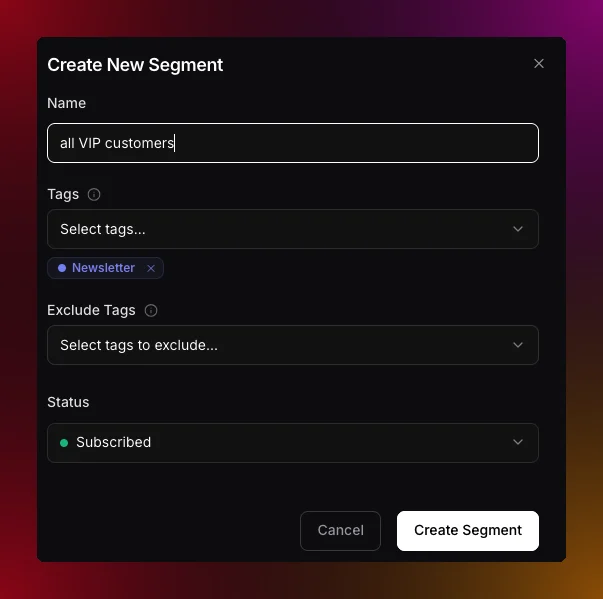
Describe a segment in plain words, including contacts that look like a person you name
Group contacts by a value pattern
Ask for a group like “investors” and Migma looks at the real values in your contacts to find what they share, for example emails that end in “.vc”, then writes one rule instead of listing every address. Because it is a rule, the segment keeps matching new contacts as they arrive. When you build filters by hand, field conditions now offer starts with, ends with, contains, and does not contain alongside the exact is and is not.Improves field conditions for imported numeric and date values. Counts, prices, scores, and dates now appear as typed properties with matching operators, and plain-language drafting can suggest thresholds from real audience values.Tags and segments · Engagement segmentsAgents and Teammates Show Up Live (June 17th)
Presence, member avatars, and agent activity are now clearer while teams work together on canvas. You can see who is editing, where their focus is, and when an agent is generating, so collaboration feels coordinated instead of accidental.Real-time collaborationTurn Searches and Imports Into Segments
Describe an audience in plain language, preview the matching contacts, and save the result as an AI-built segment after importing subscribers. The flow turns ad-hoc searches and fresh imports into reusable segments without leaving Contacts.Manage contacts · Tags and segmentsProtect Accounts With 2FA
Two-factor authentication is now available account-wide. Use an authenticator app or emailed security codes, verify your email address, and download backup codes from Settings so you can recover access if you lose your device.Set Up Migma From Create
A new Set up Migma action on Create copies/setup instructions so coding agents can audit your app, create emails, and wire safe backend sends. It hands your agent everything it needs to integrate Migma correctly the first time.Setup skillCreate a Full Email Series in Under a Minute
Generate connected welcome, launch, nurture, and winback flows from a single prompt. Instead of building each message by hand, you describe the goal and Migma drafts the whole series ready to refine.Email seriesRealtime Collaboration and Workspaces
Share workspaces, invite teammates, and build emails together live. The whole team can work on the same canvas at once, so reviews and edits happen in place.Real-time collaboration · Team accessAgents Register Themselves (June 13th)
Agents can now register themselves with scoped API keys. An AI agent like Claude, Cursor, or OpenClaw asks to connect, you approve it with a short code at migma.ai/claim, and the agent receives its own scoped API key. You never create, copy, or paste a key. You see the agent’s name and the permissions it requested before you confirm, and you can revoke any agent key from Settings, Developers, API Keys. Migma follows the open auth.md convention, so agents discover and complete the whole flow on their own.Agent registrationAccount Security (June 12th)
Two-factor authentication is now available from Settings. Use an authenticator app or emailed security codes, verify your email address, and download backup codes for account recovery, so your workspace stays protected even if a password leaks.Smart Segmentation
Contacts now supports natural-language segment drafting. Describe an audience like “inactive subscribers in Spain” and Migma builds the matching filters for you. Contact search also gains smart filtering, custom-field filters, activity filters, live counts, and post-import segment suggestions, so targeting is faster and far less manual.Manage contacts · Tags and segmentsSetup Skill
A new Set up Migma action on Create copies/setup instructions with sender status, agent auth guidance, and skill or plugin install paths. Coding agents use it to audit the app, create emails, and wire safe backend sends without guesswork.Live Collaboration Polish
Shared workspace presence is clearer, with more legible member and agent activity while teams work on canvas. It is easier to tell at a glance who is doing what.Real-time collaborationFree Collaborators (June 10th)
Migma now offers a seat-free way to invite editors and managers. Owners and admins check Free collaborator when inviting from a brand’s Share panel or from Settings, People & Access. Free collaborators edit and collaborate in real time without using a seat, and AI generation runs on their own plan’s credits. People they invite stay seat-free automatically, so teams and agencies can scale collaboration without scaling seat costs.SeatsAgencies and Client Brands (June 7th)
New guidance helps agencies run client work cleanly. Keep each client in its own workspace with your team as editors, or join a client’s brand as a guest. Editors use a seat, reviewers stay free, and the workspace owner is billed, so the billing and access model matches how agency engagements actually work.Agencies & client brandsProprietary Email Engine (June 4th)
Migma’s email rendering engine now powers output. Emails render to table-based HTML for Outlook, webmail, and mobile, and preflight adds client previews before send so you can catch rendering issues before subscribers do.Client compatibilityImage Generation Toggle
A per-project toggle now controls the image and GIF generator, so you can turn generated imagery on or off depending on the brand or workflow.AI image generationCampaign Publishing Dialog (June 1st)
The publishing dialog is redesigned for send, export, and API options, with clearer tabs, better recipient copy, refined typography, and improved preview controls. Choosing how a campaign goes out is now faster to understand at a glance.Voice Dictation in Composer (June 1st)
The prompt bar now has a mic control. Speech transcribes directly into the composer for both single emails and series briefs, so you can describe what you want out loud instead of typing it.Real-time collaboration, the visual canvas, email series, email-safe rendering, and deliverability controls
Import Paths Render to Email-Safe HTML (May 31st)
Prompt, Figma, image, HTML, and Claude design imports now all render to the same table-based HTML for Outlook, Gmail, Apple Mail, and mobile. However you bring a design into Migma, it ends up as email that behaves consistently in the inbox.Claude Design Import
You can now import Claude design exports as editable Migma emails, turning agent-generated designs into something you can refine and send.Claude designHTML Import
Paste or upload external HTML and Migma converts legacy templates into compatible Migma email, so existing assets can move into the workflow without a rebuild.HTML importFigma and Image Import
Figma frame conversion is improved for layout, spacing, and typography, and screenshot and mockup conversion lands closer to the source for higher fidelity from the start.Figma import · Image cloneClient Compatibility
All creation and import paths render to table-based HTML, including desktop Outlook (Word rendering). Migma setscolor-scheme and optional locked brand colors, and preflight reports pass, warning, or fail per client so you know exactly how an email will land before sending.Client compatibilityCollaboration, Canvas, and Email Series (May 31st)
Migma now supports real-time team editing on a shared visual canvas alongside multi-email series workflows. Teams can plan, draft, and refine entire sequences together in one space.Team Access
Projects now have roles — Manager, Editor, Commenter, and Viewer — plus account-level invites that apply across all projects. Manage members and pending invites from project settings.Team accessReal-Time Collaboration
Collaboration gains presence avatars, live cursors and focus, canvas sync, and a generating indicator that shows when another member is running generation, so the whole team stays in sync as they work.Real-time collaborationVisual Canvas
A new spatial board holds emails, social posts, and blog nodes in one place. Pin HTML references, images, URLs, and competitor emails, and use sticky notes, flow lines, groups, and canvas version restore to plan campaigns visually.Visual canvasEmail Series
Generate a multi-email series from one brief, then add, remove, or reorder emails. Batch edit across the series, set per-email cadence, and restore prior versions per email — the full sequence is editable, not locked.Email seriesDeliverability Settings (May 5th)
A new Settings, Email, Deliverability area gives you more control over who you send to and how list health is maintained:- Exclude risky addresses: an optional toggle skips disposable and role addresses on send, and skipped campaigns list the reason
risky. - Daily re-validation: a nightly re-check for subscribed contacts whose validation is older than 30 days.
- Segment validation filter: scope segments by
valid,invalid,risky, orunknown, and contact detail now shows Last validated.
Skipped Recipients Per Campaign (May 4th)
A new Skipped sub-tab sits under campaign Recipients next to Sent, listing pre-send exclusions with their reason. Filter by reason and open the contact directly from a row to understand exactly why someone did not receive a campaign.Skipped recipientsSuppression List in Contacts (May 3rd)
A new Contacts, Suppression view tracks blocked addresses from bounces, complaints, unsubscribes, and manual entries. It includes reason filters, row detail (SMTP subtype, complaint type, soft-bounce streak), and inline add or remove, so list hygiene lives where your contacts do.Suppression listPersona drafting, engagement segments, email folders, a metadata editor, and DNS handoff
Persona Drafting (April 27th)
A new Persona option on create lets you pick a contact, audience, or tag to seed a draft. Variable suggestions match the populated fields for that cohort, fields populated for under 5% of contacts are hidden, and Personalise for… appears on Tag, Audience, and Contact rows. Persona shapes the draft only, not send targeting, so you can write for a real reader without changing who receives the email.PersonaEngagement Segments
The segment editor now includes Opened and Clicked filters alongside Received, with time modes for in the past N days, not in the past N days, and never. Membership updates automatically as engagement events arrive, so segments stay current without manual maintenance.Engagement segmentsEmail Folders (April 22nd)
Finder-style folders bring order to your emails with drag and drop, context-menu actions, and pinned folders, available on both desktop and mobile.Subject, Languages, and Variables
A two-column editor with live preview opens from the email card menu, and updates apply to exports and linked campaigns so subject lines, languages, and variables stay consistent everywhere.Email DNS to Developer
A new Email to developer action on sending domain records lets you hand off DNS setup with an optional note on the message and reply-to set to your address, making it easy to loop in whoever manages your domain.Bulk Image Upload
The composer now supports multi-image drag and drop with parallel upload, so adding many images at once is quick.BCC
BCC is now available on one-off and test sends.Subject Handling
Migma now back-fills a campaign subject from the HTML<title> at send when the subject is empty, and renaming an email updates the exported HTML <title>, keeping subjects and titles aligned.Campaign archiving
Campaign Archiving (March 15th)
You can now archive and unarchive campaigns from the campaign actions menu in any status. Archived campaigns keep their stats and history, a new Archived tab keeps the workspace tidy, and the capability is exposed in the SDK and MCP.Campaigns and analytics, the marketing calendar, dynamic styles, competitor tracking, sending, and developer tools
Per-Project Integrations (February 24th)
Klaviyo, Mailchimp, and Brevo are now scoped to projects, configurable from the export dialog or project settings, so each brand keeps its own destinations.Figma Token Persistence
Migma now stores a Figma personal access token per project, so importing private files no longer requires re-authenticating each time.Custom Font Upload
Drag and drop font files (WOFF, WOFF2, TTF, OTF) to add brand fonts. Fonts are per-project and served from CDN.Managed Domain Reputation
Bounce and complaint thresholds on Quick Start domains are tighter, and warning and suspend limits now appear on metric hover so reputation risk is visible before it becomes a problem.Automatic Domain Warming
Warmup now starts automatically when a managed domain verifies, ramping daily send volume gradually to build sending reputation safely.This was replaced on August 25, 2026. Managed Migma addresses now use a fixed daily limit without warmup.Campaign Management (February 20th)
A new 5-step campaign wizard and a campaign dashboard with status filters, search, and actions make it straightforward to plan and track sends.
Campaign dashboard
A/B Testing
Run variant tests on a subset of your audience with open and click comparison, then choose which version to send to the remainder.CampaignsCampaign Analytics
Cross-campaign metrics now cover sends, opens, clicks, bounces, and unsubscribes, so you can see performance across your whole program in one place.Track resultsEmail Activity Dashboard
A new activity dashboard surfaces delivery, engagement, bounce, and complaint trends, a country breakdown, and filtered email logs.Inbox Icons
Emails can now show BIMI, Gravatar, and Google Profile inbox avatars, strengthening brand recognition in the inbox.Inbox iconsBot Protection
Migma now filters bot opens and clicks, including Apple Mail Privacy Protection, so engagement metrics reflect real recipients.Also Ships
- Campaign scheduling with timezone and cancel before send
- Campaign duplication
- Geographic engagement map
- Email log search
- Deliverability docs
- Migma vs Resend comparison doc
Marketing Calendar (February 16th)
A brand-aware marketing calendar lets you create a campaign in one click from any date, so planning and creation happen in the same view.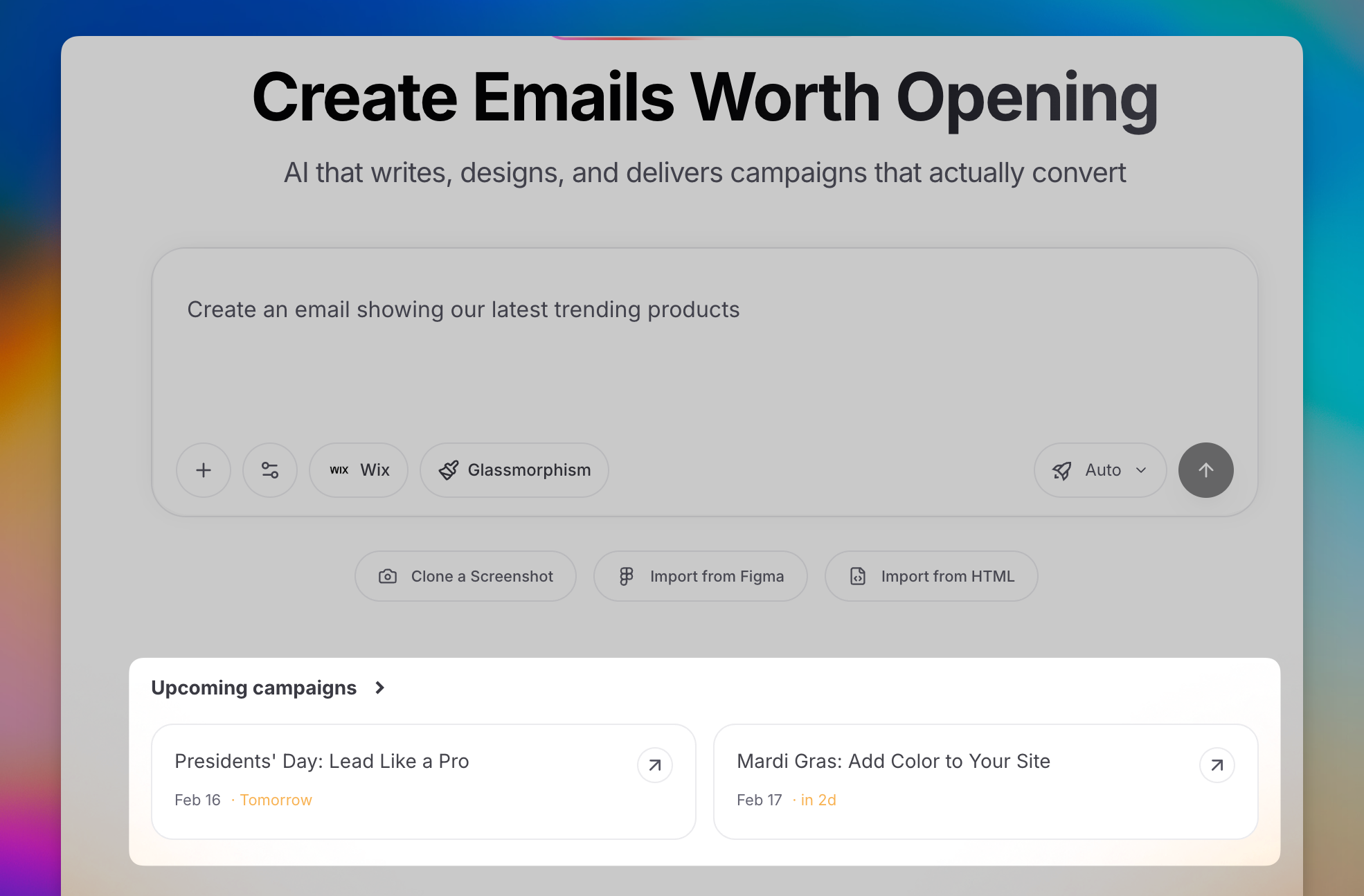
Marketing calendar
Dynamic Email Styles
Migma now detects a site’s design system on brand import and applies it to generated emails, so output matches the brand automatically.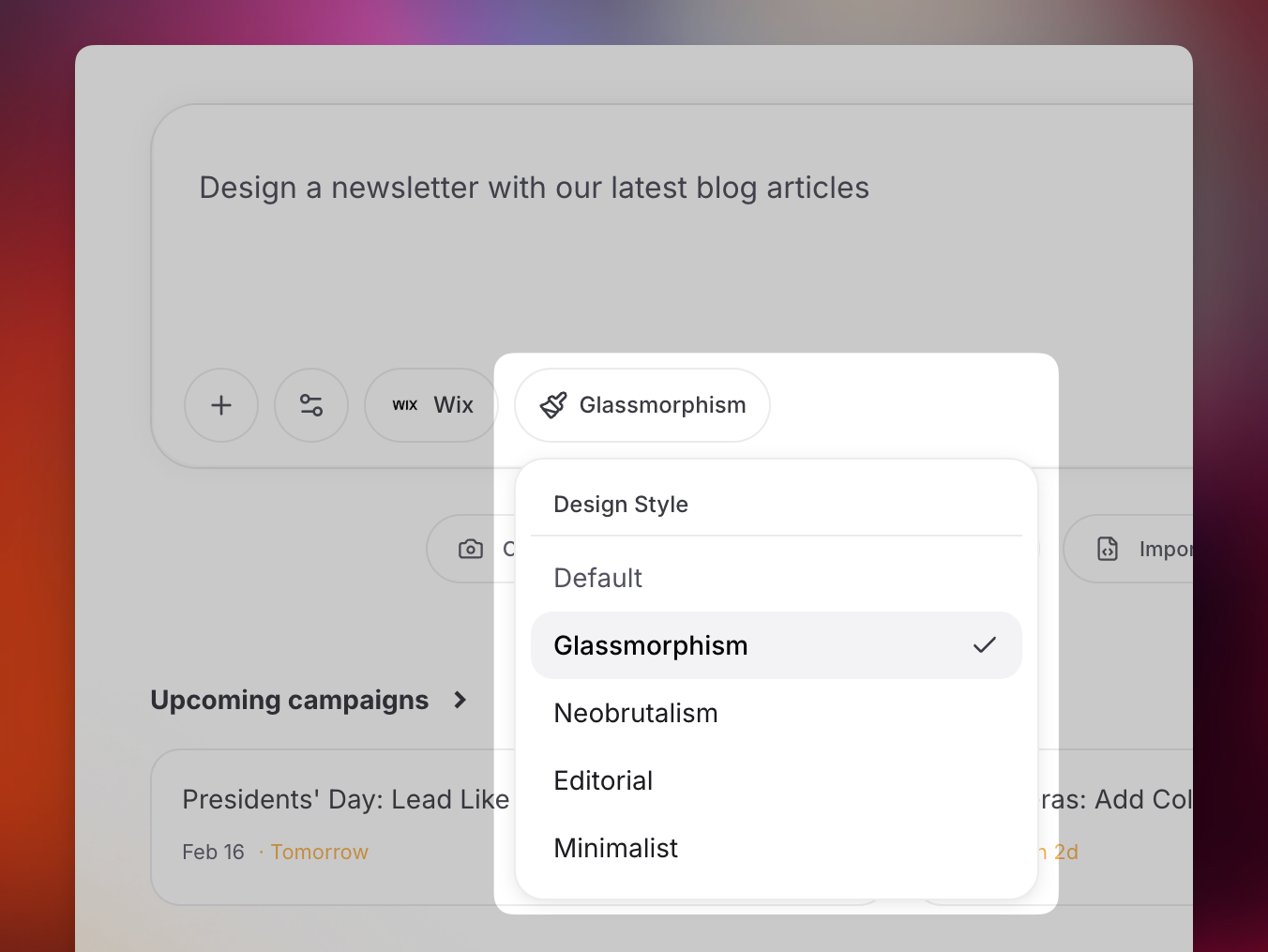
Dynamic styles
Settings Page
The settings page is redesigned around usage, sending rates, and account activity for a clearer view of your workspace.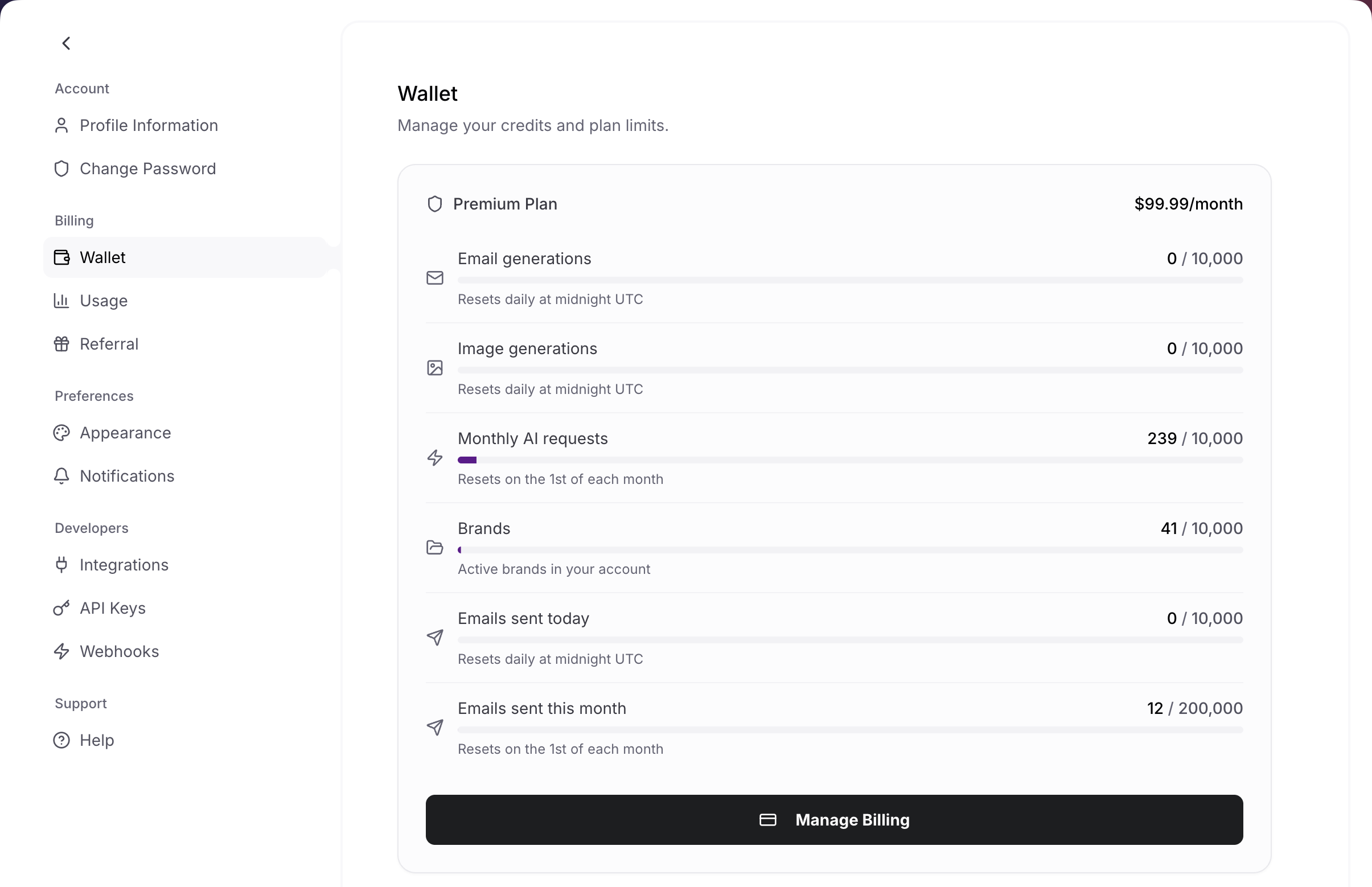
Settings
Developer Tools
A full set of developer entry points is now available:- OpenClaw: chat apps via the OpenClaw skill
- Skills: agent integrations
- CLI: terminal workflows
- MCP: MCP clients
Daily Calendar Email
A morning digest summarizes upcoming campaign dates with create links, so the calendar comes to your inbox.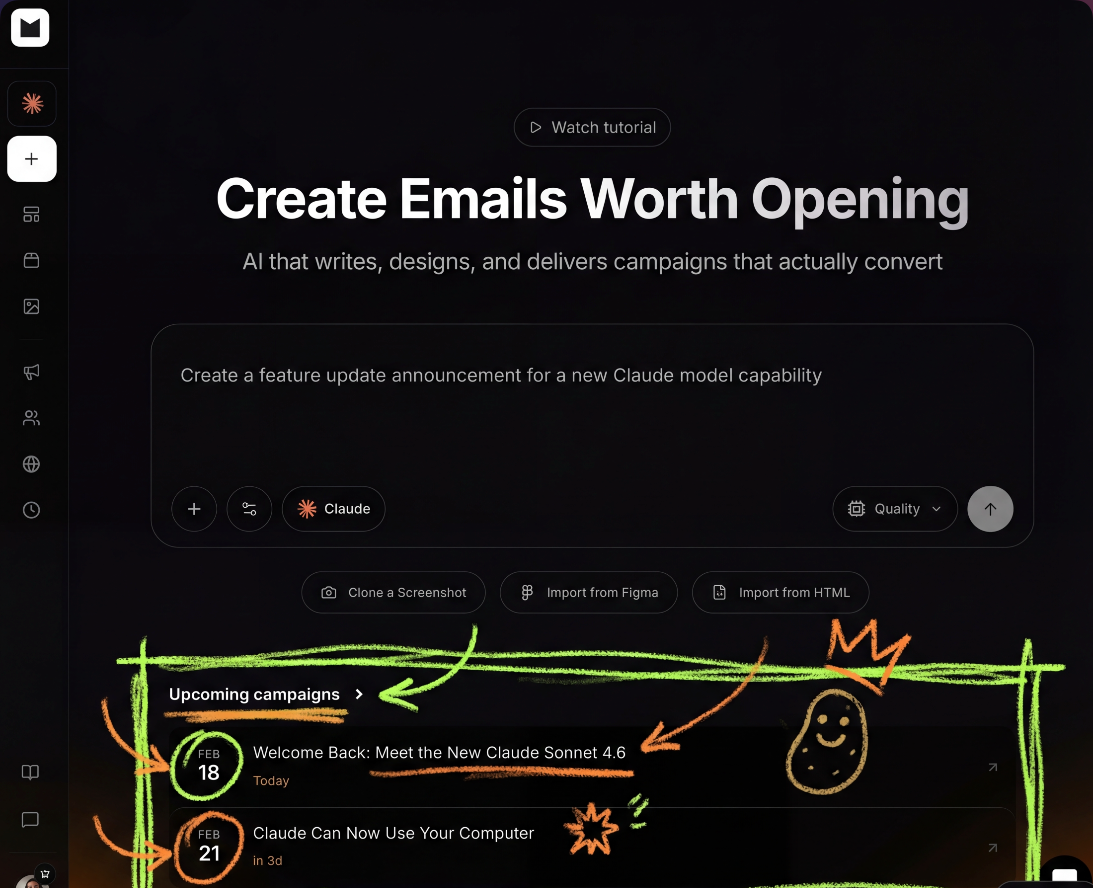
Calendar digest email
Also Ships
- Brand insights on email strategy
- Bulk subscriber edit
- Topic opt-in in preference center
- Domain stack detection on brand import
Competitor Tracking, Sending, Audience, GIFs, Editor (February 8th)
A broad release adds competitor tracking, native sending, audience tooling, GIF Studio, and visual editing — the building blocks of a full email program.Competitor Tracking
Subscribe to competitor newsletters, view their sends, see a 12-month cadence heatmap, and remix anything into your own brand.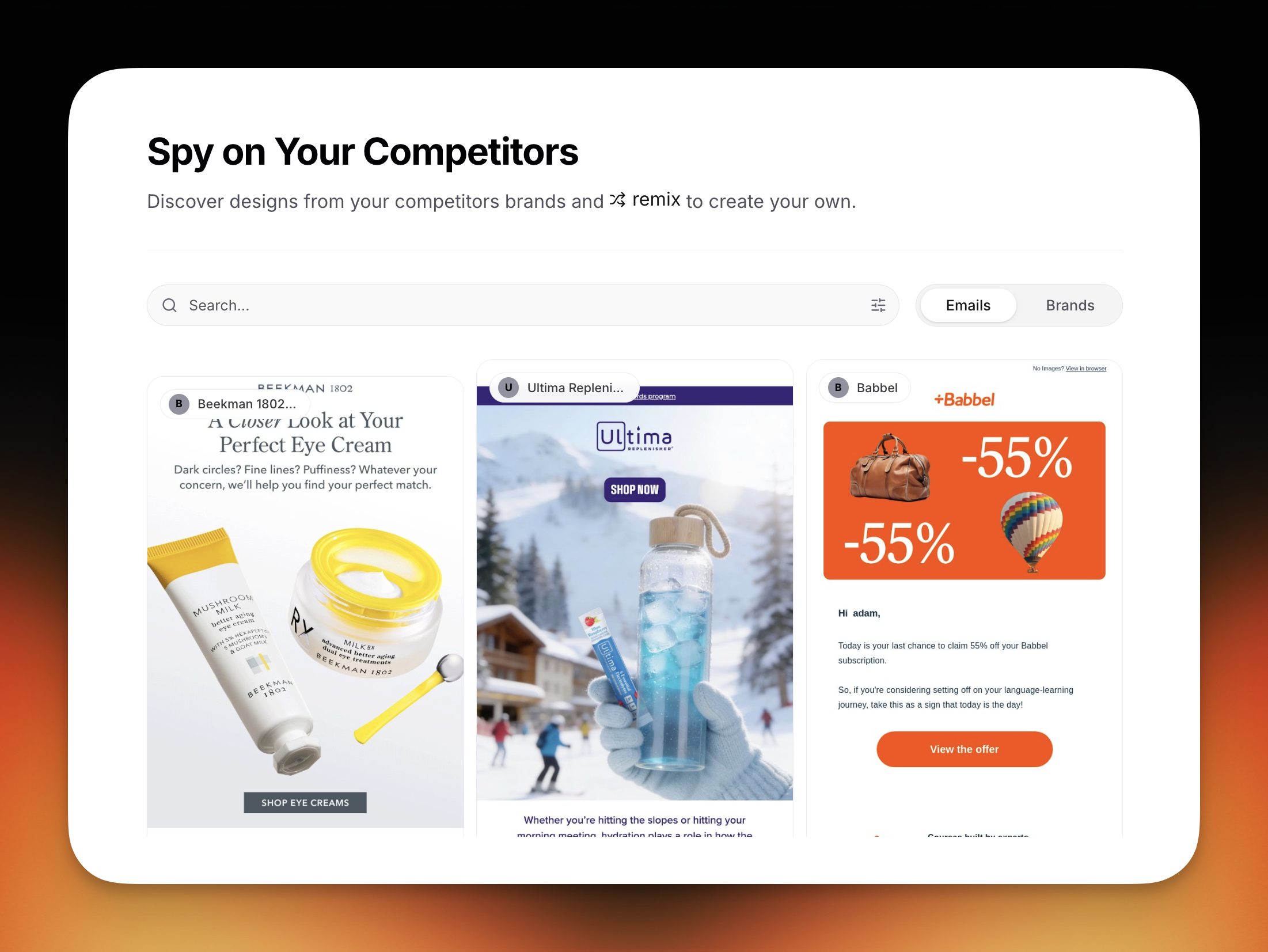
Competitor tracking
Send From Migma
Send directly from Migma with options for every stage:- Quick Start: a shared
@migma.emailsender - Custom domain: dedicated IP, Cloudflare DNS assist, and warmup
- Metrics: delivery, opens, and clicks
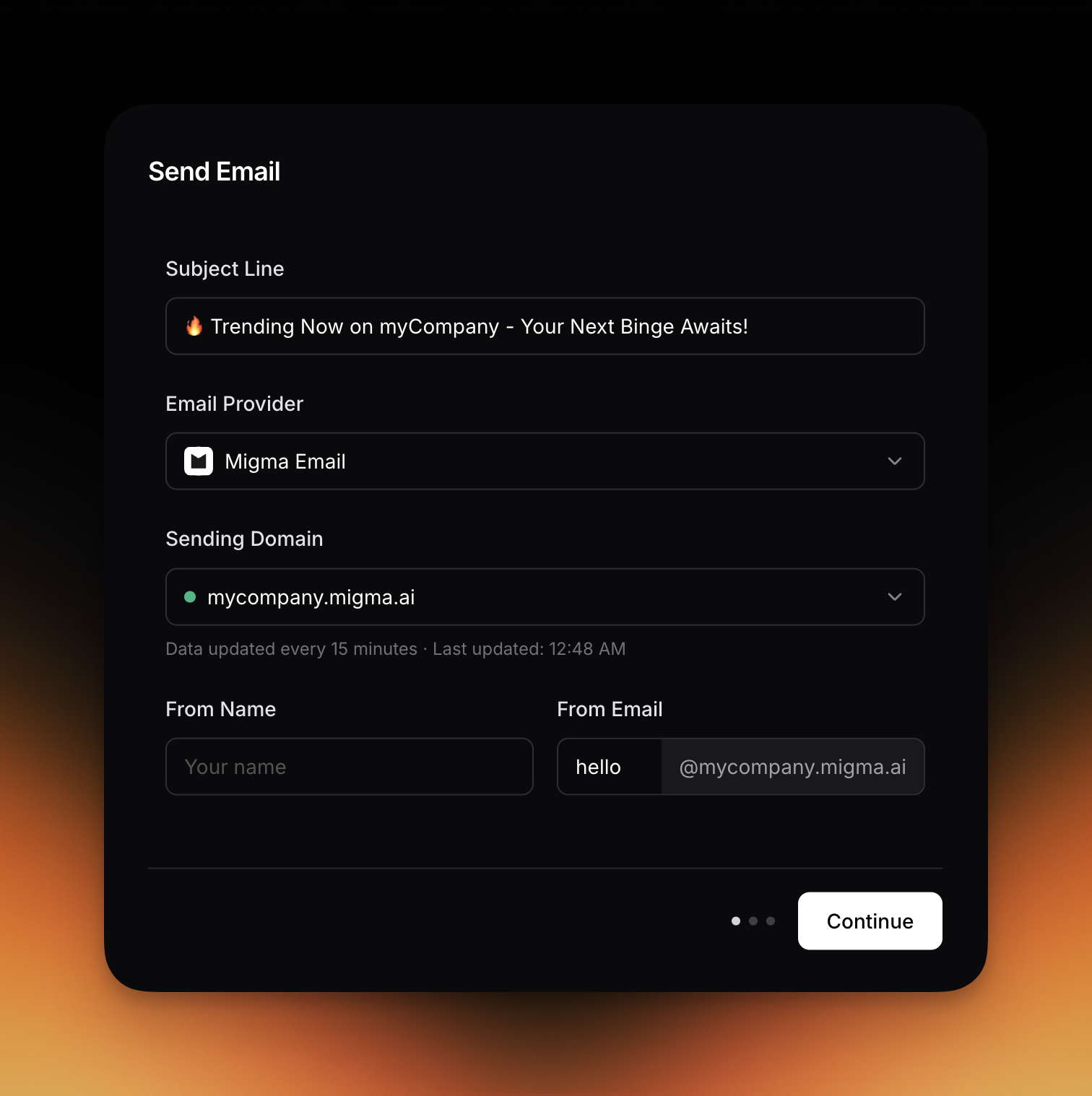
Send from Migma
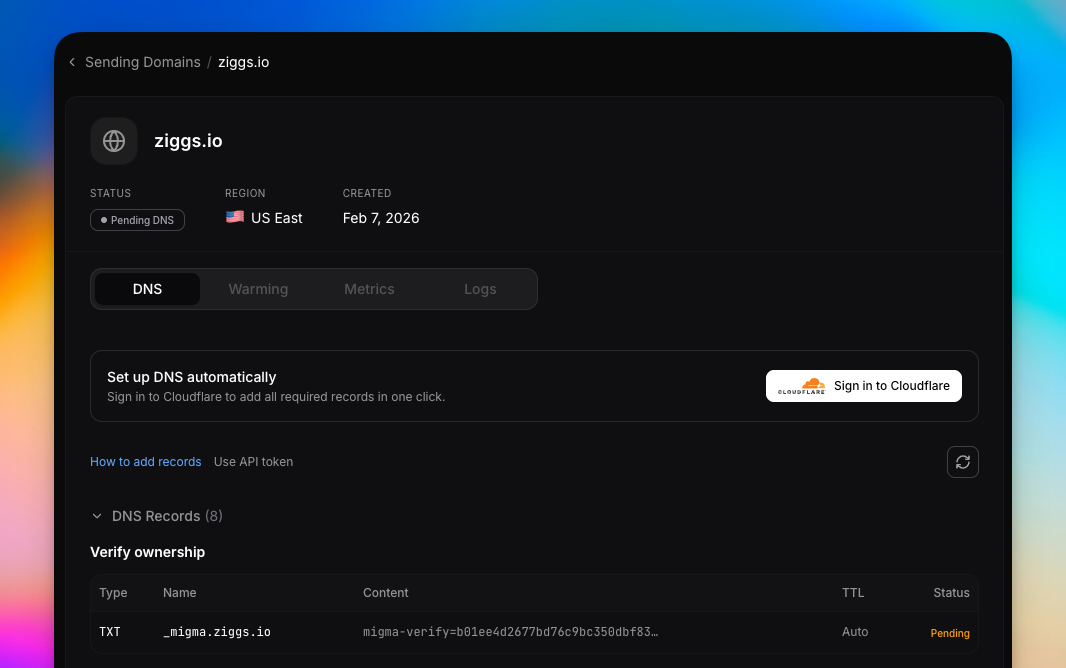
Domain setup
Audience and Contacts
Audience tooling now covers validation on import, CSV bulk import, tags, dynamic segments, and per-contact engagement.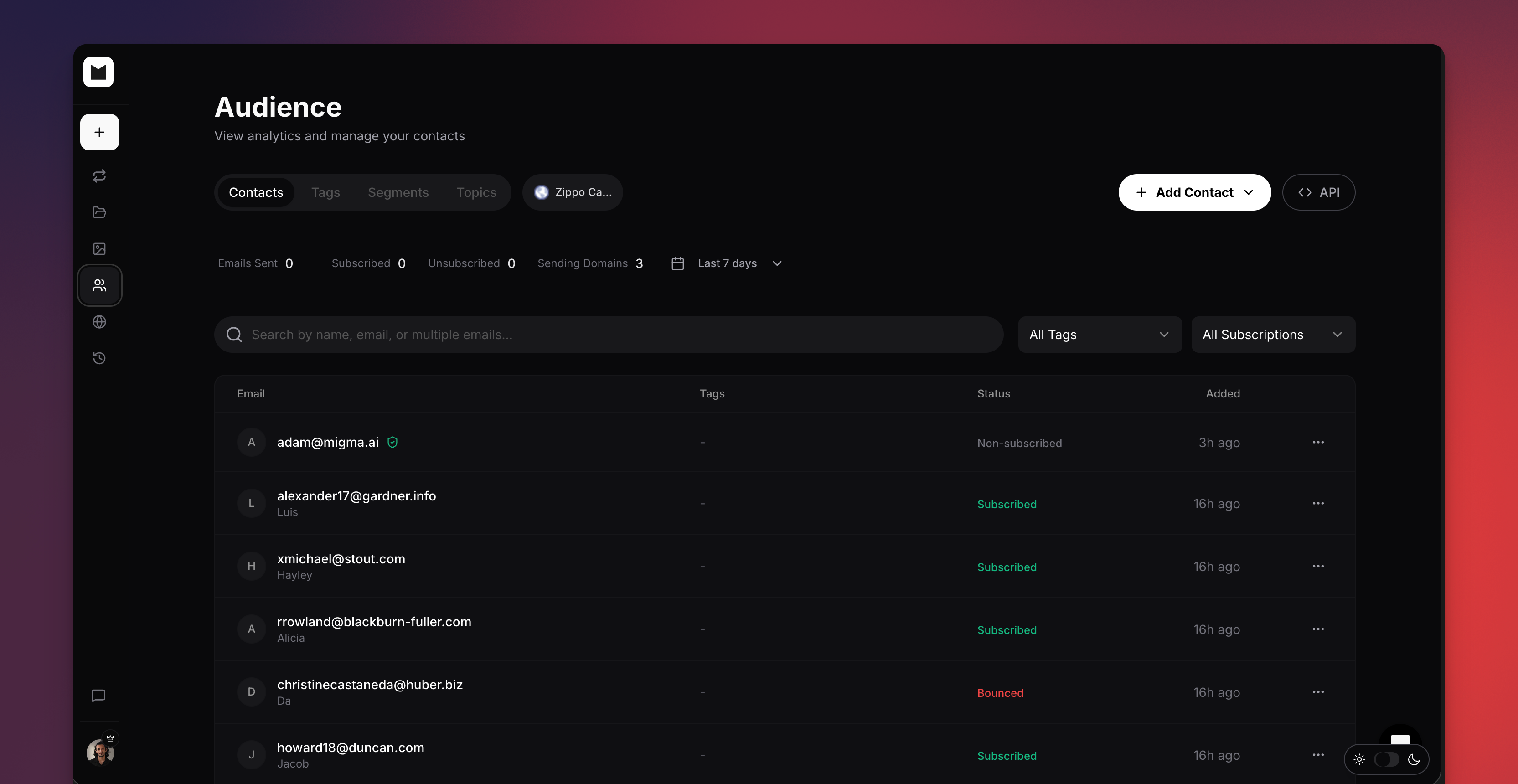
Audience
GIF Studio
Generate brand-matched slideshows, reveals, and countdown GIFs to add motion to emails.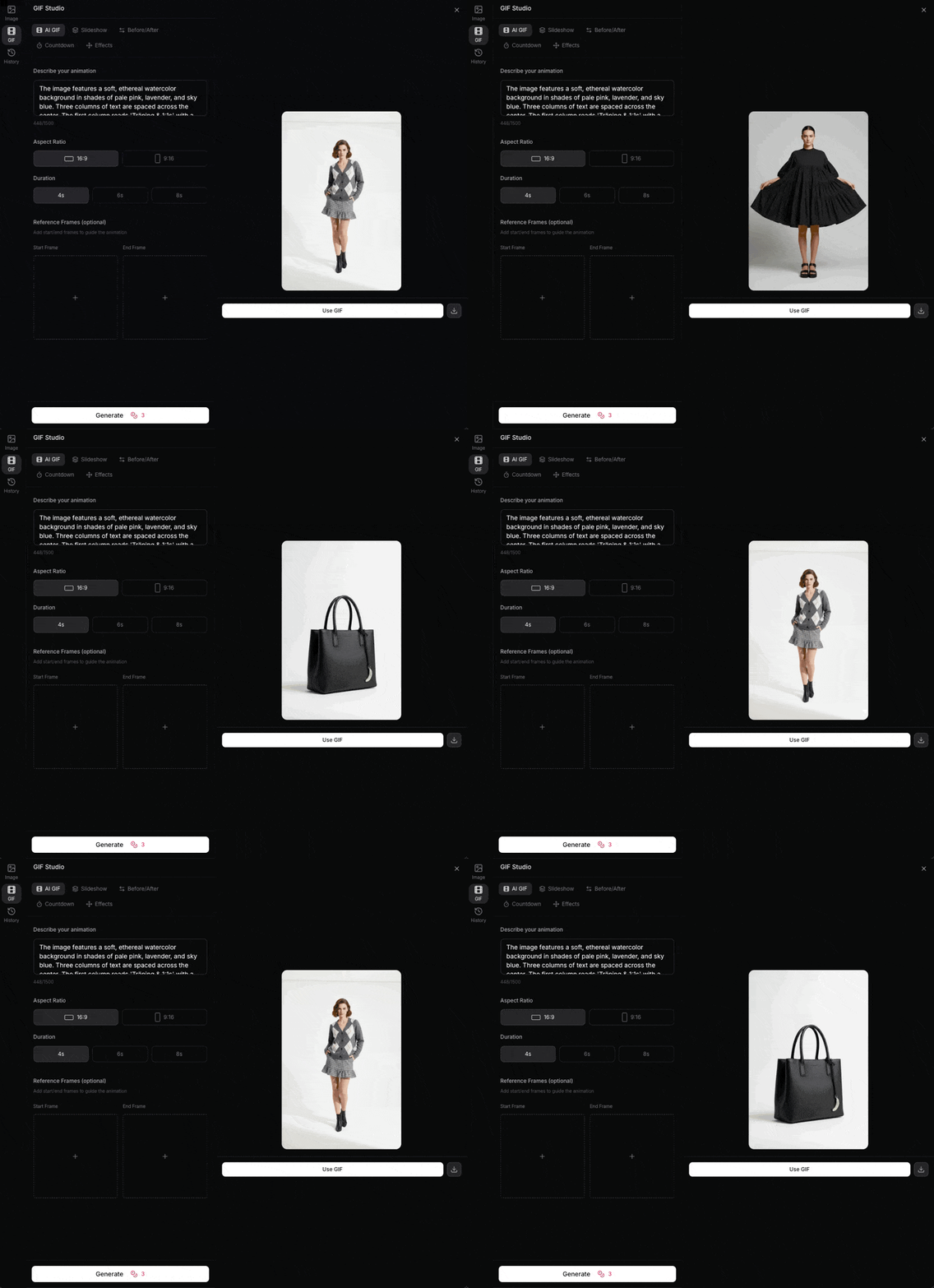
GIF Studio
Visual Editor
Point-and-click editing now covers text, images, colors, and styles, so refining a generated email is direct and visual.Visual editorExport
Export to Mailchimp, Klaviyo, Brevo, HubSpot, and HTML download.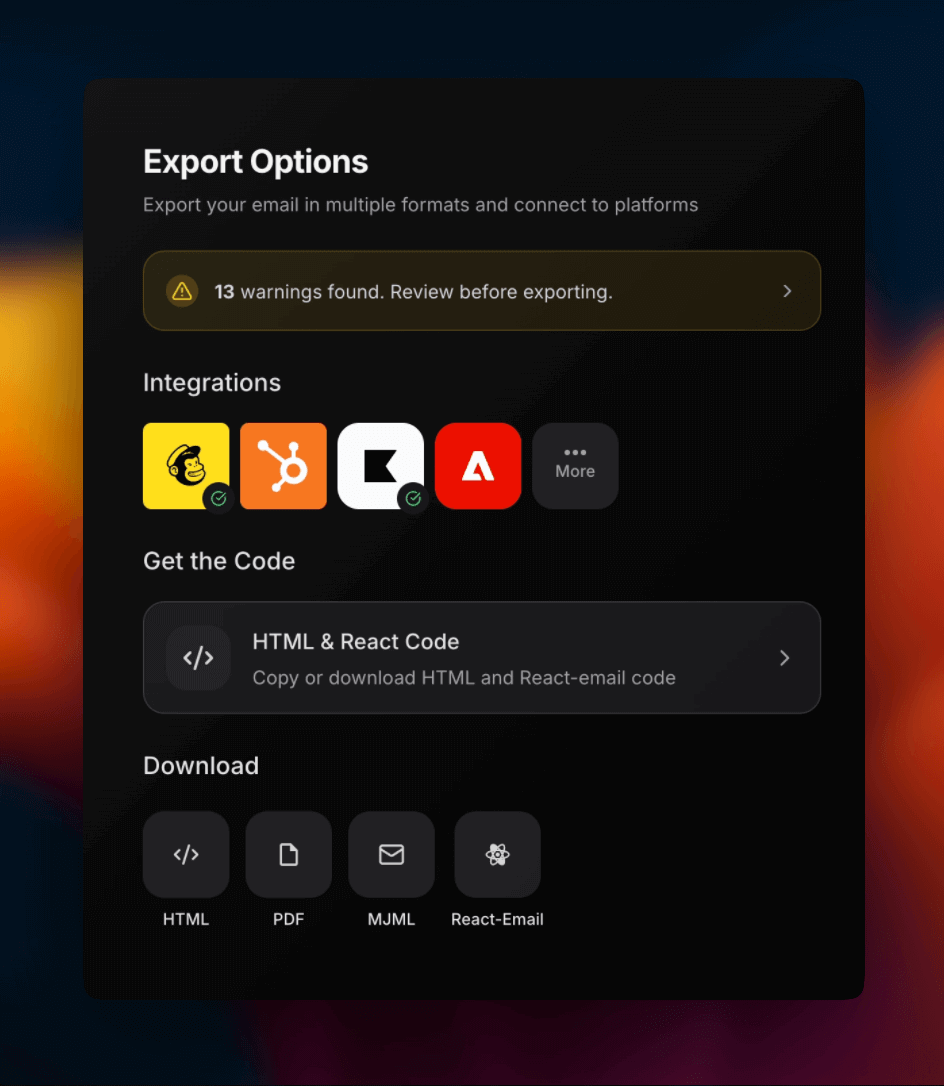
Export destinations
Referral Program
Earn 30% recurring commission, and referrals get 50% off the first 3 months.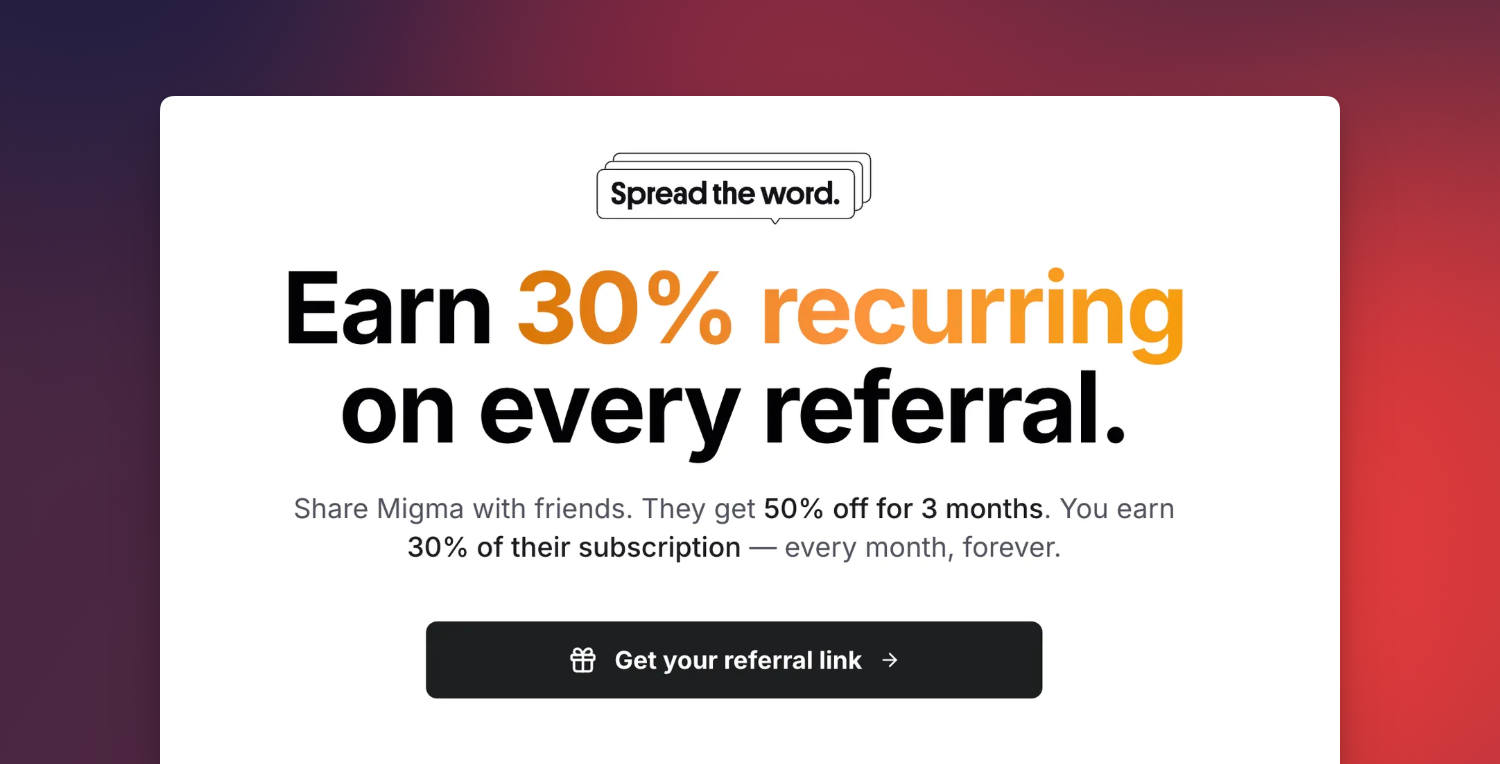
Referrals
Node.js SDK
The Node.js SDK lets you import brands and generate emails programmatically:Tutorials
New tutorials walk through the headline workflows:Competitor tracking
Subscribe, heatmap cadence, remix competitor emails.
Send from OpenClaw
Send from WhatsApp, Telegram, or Discord via OpenClaw.
Localized campaigns
One campaign, per-subscriber language rendering.
The v3.0 launch with sending domains, audience tools, integrations, and the public API
Icons, GIF Slideshows, Countdown Timers (January 26th)
This release adds an icons library, multi-image GIF slideshows, and countdown GIFs, plus an instant credit grant when you upgrade your plan so new capacity is available immediately.Icon Editing in Visual Editor (January 22nd)
You can now swap icons directly inside the visual editor without leaving the canvas.Test Send to Any Address (January 21st)
Test sends now accept an arbitrary recipient, so you can preview an email in any inbox before going live.Mobile and Dark Mode Generation (January 19th)
Responsive layouts are improved and dark and light client rendering is more reliable, so generated emails look right across devices and themes.Email Generation Status API (January 17th)
The status endpoint now returns HTML, screenshot URLs, stats (images, buttons, colors), and detected languages, giving integrations a complete picture of a generated email.API referenceIntegrations (January 15th)
New integrations land for Zapier, Short.io, Close CRM, Meta Ads, monday.com, and Asana, and Figma now uses the native MCP server.Bug Fixes (January 11th)
- Fixes MCP connector connections
- Fixes Klaviyo API connection reliability
v3.0.0 Launch (January 6th)
The v3.0.0 release pairs a full redesign with sending domains, audience tools, GIF studio, custom fonts, referrals, and a public API — Migma’s biggest step toward an end-to-end email platform.Brand and UI
A new logo and app shell arrive with light and dark themes.
New brand
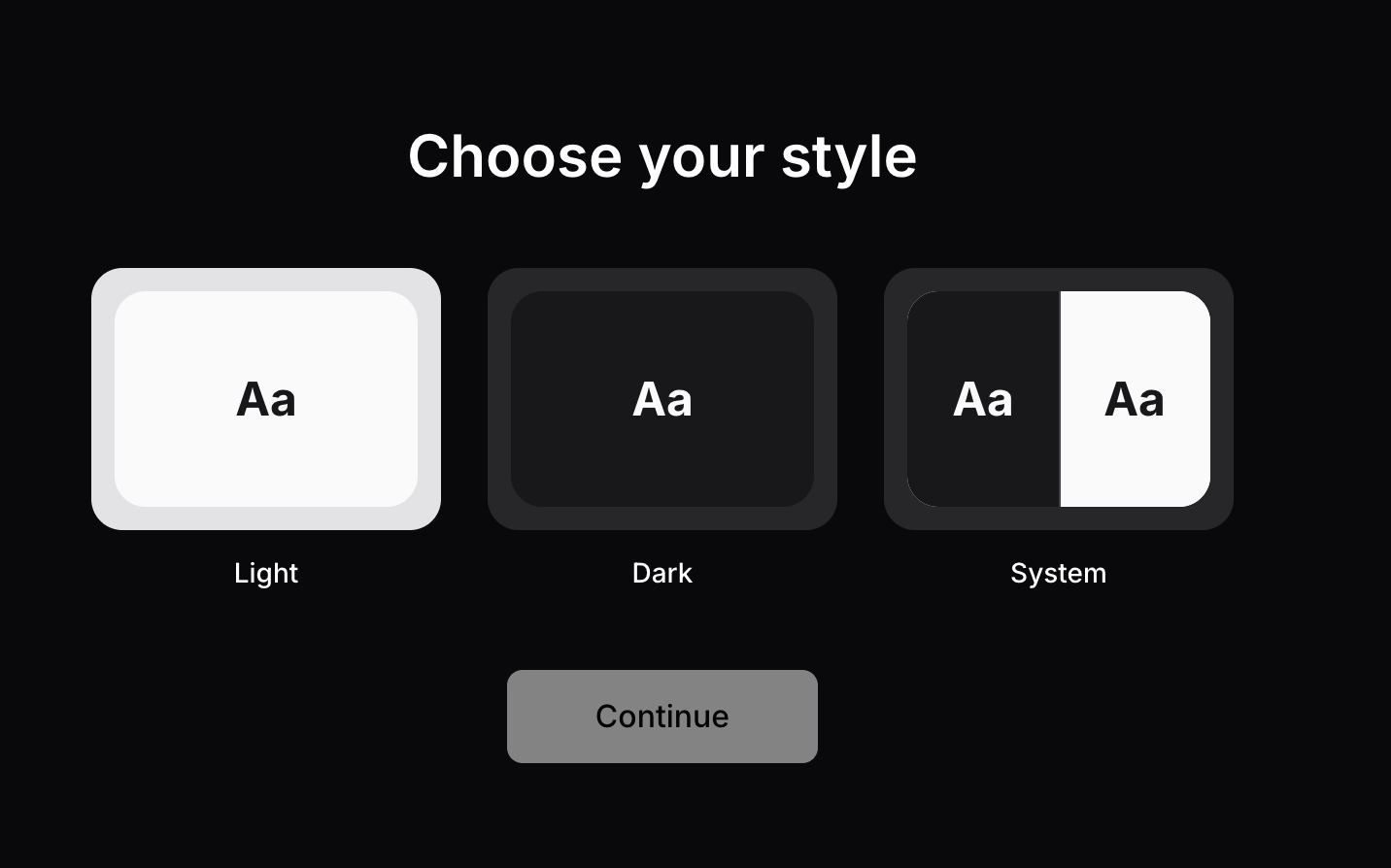
Light and dark mode
Sending Domains
Set up managed or custom domains with warmup, DKIM/SPF/DMARC, MAIL FROM, bounce and complaint monitoring, and Cloudflare DNS assist.Sending domainsAudience
Audience tooling adds tags, dynamic segments, a preference center, CSV import with validation, and multi-language support per subscriber.AudienceReferral Program
Earn 30% recurring commission while referrals get 50% off for 3 months, with milestone bonuses and multiple payout methods.Referral programImage Clone and Remix
Create exact and brand-adapted clones from screenshots or saved emails, and remix from a trending library with one click.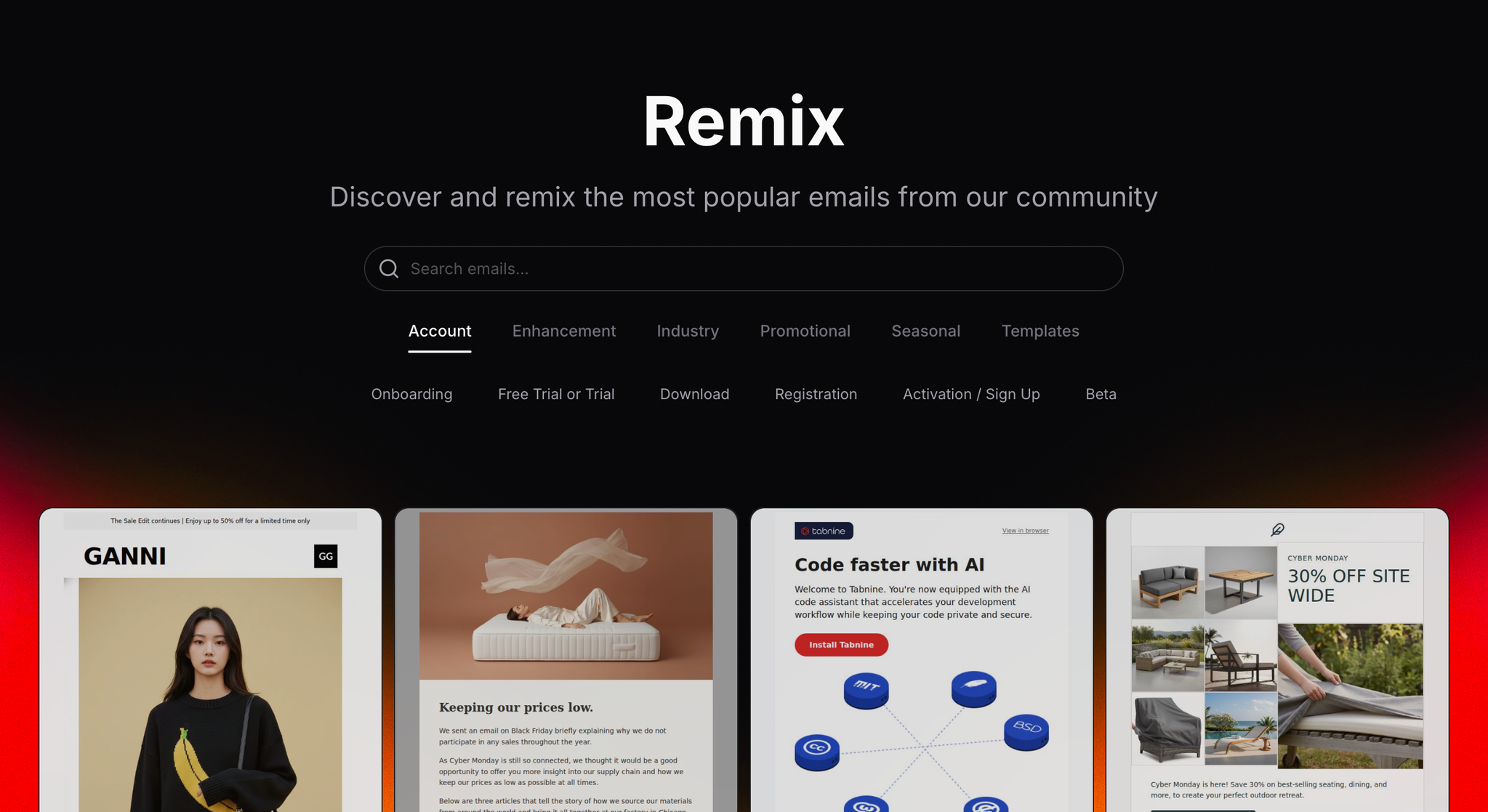
Remix trending emails
Custom Fonts, GIF Studio, Social and Blog Export
Upload custom fonts, generate GIFs from prompts or images, turn emails into social posts and blog content, and export to PDF and PNG.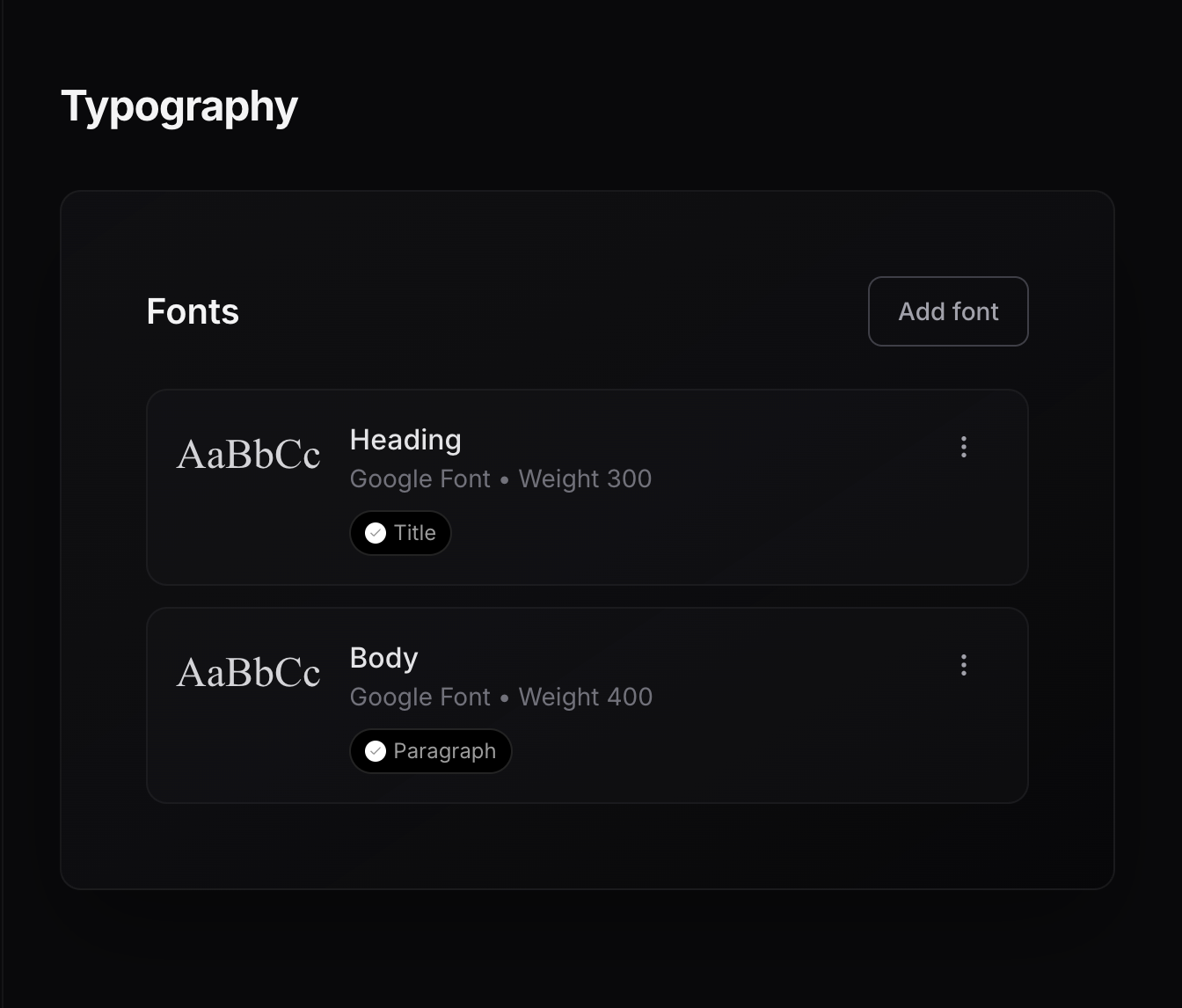
Custom fonts
Public API
A public API opens Migma to programmatic workflows.API referenceAlso Ships
- Improved generation memory and post-generation suggestions
- CDN image optimization
- Visual editor image controls
- Composer queue during generation
- Klaviyo export reliability fixes
Export to 7+ platforms, the analysis dashboard, trending emails, and the Brand Kit
Custom Fonts and Brand Versions (December 20th)
- Adds custom font upload
- Adds brand version history and restore
- Adds tag search on trending emails
- Adds shareable preflight result links
- Improves design generation speed
Search and Smart Tags (December 19th)
- Adds full-text search in conversations
- Adds AI tags in Remix
- Adds project version restore
- Adds semantic search
Brand Kit Page (December 13th)
- Adds a Brand Kit page for assets
- Improves tag filter performance
Trending Emails (December 12th)
- Adds a trending email gallery
- Adds auto tags and titles on content
Analysis Dashboard and CSS Checker (December 9th)
- Adds a quality score dashboard
- Adds a CSS checker for 20+ clients
- Adds in-project chat
- Improves dark mode in generated emails
- Adds multi-language generation
Export to 7+ Platforms (December 9th)
Export to HTML, React, Klaviyo, HubSpot, Mailchimp, Brevo, and MJML with one click. Exported templates carry dark mode, accessibility, and client compatibility defaults.Live HTML Code Preview (December 8th)
Adds a live HTML preview in preflight, so you can see the rendered markup as you work.Email Fixer and Device Preview (December 6th)
- Adds one-click compatibility and link fixes
- Adds previews for 20+ clients
- Adds HTML to email conversion
Bulk Import and Dark UI (December 4th)
- Adds bulk contact import with dedupe and validation
- Adds dark mode UI
- Improves MJML export
Export Speed and Social Posts (December 2nd)
- Improves export performance
- Adds a social post generator from emails
- Improves brand import speed
ESP integrations, on-brand AI images, and Figma conversion
ESP Integrations (November 28th)
- Adds Mailchimp export
- Adds HubSpot export
- Adds Brevo export
- Improves brand import time
Images and Figma (November 21st)
- Adds on-brand AI images
- Adds Figma to email conversion
- Adds image aspect ratio handling for layouts
Figma Assets and Logos (November 5th)
- Adds Figma image extract
- Adds logo extraction on import
- Improves default template patterns
Email sequences, prompt enhancement, and AVIF output
Sequences and YouTube (October 31st)
- Adds automated email sequences
- Adds YouTube caption to email content
- Improves preview image selection
Prompt and Compatibility (October 27th)
- Adds prompt enhancement before generation
- Adds a design compatibility checker
- Improves generation prompt handling
AVIF and Icons (October 14th)
- Adds AVIF images in email output
- Adds a custom icon renderer
- Improves image compression