

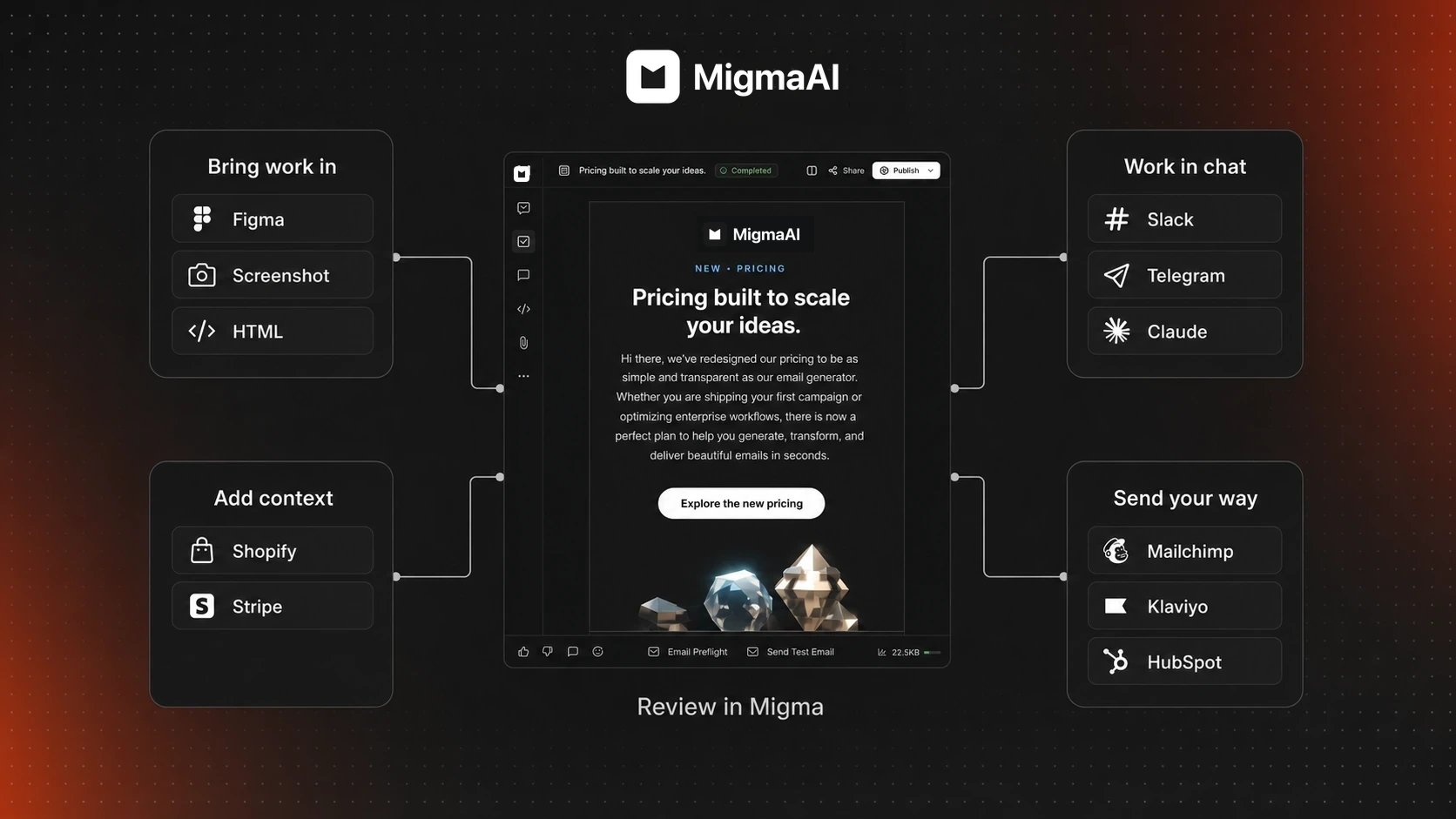
Bring work in, review it in Migma, then choose where it goes
Start where the work already lives
Figma, screenshots, and HTML
Turn existing work into an editable email instead of rebuilding it by hand.

Claude
Plan and request emails in Claude. Open the finished drafts on the Migma canvas.

ChatGPT
Work from ChatGPT while Migma keeps brand, audience, compatibility, and sending controls.
Slack
Start email work from team chat, then review the result in Migma.
Telegram
Message Migma from Telegram to create or change a draft, then open it in Migma.
Use context without copying it by hand
Shopify
Use store, product, customer, and order context when it helps the email.
Stripe
Use customer, subscription, invoice, and payment context when it is relevant.
Other approved tools
Let Migma use selected data and actions from tools your team connects.
Your brand workspace
Keep logos, colors, fonts, products, voice, and saved references ready for every email.
Review once, then send your way
1
Review the email in Migma
Change copy or design, run Email Preflight, and send yourself a test.
2
Choose the destination
Open Publish. Send with Migma, export to Mailchimp, Klaviyo, Omnisend, Brevo, or an existing HubSpot connection, or use the API.
3
Approve live action
You choose when to send or schedule, directly or by approving your agent’s request.
Some connections are limited or still rolling out. Each setup page shows what is available before you connect.
Next
Choose an email platform
Compare import, context, export, and sending connections.
Check inbox compatibility
Review Outlook, Gmail, mobile, light mode, and dark mode before handoff.