

How it works
- Click New Email in the left sidebar
- Type what you want in the prompt box
- Hit Enter
Speak instead of typing
- Select the microphone in the prompt box
- Speak your brief while Migma adds the words to the box
- Stop dictation, review the text, then send the prompt
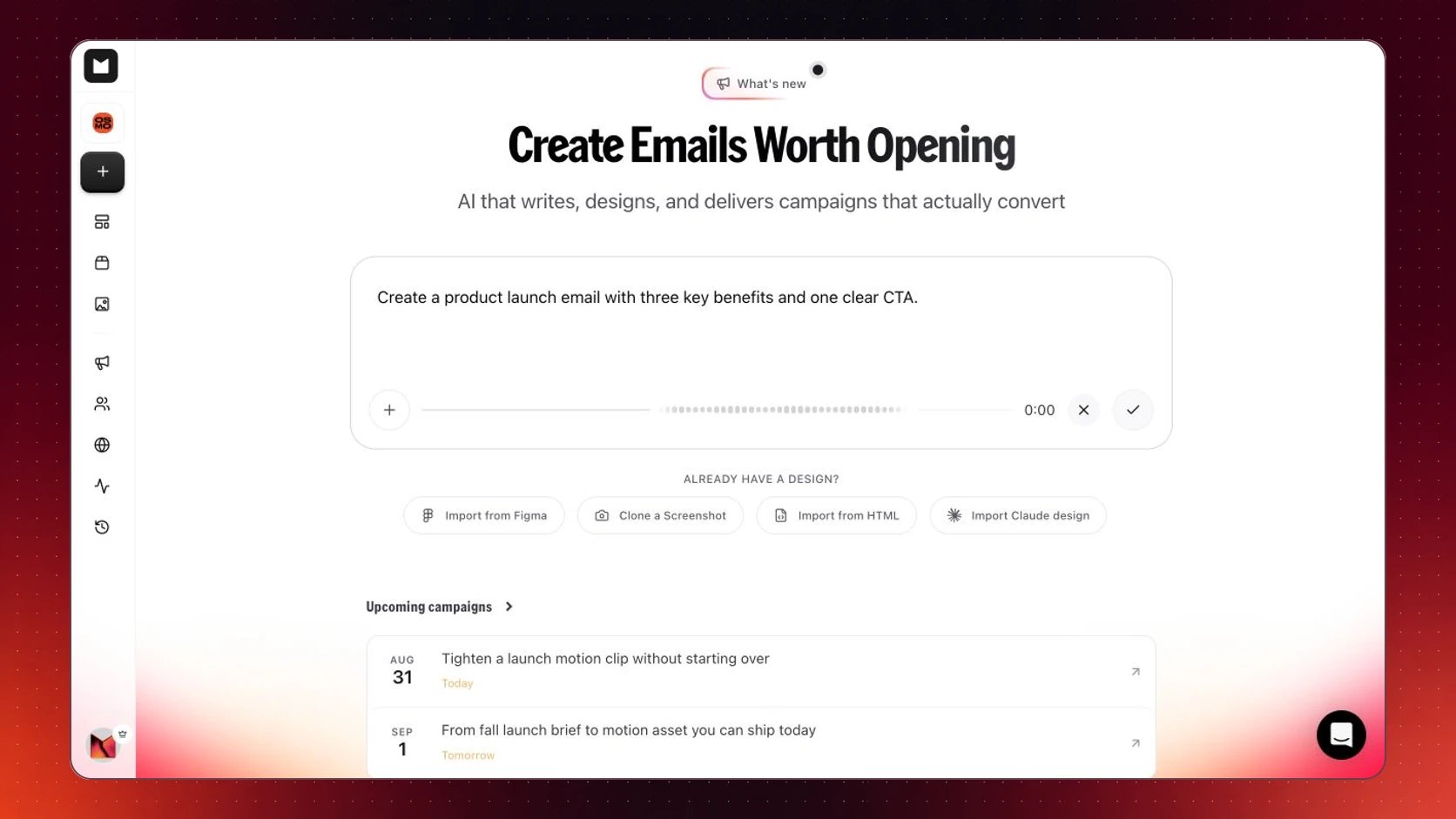
Dictate a brief, review the text, then send it
Dictation fills the prompt box. It does not send until you review and submit it.
Writing a good prompt
You don’t need to overthink this. A good prompt just answers four questions: What kind of email is it? Newsletter, promo, welcome email, announcement, just name it. What should be in it? List the content you want: a discount, a product feature, an event date, a customer story. What tone? Friendly, urgent, professional, playful or just describe the feeling you’re going for. What should people do? The action you want readers to take: click a button, book a demo, shop now. You don’t have to answer all four perfectly. Even a rough prompt gets you 80% of the way there.Prompts you can steal
Not sure where to start? Copy one of these and make it your own. Welcome emailTips that actually help
Start with the action, not the content
Start with the action, not the content
Ask yourself: what do I want someone to do after reading this? Write that down first, then build the rest of the prompt around it.
Mention structure if you care about it
Mention structure if you care about it
If you want a specific layout — hero image at the top, three feature columns, a big CTA at the bottom — say so. Migma will follow it.
Add context for series or campaigns
Add context for series or campaigns
If this is email #2 in an onboarding sequence, mention that. Migma writes better when it knows where the email fits.
Don't try to write the perfect prompt
Don't try to write the perfect prompt
Generate first, refine second. It’s faster to tweak a result than to perfect a prompt upfront.
What do you want to do next?
Clone from an image
Screenshot any email you like and Migma recreates it in your brand.
Edit your email
Click into any part of your email to change text, swap images, or adjust colors.
Import from Figma
Already have a design? Bring it straight in from Figma.
Send and track results
Open rates, click rates, unsubscribes — all in one place after you send.