> ## Documentation Index
> Fetch the complete documentation index at: https://docs.migma.ai/llms.txt
> Use this file to discover all available pages before exploring further.
# Domain Metrics
> Understand how your sending domain is performing.
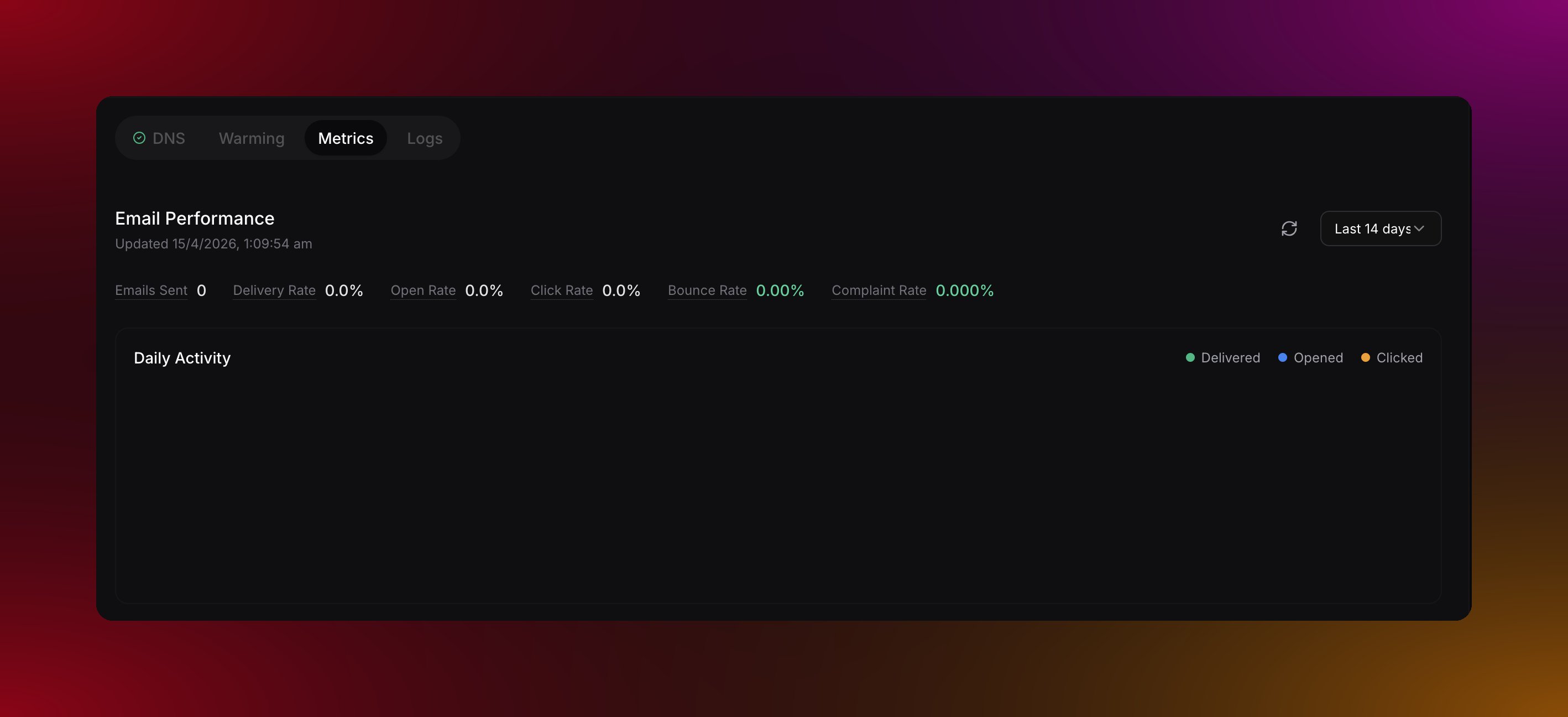
Migma tracks performance for every email sent from your domain. You can find your metrics by going to **Sending Domains**, clicking on your domain, and opening the **Metrics** tab.
 ***
## What you can see
**Emails sent** — total emails sent from this domain.
**Delivered** — emails that successfully reached the recipient's inbox.
**Opened** — emails that were opened. Only tracked if open tracking is enabled.
**Clicked** — emails where someone clicked at least one link. Only tracked if click tracking is enabled.
**Bounced** — emails that could not be delivered.
**Complained** — emails that a recipient marked as spam.
***
## Healthy ranges to aim for
| Metric | Healthy range |
| -------------- | ------------- |
| Delivery rate | Above 95% |
| Open rate | 15% to 30% |
| Click rate | 2% to 5% |
| Bounce rate | Below 5% |
| Complaint rate | Below 0.1% |
You can view trends over the last 7, 30, or 90 days to spot any changes over time.
***
## Bounces
Not all bounces are the same. Migma breaks them down into three types:
**Permanent** — the email address or domain does not exist. Remove these from your list immediately. Migma adds them to your suppression list automatically so you never send to them again.
**Transient** — a temporary issue like a full mailbox or a server being down. These can be retried.
**Undetermined** — the reason is unclear. Keep an eye on these as they can become permanent over time.
***
## Complaints
When someone marks your email as spam, Migma records it as a complaint, adds that address to your suppression list, and updates your complaint rate.
A complaint rate above 0.1% can trigger domain suspension. Keep your list clean and make it easy for people to unsubscribe so they do not reach for the spam button instead.
***
## What to watch for
A sudden drop usually means list quality issues, bad addresses, or a reputation problem. Check your bounce logs and review any recent list imports if delivery falls below 95%.
This is the most important metric for deliverability. Below 0.05% is excellent. Between 0.1% and 0.3% is a warning. Above 0.3% is critical and puts your domain at risk. Review your email content and clean your list if complaints spike.
Declining opens can mean your subject lines need work, you are sending too often, or your list is fatigued. It can also mean emails are going to spam. Try different subject lines and check whether delivery rate is still healthy.
***
## Data retention
Individual email logs are kept for 30 days. Daily aggregate metrics are kept for 90 days. Lifetime totals are kept indefinitely.
***
## What do you want to do next?
See the status of individual emails sent from your domain.
Monitor your domain health score and what affects it.
See which addresses are blocked from receiving your emails.
Build your sender reputation gradually on a new domain.
***
## What you can see
**Emails sent** — total emails sent from this domain.
**Delivered** — emails that successfully reached the recipient's inbox.
**Opened** — emails that were opened. Only tracked if open tracking is enabled.
**Clicked** — emails where someone clicked at least one link. Only tracked if click tracking is enabled.
**Bounced** — emails that could not be delivered.
**Complained** — emails that a recipient marked as spam.
***
## Healthy ranges to aim for
| Metric | Healthy range |
| -------------- | ------------- |
| Delivery rate | Above 95% |
| Open rate | 15% to 30% |
| Click rate | 2% to 5% |
| Bounce rate | Below 5% |
| Complaint rate | Below 0.1% |
You can view trends over the last 7, 30, or 90 days to spot any changes over time.
***
## Bounces
Not all bounces are the same. Migma breaks them down into three types:
**Permanent** — the email address or domain does not exist. Remove these from your list immediately. Migma adds them to your suppression list automatically so you never send to them again.
**Transient** — a temporary issue like a full mailbox or a server being down. These can be retried.
**Undetermined** — the reason is unclear. Keep an eye on these as they can become permanent over time.
***
## Complaints
When someone marks your email as spam, Migma records it as a complaint, adds that address to your suppression list, and updates your complaint rate.
A complaint rate above 0.1% can trigger domain suspension. Keep your list clean and make it easy for people to unsubscribe so they do not reach for the spam button instead.
***
## What to watch for
A sudden drop usually means list quality issues, bad addresses, or a reputation problem. Check your bounce logs and review any recent list imports if delivery falls below 95%.
This is the most important metric for deliverability. Below 0.05% is excellent. Between 0.1% and 0.3% is a warning. Above 0.3% is critical and puts your domain at risk. Review your email content and clean your list if complaints spike.
Declining opens can mean your subject lines need work, you are sending too often, or your list is fatigued. It can also mean emails are going to spam. Try different subject lines and check whether delivery rate is still healthy.
***
## Data retention
Individual email logs are kept for 30 days. Daily aggregate metrics are kept for 90 days. Lifetime totals are kept indefinitely.
***
## What do you want to do next?
See the status of individual emails sent from your domain.
Monitor your domain health score and what affects it.
See which addresses are blocked from receiving your emails.
Build your sender reputation gradually on a new domain.