> ## Documentation Index
> Fetch the complete documentation index at: https://docs.migma.ai/llms.txt
> Use this file to discover all available pages before exploring further.
# Domain Warming
> Build your sender reputation gradually so your emails land in the inbox.
When you add a brand new domain, email providers like Gmail and Outlook have never seen it before. Sending a large volume of emails right away looks suspicious and can get your emails filtered to spam or your domain blocked.
Domain warming fixes this by starting with a small daily sending limit and increasing it gradually. While warmup is active, Migma enforces the limit across campaigns and API sends, then pauses warmup if bounce or complaint rates cross the safety setting you chose.
***
## How to start warming
Your domain needs to be verified before you can start. If you have not done that yet, see [Add Sending Domain](/sending-domains/add-domain) first.
1. Go to **Sending Domains** in the left sidebar
2. Click on your domain
3. Find the **Domain Warming** section
4. Review the starting volume, daily growth, and safety setting
5. Click **Start warmup**
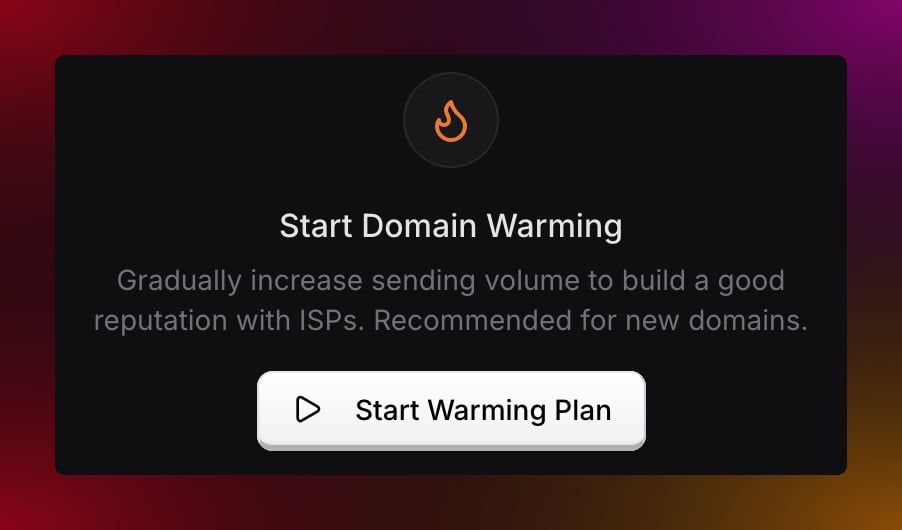 The recommended plan starts at 50 emails on day 1, grows by 1.25x on each send day, and pauses above the Balanced safety threshold.
***
## Daily sending limits
Warming follows the settings shown before you start. The default Balanced plan reaches 10,000 daily sends on day 24.
| Send day | Daily limit |
| -------- | ------------- |
| Day 1 | 50 emails |
| Day 4 | 110 emails |
| Day 8 | 290 emails |
| Day 12 | 750 emails |
| Day 16 | 1,900 emails |
| Day 20 | 5,900 emails |
| Day 24 | 10,000 emails |
Faster growth options are available for domains with sending history and clean lists. Slower settings are safer for new domains.
You can check how many emails you have left for the day at any time by clicking on your domain in **Sending Domains**.
***
## Managing warming
**Pause warming** — if you need to stop temporarily, click **Pause** from the Warming tab. Migma stops applying warmup caps until you resume.
**Resume warming** — click **Resume** to pick up from the same day and limit.
**Check your progress** — your domain page shows the current day, today's limit, emails sent, remaining capacity, next cap, schedule preview, and safety thresholds.
***
## Tips for a smooth warm-up
**Send every day.** Even a small batch of 10 to 20 emails helps. Skipping days slows down reputation building and signals inconsistency to email providers.
**Send to your most engaged subscribers first.** People who open and click regularly give you the best engagement rates during warming, which helps build reputation faster.
**Keep your list clean.** High bounce rates or spam complaints can pause warming automatically. Balanced safety pauses above 3% bounce rate or 0.07% complaint rate after enough volume.
**Let Migma split large sends.** If a campaign is larger than today's safe capacity, Migma sends what it can and waits for more capacity instead of forcing the full list through at once.
***
## Warming statuses
| Status | What it means |
| --------------- | -------------------------------------------------------------------- |
| **Not started** | Click Start Warming to begin |
| **In progress** | Warming is active, keep sending within limits |
| **Paused** | Warmup caps are off, click Resume to continue the ramp |
| **Completed** | Daily cap reached the warmup target |
| **Failed** | Stopped due to reputation risk, review domain health before resuming |
***
## Something not working?
This usually means your bounce or complaint rate crossed the safety threshold. Clean your subscriber list, remove invalid addresses, and check your domain health before resuming. Reach out to support if you are not sure what caused it.
If warmup is active, check whether you have hit today's daily limit. Limits reset at midnight UTC. A user-paused warmup does not block sends; an automatic safety pause requires review before resuming. If your domain is not yet verified, complete verification before warming can begin.
Use a lower starting volume or slower daily growth for new domains. Use faster growth only when the domain already has sending history and your list is clean.
***
## What do you want to do next?
Monitor your bounce and complaint rates.
Configure open and click tracking.
Send your first email from your new domain.
Set up a new sending domain.
The recommended plan starts at 50 emails on day 1, grows by 1.25x on each send day, and pauses above the Balanced safety threshold.
***
## Daily sending limits
Warming follows the settings shown before you start. The default Balanced plan reaches 10,000 daily sends on day 24.
| Send day | Daily limit |
| -------- | ------------- |
| Day 1 | 50 emails |
| Day 4 | 110 emails |
| Day 8 | 290 emails |
| Day 12 | 750 emails |
| Day 16 | 1,900 emails |
| Day 20 | 5,900 emails |
| Day 24 | 10,000 emails |
Faster growth options are available for domains with sending history and clean lists. Slower settings are safer for new domains.
You can check how many emails you have left for the day at any time by clicking on your domain in **Sending Domains**.
***
## Managing warming
**Pause warming** — if you need to stop temporarily, click **Pause** from the Warming tab. Migma stops applying warmup caps until you resume.
**Resume warming** — click **Resume** to pick up from the same day and limit.
**Check your progress** — your domain page shows the current day, today's limit, emails sent, remaining capacity, next cap, schedule preview, and safety thresholds.
***
## Tips for a smooth warm-up
**Send every day.** Even a small batch of 10 to 20 emails helps. Skipping days slows down reputation building and signals inconsistency to email providers.
**Send to your most engaged subscribers first.** People who open and click regularly give you the best engagement rates during warming, which helps build reputation faster.
**Keep your list clean.** High bounce rates or spam complaints can pause warming automatically. Balanced safety pauses above 3% bounce rate or 0.07% complaint rate after enough volume.
**Let Migma split large sends.** If a campaign is larger than today's safe capacity, Migma sends what it can and waits for more capacity instead of forcing the full list through at once.
***
## Warming statuses
| Status | What it means |
| --------------- | -------------------------------------------------------------------- |
| **Not started** | Click Start Warming to begin |
| **In progress** | Warming is active, keep sending within limits |
| **Paused** | Warmup caps are off, click Resume to continue the ramp |
| **Completed** | Daily cap reached the warmup target |
| **Failed** | Stopped due to reputation risk, review domain health before resuming |
***
## Something not working?
This usually means your bounce or complaint rate crossed the safety threshold. Clean your subscriber list, remove invalid addresses, and check your domain health before resuming. Reach out to support if you are not sure what caused it.
If warmup is active, check whether you have hit today's daily limit. Limits reset at midnight UTC. A user-paused warmup does not block sends; an automatic safety pause requires review before resuming. If your domain is not yet verified, complete verification before warming can begin.
Use a lower starting volume or slower daily growth for new domains. Use faster growth only when the domain already has sending history and your list is clean.
***
## What do you want to do next?
Monitor your bounce and complaint rates.
Configure open and click tracking.
Send your first email from your new domain.
Set up a new sending domain.