> ## Documentation Index
> Fetch the complete documentation index at: https://docs.migma.ai/llms.txt
> Use this file to discover all available pages before exploring further.
# Domain Health
> Keep your sending reputation in good shape so your emails land in the inbox.
Migma monitors your domain health continuously based on two things: how many emails bounce and how many people mark your emails as spam. If either gets too high, your domain can be suspended and sending will stop.
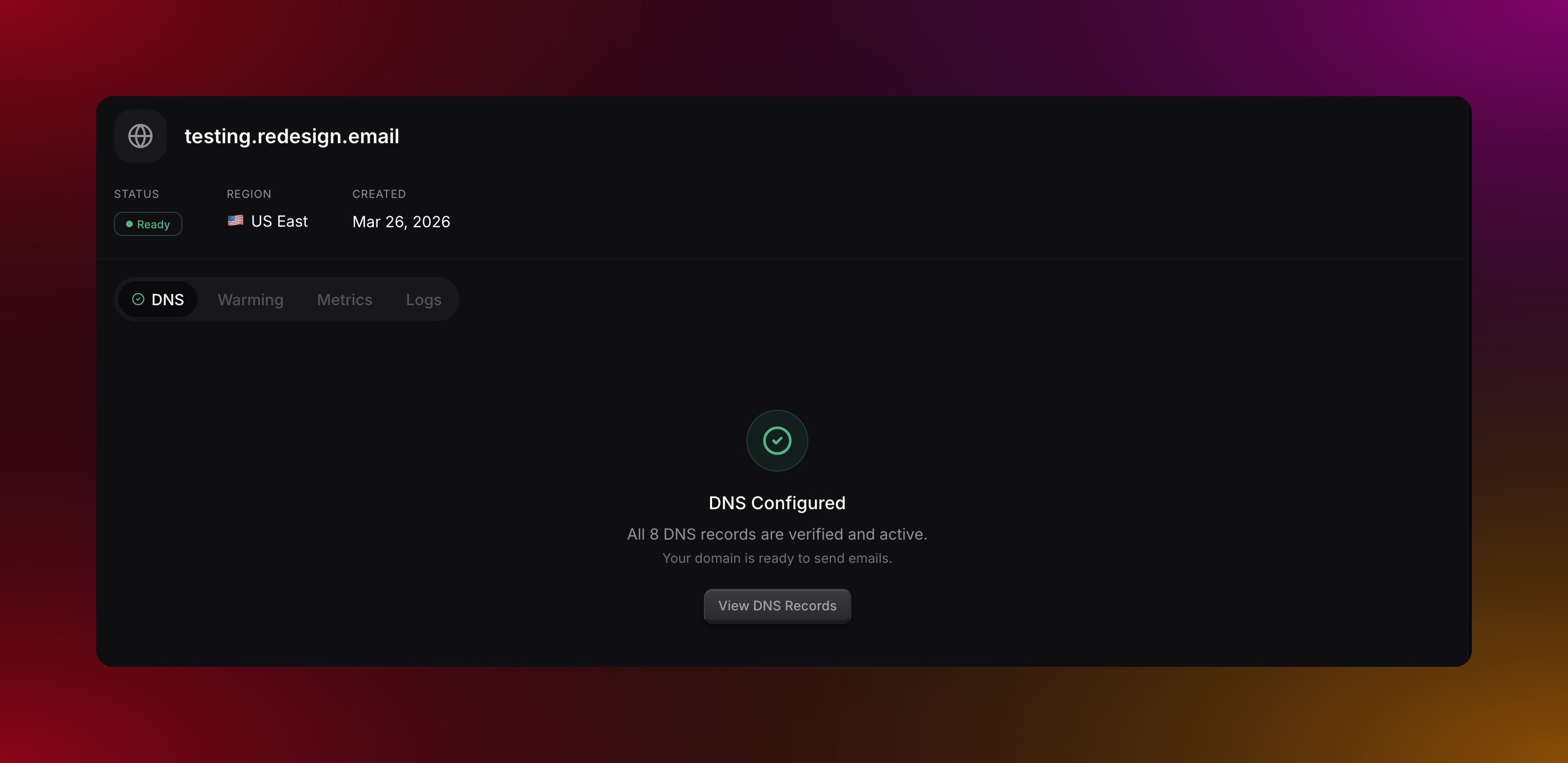
You can check your domain health at any time by going to **Sending Domains**, clicking on your domain, and opening the **Health** tab.
 ***
## Health statuses
| Status | What it means |
| ------------- | ------------------------------------------------ |
| **Healthy** | Everything looks good, keep sending |
| **Warning** | Getting close to the threshold, review your list |
| **Critical** | Threshold exceeded, take action now |
| **Suspended** | Sending has been paused, contact support |
***
## Health Metrics
### Bounce Rate
#### Custom Domains
| Threshold | Status |
| --------- | --------------------- |
| \< 5% | Healthy |
| 5-10% | Warning |
| > 10% | Critical → Suspension |
#### Managed Domains (stricter)
| Threshold | Status |
| --------- | --------------------- |
| \< 2% | Healthy |
| 2-4% | Warning |
| > 4% | Critical → Suspension |
**Bounce rate formula:**
```
Bounce Rate = (Total Bounced / Total Sent) × 100
```
### Complaint Rate
#### Custom Domains
| Threshold | Status |
| --------- | --------------------- |
| \< 0.1% | Healthy |
| 0.1-0.5% | Warning |
| > 0.5% | Critical → Suspension |
#### Managed Domains (stricter)
| Threshold | Status |
| --------- | --------------------- |
| \< 0.05% | Healthy |
| 0.05-0.1% | Warning |
| > 0.1% | Critical → Suspension |
**Complaint rate**
| | Healthy | Warning | Suspended |
| -------------- | ----------- | ------------- | ---------- |
| Custom domain | Below 0.1% | 0.1% to 0.5% | Above 0.5% |
| Managed domain | Below 0.05% | 0.05% to 0.1% | Above 0.1% |
Thresholds apply after a minimum volume: **50+ emails** for managed domains, **100+ emails** for custom domains. Small volumes aren't penalized for occasional bounces.
Managed domains have stricter thresholds because they share infrastructure — one sender's poor list quality can affect all managed domain users. For production campaigns with large audiences, we recommend [using your own domain](/sending-domains/add-domain).
***
## Health Dashboard
The health dashboard shows:
| Metric | Description |
| -------------------- | ------------------------------------------------ |
| **Status** | Current health status (Healthy/Warning/Critical) |
| **Total Sent** | Lifetime emails sent from this domain |
| **Total Bounced** | Lifetime bounced emails |
| **Total Complaints** | Lifetime spam complaints |
| **Bounce Rate** | Current percentage |
| **Complaint Rate** | Current percentage |
| **Last Updated** | When metrics were last calculated |
***
## What Causes Poor Health?
### High Bounce Rate
Common causes:
* **Old email lists** - Addresses go stale over time
* **Purchased lists** - Often contain invalid addresses
* **Typos** - Users entering wrong email addresses
* **Inactive domains** - Company domains that no longer exist
### High Complaint Rate
Common causes:
* **No permission** - Sending to people who didn't opt in
* **Irrelevant content** - Content doesn't match expectations
* **Too frequent** - Sending too many emails
* **Hard to unsubscribe** - Users mark as spam instead
* **Misleading subject lines** - Content doesn't match promise
***
## How to keep your domain healthy
Remove hard bounces immediately. Remove soft bounces after three consecutive failures. Remove anyone who has not opened an email in six months or more. Migma suppresses bounces and complaints automatically but you should audit your full list periodically too.
Every email should have a clear one-click unsubscribe link that does not require a login. If people cannot get off your list easily they will mark you as spam instead, which is far worse for your domain health.
When someone subscribes, tell them what they will receive and how often. Matching expectations reduces complaints significantly. Surprises are the main reason people reach for the spam button.
Ask new subscribers to confirm their email address before adding them to your list. This filters out typos, fake addresses, and people who did not really want to sign up.
***
## Domain Suspension
### When It Happens
A domain is suspended when it exceeds its type's thresholds:
**Custom Domains:**
* Bounce rate exceeds 10%
* Complaint rate exceeds 0.5%
**Managed Domains (stricter):**
* Bounce rate exceeds 4%
* Complaint rate exceeds 0.1%
A domain may also be suspended if manual review identifies abuse.
### What Happens
When suspended:
* All email sending from this domain is blocked
* Existing scheduled emails are paused
* You receive a notification
* Dashboard shows "Suspended" status
### Reinstating a Domain
Review your metrics to understand what caused the suspension:
* Check bounce logs for patterns
* Review complaint sources
* Identify problematic list segments
Remove all problematic addresses:
* Export your suppression list
* Cross-reference with your contact list
* Remove unengaged subscribers
* Verify remaining addresses
Reach out to Migma support with:
* Your domain name
* Steps you've taken to fix the issue
* Your plan to prevent recurrence
Support will review your account and:
* Verify the issue is resolved
* May reinstate with a warning
* May require additional steps
***
## Monitoring Best Practices
| Frequency | Check |
| ------------- | --------------------------- |
| **Daily** | Review bounce notifications |
| **Weekly** | Check health dashboard |
| **Monthly** | Clean unengaged subscribers |
| **Quarterly** | Full list audit |
***
## Recovery tips
If your domain is in Warning or Critical status, stop sending campaigns temporarily. Identify which recent send caused the issue, remove anyone who has not engaged in the last three months, and resume sending only to your most active subscribers. Build back up gradually from there.
***
## What do you want to do next?
See detailed delivery, open, and complaint data.
See which addresses are blocked from receiving your emails.
Build reputation gradually on a new domain.
Check the status of individual emails.
***
## Health statuses
| Status | What it means |
| ------------- | ------------------------------------------------ |
| **Healthy** | Everything looks good, keep sending |
| **Warning** | Getting close to the threshold, review your list |
| **Critical** | Threshold exceeded, take action now |
| **Suspended** | Sending has been paused, contact support |
***
## Health Metrics
### Bounce Rate
#### Custom Domains
| Threshold | Status |
| --------- | --------------------- |
| \< 5% | Healthy |
| 5-10% | Warning |
| > 10% | Critical → Suspension |
#### Managed Domains (stricter)
| Threshold | Status |
| --------- | --------------------- |
| \< 2% | Healthy |
| 2-4% | Warning |
| > 4% | Critical → Suspension |
**Bounce rate formula:**
```
Bounce Rate = (Total Bounced / Total Sent) × 100
```
### Complaint Rate
#### Custom Domains
| Threshold | Status |
| --------- | --------------------- |
| \< 0.1% | Healthy |
| 0.1-0.5% | Warning |
| > 0.5% | Critical → Suspension |
#### Managed Domains (stricter)
| Threshold | Status |
| --------- | --------------------- |
| \< 0.05% | Healthy |
| 0.05-0.1% | Warning |
| > 0.1% | Critical → Suspension |
**Complaint rate**
| | Healthy | Warning | Suspended |
| -------------- | ----------- | ------------- | ---------- |
| Custom domain | Below 0.1% | 0.1% to 0.5% | Above 0.5% |
| Managed domain | Below 0.05% | 0.05% to 0.1% | Above 0.1% |
Thresholds apply after a minimum volume: **50+ emails** for managed domains, **100+ emails** for custom domains. Small volumes aren't penalized for occasional bounces.
Managed domains have stricter thresholds because they share infrastructure — one sender's poor list quality can affect all managed domain users. For production campaigns with large audiences, we recommend [using your own domain](/sending-domains/add-domain).
***
## Health Dashboard
The health dashboard shows:
| Metric | Description |
| -------------------- | ------------------------------------------------ |
| **Status** | Current health status (Healthy/Warning/Critical) |
| **Total Sent** | Lifetime emails sent from this domain |
| **Total Bounced** | Lifetime bounced emails |
| **Total Complaints** | Lifetime spam complaints |
| **Bounce Rate** | Current percentage |
| **Complaint Rate** | Current percentage |
| **Last Updated** | When metrics were last calculated |
***
## What Causes Poor Health?
### High Bounce Rate
Common causes:
* **Old email lists** - Addresses go stale over time
* **Purchased lists** - Often contain invalid addresses
* **Typos** - Users entering wrong email addresses
* **Inactive domains** - Company domains that no longer exist
### High Complaint Rate
Common causes:
* **No permission** - Sending to people who didn't opt in
* **Irrelevant content** - Content doesn't match expectations
* **Too frequent** - Sending too many emails
* **Hard to unsubscribe** - Users mark as spam instead
* **Misleading subject lines** - Content doesn't match promise
***
## How to keep your domain healthy
Remove hard bounces immediately. Remove soft bounces after three consecutive failures. Remove anyone who has not opened an email in six months or more. Migma suppresses bounces and complaints automatically but you should audit your full list periodically too.
Every email should have a clear one-click unsubscribe link that does not require a login. If people cannot get off your list easily they will mark you as spam instead, which is far worse for your domain health.
When someone subscribes, tell them what they will receive and how often. Matching expectations reduces complaints significantly. Surprises are the main reason people reach for the spam button.
Ask new subscribers to confirm their email address before adding them to your list. This filters out typos, fake addresses, and people who did not really want to sign up.
***
## Domain Suspension
### When It Happens
A domain is suspended when it exceeds its type's thresholds:
**Custom Domains:**
* Bounce rate exceeds 10%
* Complaint rate exceeds 0.5%
**Managed Domains (stricter):**
* Bounce rate exceeds 4%
* Complaint rate exceeds 0.1%
A domain may also be suspended if manual review identifies abuse.
### What Happens
When suspended:
* All email sending from this domain is blocked
* Existing scheduled emails are paused
* You receive a notification
* Dashboard shows "Suspended" status
### Reinstating a Domain
Review your metrics to understand what caused the suspension:
* Check bounce logs for patterns
* Review complaint sources
* Identify problematic list segments
Remove all problematic addresses:
* Export your suppression list
* Cross-reference with your contact list
* Remove unengaged subscribers
* Verify remaining addresses
Reach out to Migma support with:
* Your domain name
* Steps you've taken to fix the issue
* Your plan to prevent recurrence
Support will review your account and:
* Verify the issue is resolved
* May reinstate with a warning
* May require additional steps
***
## Monitoring Best Practices
| Frequency | Check |
| ------------- | --------------------------- |
| **Daily** | Review bounce notifications |
| **Weekly** | Check health dashboard |
| **Monthly** | Clean unengaged subscribers |
| **Quarterly** | Full list audit |
***
## Recovery tips
If your domain is in Warning or Critical status, stop sending campaigns temporarily. Identify which recent send caused the issue, remove anyone who has not engaged in the last three months, and resume sending only to your most active subscribers. Build back up gradually from there.
***
## What do you want to do next?
See detailed delivery, open, and complaint data.
See which addresses are blocked from receiving your emails.
Build reputation gradually on a new domain.
Check the status of individual emails.