> ## Documentation Index
> Fetch the complete documentation index at: https://docs.migma.ai/llms.txt
> Use this file to discover all available pages before exploring further.
# Node.js SDK
> Official Node.js / TypeScript SDK for the Migma.ai API
 ## Installation
```bash npm theme={null}
npm install migma
```
```bash yarn theme={null}
yarn add migma
```
```bash pnpm theme={null}
pnpm add migma
```
**Requirements:** Node.js 18 or later.
## Quick Start
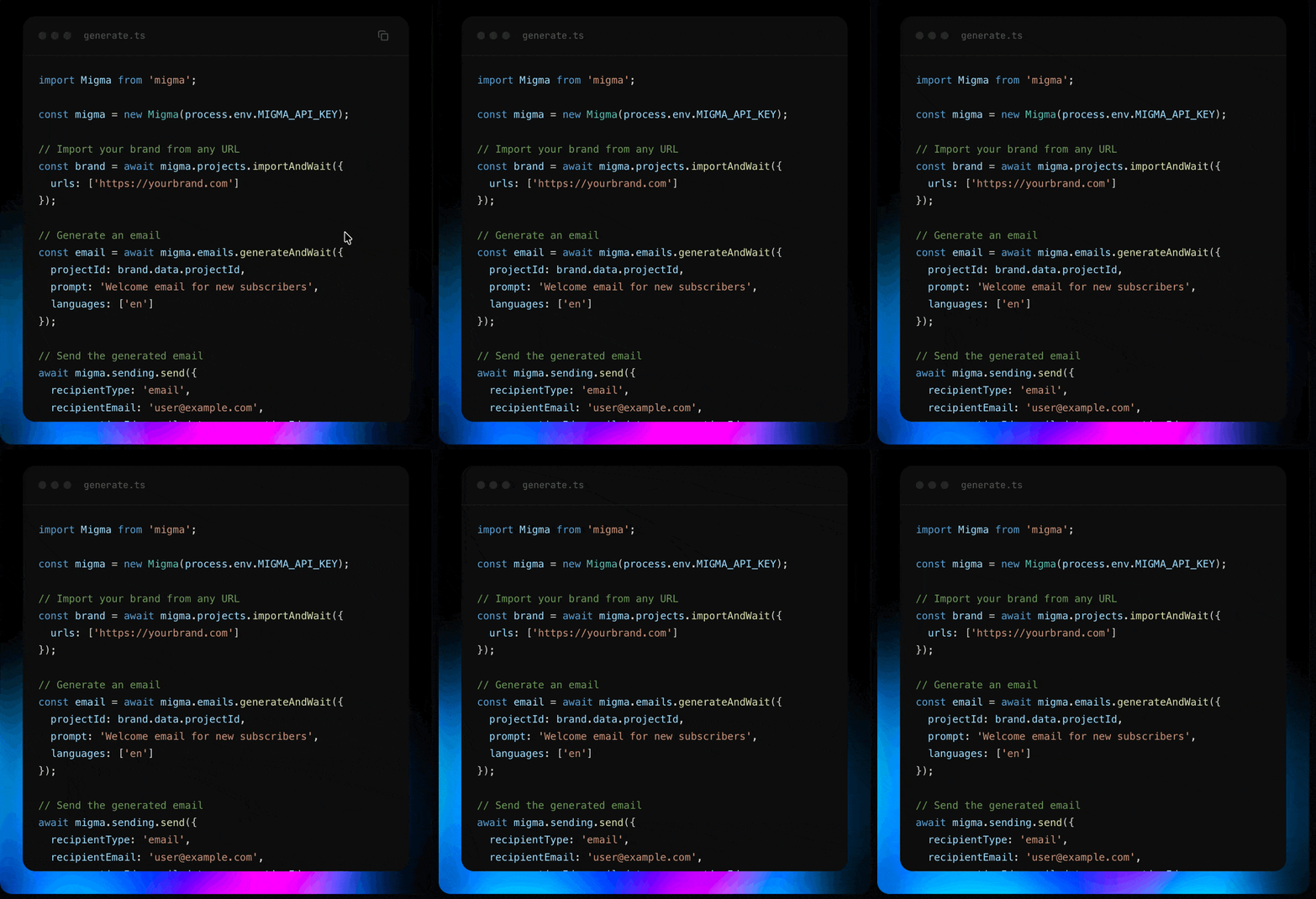
```typescript theme={null}
import Migma from 'migma';
const migma = new Migma(process.env.MIGMA_API_KEY);
// A project holds your brand info (colors, fonts, logos, tone of voice).
// Import one from your website, or use an existing project ID from the dashboard.
const brand = await migma.projects.importAndWait({
urls: ['https://yourbrand.com']
});
// Generate an email design with AI — returns the finished HTML directly.
const email = await migma.emails.generateAndWait({
projectId: brand.data.projectId,
prompt: 'Create a welcome email for new subscribers',
languages: ['en']
});
if (email.data?.status === 'completed') {
console.log('Subject:', email.data.result.subject);
console.log('HTML:', email.data.result.html); // primary email HTML
console.log('Email ID:', email.data.result.emails[0].emailId);
}
```
**Prefer async?** Use `migma.emails.generate()` to kick off generation without waiting, then set up a [webhook](/webhooks) to receive an `email.generation.completed` event when the design is ready — no polling needed.
Use Migma from WhatsApp, Telegram, and Discord with OpenClaw.
## Configuration
```typescript theme={null}
const migma = new Migma('your_api_key', {
baseUrl: 'https://api.migma.ai/v1', // default
maxRetries: 2, // retries on 5xx / 429 (default: 2)
retryDelay: 1000 // delay between retries in ms (default: 1s)
});
```
## Error Handling
Every method returns `{ data, error }` — it never throws:
```typescript theme={null}
const { data, error } = await migma.contacts.create({
email: 'sarah@example.com',
firstName: 'Sarah',
status: 'subscribed', // only for contacts with marketing consent
projectId: 'proj_123'
});
if (error) {
console.error(error.code); // e.g. 'validation_error'
console.error(error.statusCode); // e.g. 400
console.error(error.message); // human-readable description
return;
}
// TypeScript narrows — data is guaranteed non-null here
console.log(data.id);
```
**Error codes:** `validation_error`, `not_found`, `unauthorized`, `forbidden`, `rate_limit_exceeded`, `conflict`, `timeout`, `network_error`, `internal_error`, `unknown`
## Async Polling Helpers
Email generation, brand import, and preview creation are asynchronous. The SDK provides `*AndWait` helpers that poll automatically until the operation completes:
```typescript theme={null}
const email = await migma.emails.generateAndWait(
{
projectId: 'proj_123',
prompt: 'Create a product launch email'
},
{
interval: 2000, // poll every 2s (default)
maxAttempts: 150, // give up after 150 polls (default)
onPoll: (status, attempt) => {
console.log(`Poll ${attempt}: ${status.status}`);
}
}
);
```
All three polling methods:
| Method | Waits for |
| -------------------------------- | ---------------------------- |
| `migma.emails.generateAndWait()` | Email generation to complete |
| `migma.projects.importAndWait()` | Brand import to finish |
| `migma.previews.createAndWait()` | Device preview screenshots |
You can cancel any polling operation with an `AbortController`:
```typescript theme={null}
const controller = new AbortController();
setTimeout(() => controller.abort(), 60000); // 60s timeout
const result = await migma.emails.generateAndWait(params, {
signal: controller.signal
});
```
## Generated emails and series
Generate one email or a full series from the same API. Pass `count` when you want a specific number of emails; otherwise Migma infers the output from the prompt.
```typescript theme={null}
const { data: series } = await migma.emails.generateAndWait({
projectId: 'proj_123',
prompt: 'Create a three-email welcome series for new trial users',
count: 3
});
if (series?.status === 'completed') {
for (const email of series.result.emails) {
console.log(email.slot, email.emailId, email.subject);
console.log(email.html);
console.log(email.screenshotUrl);
}
}
```
`result.html` and `result.subject` are always the primary email for backwards compatibility. Use `result.emails[]` when you need the stable `emailId`, per-email HTML, screenshots, or series order.
## Edit generated emails
Fetch one generated email by ID, or prompt Migma to edit it:
```typescript theme={null}
const { data: email } = await migma.emails.get('email_123');
console.log(email.html);
console.log(email.screenshotUrl);
const edited = await migma.emails.edit('email_123', {
prompt: 'Make this welcome email shorter and more transactional'
});
console.log(edited.data.html);
```
## Email performance
See how a generated email performed across every API send of it, or pull its per-recipient send log:
```typescript theme={null}
const { data: metrics } = await migma.emails.metrics('email_123');
console.log(metrics.summary.openRate, metrics.summary.clickRate);
const { data: logs } = await migma.emails.logs('email_123', { limit: 50, status: 'opened' });
console.log(logs.emails);
```
Numbers arrive asynchronously. Opens are directional — Apple Mail Privacy Protection and bots inflate them — so clicks and delivery are stronger signals.
## Resources
The SDK exposes 15 resources that map to every API v1 endpoint:
| Resource | Methods | Description |
| --------------------- | ------------------------------------------------------------------------------------------------------------------------------------ | --------------------------------------------------- |
| `migma.projects` | `list` `get` `import` `getImportStatus` `retryImport` `importAndWait` | Brand management |
| `migma.emails` | `list` `generate` `getGenerationStatus` `generateAndWait` `get` `edit` `sendTest` | Email generation and prompt editing |
| `migma.campaigns` | `list` `create` `get` `send` `schedule` `cancel` `archive` `unarchive` | [Campaign management](/campaigns/overview) |
| `migma.sending` | `send` `getBatchStatus` | [Send emails](/audience/sending-emails) |
| `migma.export` | `getFormats` `getStatus` `html` `mjml` `pdf` `klaviyo` `mailchimp` `hubspot` | [Export to platforms](/email-editor/export-options) |
| `migma.contacts` | `create` `list` `get` `update` `remove` `bulkImport` `getBulkImportStatus` `changeStatus` | [Contact management](/audience/overview) |
| `migma.tags` | `create` `list` `get` `update` `remove` | [Tag management](/audience/overview) |
| `migma.segments` | `create` `list` `get` `update` `remove` | [Audience segments](/audience/overview) |
| `migma.topics` | `create` `list` `get` `update` `remove` `subscribe` `unsubscribe` | [Preference topics](/audience/preference-center) |
| `migma.validation` | `all` `compatibility` `links` `spelling` `deliverability` | [Email testing](/email-editor/email-preflight) |
| `migma.previews` | `create` `get` `getStatus` `getDevice` `getSupportedDevices` `createAndWait` | Device previews |
| `migma.domains` | `list` `create` `get` `verify` `update` `remove` `checkAvailability` `listManaged` `createManaged` `removeManaged` `provisionStream` | [Sending domains](/sending-domains/overview) |
| `migma.webhooks` | `list` `create` `get` `update` `remove` `test` `getDeliveries` `getEvents` `getStats` | [Webhook management](/webhooks) |
| `migma.knowledgeBase` | `list` `add` `update` `remove` | Brand knowledge |
| `migma.images` | `add` `update` `remove` `updateLogos` | Project images |
## Complete Example
Here's a full workflow — import a brand, generate an email, [export](/email-editor/export-options) it, and send:
```typescript theme={null}
import Migma from 'migma';
const migma = new Migma(process.env.MIGMA_API_KEY);
// 1. Import your brand
const brand = await migma.projects.importAndWait({
urls: ['https://yourbrand.com']
});
console.log('Brand imported:', brand.data.projectId);
// 2. Generate an email with AI
const email = await migma.emails.generateAndWait({
projectId: brand.data.projectId,
prompt: 'Create a password reset email',
languages: ['en']
});
console.log('Email ready:', email.data.conversationId);
const selectedEmail = email.data.result.emails[0];
if (!selectedEmail.emailId) throw new Error('No emailId returned');
// 3. Send it
await migma.sending.send({
recipientType: 'email',
recipientEmail: 'sarah@example.com',
from: 'hello@yourbrand.migma.email',
fromName: 'Your Brand',
subject: selectedEmail.subject,
emailId: selectedEmail.emailId,
});
```
For single-email conversations, `conversationId` also works. For multi-slot emails and series, send a specific email with `emailId`:
```typescript theme={null}
await migma.sending.send({
recipientType: 'email',
recipientEmail: 'sarah@example.com',
from: 'hello@yourbrand.migma.email',
fromName: 'Your Brand',
subject: 'Reset your password',
emailId: 'email_123'
});
```
By default, emails send through Migma's built-in infrastructure. You can also send via [Amazon SES, Resend, SendGrid, or Mailgun](/integrations/email-service-providers) by connecting your provider and passing `providerType` in the send call.
## Resources
View on npm registry
Use Migma from the command line
Full endpoint documentation
Get help from the community
## Installation
```bash npm theme={null}
npm install migma
```
```bash yarn theme={null}
yarn add migma
```
```bash pnpm theme={null}
pnpm add migma
```
**Requirements:** Node.js 18 or later.
## Quick Start
```typescript theme={null}
import Migma from 'migma';
const migma = new Migma(process.env.MIGMA_API_KEY);
// A project holds your brand info (colors, fonts, logos, tone of voice).
// Import one from your website, or use an existing project ID from the dashboard.
const brand = await migma.projects.importAndWait({
urls: ['https://yourbrand.com']
});
// Generate an email design with AI — returns the finished HTML directly.
const email = await migma.emails.generateAndWait({
projectId: brand.data.projectId,
prompt: 'Create a welcome email for new subscribers',
languages: ['en']
});
if (email.data?.status === 'completed') {
console.log('Subject:', email.data.result.subject);
console.log('HTML:', email.data.result.html); // primary email HTML
console.log('Email ID:', email.data.result.emails[0].emailId);
}
```
**Prefer async?** Use `migma.emails.generate()` to kick off generation without waiting, then set up a [webhook](/webhooks) to receive an `email.generation.completed` event when the design is ready — no polling needed.
Use Migma from WhatsApp, Telegram, and Discord with OpenClaw.
## Configuration
```typescript theme={null}
const migma = new Migma('your_api_key', {
baseUrl: 'https://api.migma.ai/v1', // default
maxRetries: 2, // retries on 5xx / 429 (default: 2)
retryDelay: 1000 // delay between retries in ms (default: 1s)
});
```
## Error Handling
Every method returns `{ data, error }` — it never throws:
```typescript theme={null}
const { data, error } = await migma.contacts.create({
email: 'sarah@example.com',
firstName: 'Sarah',
status: 'subscribed', // only for contacts with marketing consent
projectId: 'proj_123'
});
if (error) {
console.error(error.code); // e.g. 'validation_error'
console.error(error.statusCode); // e.g. 400
console.error(error.message); // human-readable description
return;
}
// TypeScript narrows — data is guaranteed non-null here
console.log(data.id);
```
**Error codes:** `validation_error`, `not_found`, `unauthorized`, `forbidden`, `rate_limit_exceeded`, `conflict`, `timeout`, `network_error`, `internal_error`, `unknown`
## Async Polling Helpers
Email generation, brand import, and preview creation are asynchronous. The SDK provides `*AndWait` helpers that poll automatically until the operation completes:
```typescript theme={null}
const email = await migma.emails.generateAndWait(
{
projectId: 'proj_123',
prompt: 'Create a product launch email'
},
{
interval: 2000, // poll every 2s (default)
maxAttempts: 150, // give up after 150 polls (default)
onPoll: (status, attempt) => {
console.log(`Poll ${attempt}: ${status.status}`);
}
}
);
```
All three polling methods:
| Method | Waits for |
| -------------------------------- | ---------------------------- |
| `migma.emails.generateAndWait()` | Email generation to complete |
| `migma.projects.importAndWait()` | Brand import to finish |
| `migma.previews.createAndWait()` | Device preview screenshots |
You can cancel any polling operation with an `AbortController`:
```typescript theme={null}
const controller = new AbortController();
setTimeout(() => controller.abort(), 60000); // 60s timeout
const result = await migma.emails.generateAndWait(params, {
signal: controller.signal
});
```
## Generated emails and series
Generate one email or a full series from the same API. Pass `count` when you want a specific number of emails; otherwise Migma infers the output from the prompt.
```typescript theme={null}
const { data: series } = await migma.emails.generateAndWait({
projectId: 'proj_123',
prompt: 'Create a three-email welcome series for new trial users',
count: 3
});
if (series?.status === 'completed') {
for (const email of series.result.emails) {
console.log(email.slot, email.emailId, email.subject);
console.log(email.html);
console.log(email.screenshotUrl);
}
}
```
`result.html` and `result.subject` are always the primary email for backwards compatibility. Use `result.emails[]` when you need the stable `emailId`, per-email HTML, screenshots, or series order.
## Edit generated emails
Fetch one generated email by ID, or prompt Migma to edit it:
```typescript theme={null}
const { data: email } = await migma.emails.get('email_123');
console.log(email.html);
console.log(email.screenshotUrl);
const edited = await migma.emails.edit('email_123', {
prompt: 'Make this welcome email shorter and more transactional'
});
console.log(edited.data.html);
```
## Email performance
See how a generated email performed across every API send of it, or pull its per-recipient send log:
```typescript theme={null}
const { data: metrics } = await migma.emails.metrics('email_123');
console.log(metrics.summary.openRate, metrics.summary.clickRate);
const { data: logs } = await migma.emails.logs('email_123', { limit: 50, status: 'opened' });
console.log(logs.emails);
```
Numbers arrive asynchronously. Opens are directional — Apple Mail Privacy Protection and bots inflate them — so clicks and delivery are stronger signals.
## Resources
The SDK exposes 15 resources that map to every API v1 endpoint:
| Resource | Methods | Description |
| --------------------- | ------------------------------------------------------------------------------------------------------------------------------------ | --------------------------------------------------- |
| `migma.projects` | `list` `get` `import` `getImportStatus` `retryImport` `importAndWait` | Brand management |
| `migma.emails` | `list` `generate` `getGenerationStatus` `generateAndWait` `get` `edit` `sendTest` | Email generation and prompt editing |
| `migma.campaigns` | `list` `create` `get` `send` `schedule` `cancel` `archive` `unarchive` | [Campaign management](/campaigns/overview) |
| `migma.sending` | `send` `getBatchStatus` | [Send emails](/audience/sending-emails) |
| `migma.export` | `getFormats` `getStatus` `html` `mjml` `pdf` `klaviyo` `mailchimp` `hubspot` | [Export to platforms](/email-editor/export-options) |
| `migma.contacts` | `create` `list` `get` `update` `remove` `bulkImport` `getBulkImportStatus` `changeStatus` | [Contact management](/audience/overview) |
| `migma.tags` | `create` `list` `get` `update` `remove` | [Tag management](/audience/overview) |
| `migma.segments` | `create` `list` `get` `update` `remove` | [Audience segments](/audience/overview) |
| `migma.topics` | `create` `list` `get` `update` `remove` `subscribe` `unsubscribe` | [Preference topics](/audience/preference-center) |
| `migma.validation` | `all` `compatibility` `links` `spelling` `deliverability` | [Email testing](/email-editor/email-preflight) |
| `migma.previews` | `create` `get` `getStatus` `getDevice` `getSupportedDevices` `createAndWait` | Device previews |
| `migma.domains` | `list` `create` `get` `verify` `update` `remove` `checkAvailability` `listManaged` `createManaged` `removeManaged` `provisionStream` | [Sending domains](/sending-domains/overview) |
| `migma.webhooks` | `list` `create` `get` `update` `remove` `test` `getDeliveries` `getEvents` `getStats` | [Webhook management](/webhooks) |
| `migma.knowledgeBase` | `list` `add` `update` `remove` | Brand knowledge |
| `migma.images` | `add` `update` `remove` `updateLogos` | Project images |
## Complete Example
Here's a full workflow — import a brand, generate an email, [export](/email-editor/export-options) it, and send:
```typescript theme={null}
import Migma from 'migma';
const migma = new Migma(process.env.MIGMA_API_KEY);
// 1. Import your brand
const brand = await migma.projects.importAndWait({
urls: ['https://yourbrand.com']
});
console.log('Brand imported:', brand.data.projectId);
// 2. Generate an email with AI
const email = await migma.emails.generateAndWait({
projectId: brand.data.projectId,
prompt: 'Create a password reset email',
languages: ['en']
});
console.log('Email ready:', email.data.conversationId);
const selectedEmail = email.data.result.emails[0];
if (!selectedEmail.emailId) throw new Error('No emailId returned');
// 3. Send it
await migma.sending.send({
recipientType: 'email',
recipientEmail: 'sarah@example.com',
from: 'hello@yourbrand.migma.email',
fromName: 'Your Brand',
subject: selectedEmail.subject,
emailId: selectedEmail.emailId,
});
```
For single-email conversations, `conversationId` also works. For multi-slot emails and series, send a specific email with `emailId`:
```typescript theme={null}
await migma.sending.send({
recipientType: 'email',
recipientEmail: 'sarah@example.com',
from: 'hello@yourbrand.migma.email',
fromName: 'Your Brand',
subject: 'Reset your password',
emailId: 'email_123'
});
```
By default, emails send through Migma's built-in infrastructure. You can also send via [Amazon SES, Resend, SendGrid, or Mailgun](/integrations/email-service-providers) by connecting your provider and passing `providerType` in the send call.
## Resources
View on npm registry
Use Migma from the command line
Full endpoint documentation
Get help from the community