> ## Documentation Index
> Fetch the complete documentation index at: https://docs.migma.ai/llms.txt
> Use this file to discover all available pages before exploring further.
# Competitor Tracking
> Track competitor newsletters, analyze sending patterns, and remix their emails
## Overview
Subscribe to any competitor's newsletter and Migma automatically collects their emails, shows sending patterns, and lets you remix their campaigns into your own brand style.
 ***
## How to Watch a Competitor
Go to the **Remix** page and select the **Competitors** tab.
Click **Watch Competitor** and enter the competitor's website URL (e.g. `website.com`).
Click **Track**. Migma subscribes to their newsletter and begins collecting emails as they arrive.
Competitor tracking is a paid feature. Free users will be prompted to upgrade.
***
## Browsing Competitor Emails
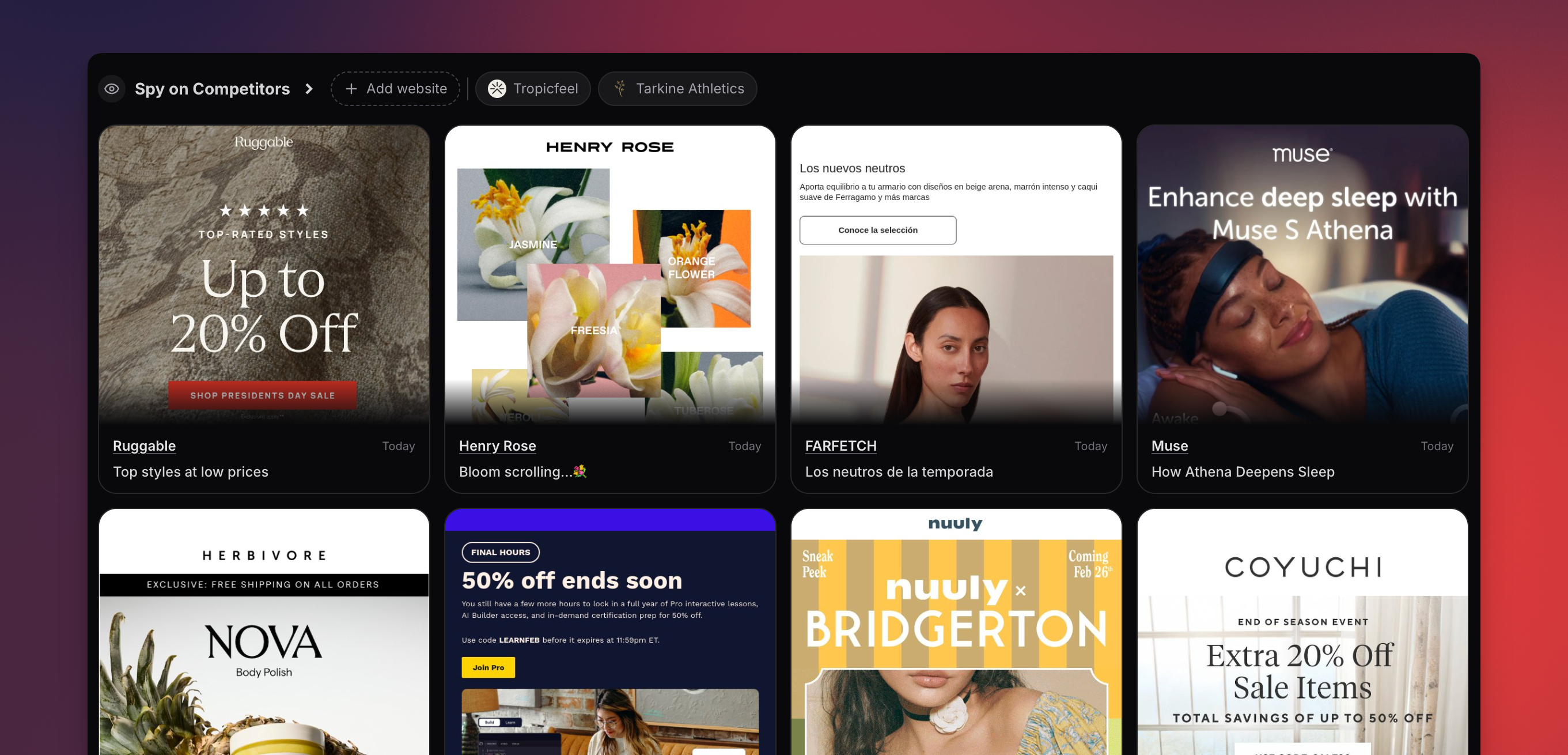
Collected emails appear in a masonry card grid showing:
* Email screenshot preview
* Company name and logo
* Subject line
* Received date
Click any card to view the full email. Use the search bar and tag filters to narrow results.
**View limits:** Full email views are limited to 10 per day per project. Browsing cards and metadata is unlimited.
***
## Company Detail Page
Click a tracked company name to see their detail page with:
* **Brand info** — name, logo, website, industry, country, social links
* **Sending cadence heatmap** — 12-month calendar showing when they send emails. Darker cells = more emails. Click any day to see emails sent on that date.
* **Email archive** — searchable grid of all collected emails from that company
***
## Remix a Competitor Email
Browse the Competitors tab or a company detail page.
Click **Remix** on any email card.
You're redirected to the create page with the competitor email as a reference. Write your prompt and Migma generates a new email using the competitor's layout with your brand.
***
## Next Steps
Browse trending emails and remix them
Generate emails from scratch
***
## How to Watch a Competitor
Go to the **Remix** page and select the **Competitors** tab.
Click **Watch Competitor** and enter the competitor's website URL (e.g. `website.com`).
Click **Track**. Migma subscribes to their newsletter and begins collecting emails as they arrive.
Competitor tracking is a paid feature. Free users will be prompted to upgrade.
***
## Browsing Competitor Emails
Collected emails appear in a masonry card grid showing:
* Email screenshot preview
* Company name and logo
* Subject line
* Received date
Click any card to view the full email. Use the search bar and tag filters to narrow results.
**View limits:** Full email views are limited to 10 per day per project. Browsing cards and metadata is unlimited.
***
## Company Detail Page
Click a tracked company name to see their detail page with:
* **Brand info** — name, logo, website, industry, country, social links
* **Sending cadence heatmap** — 12-month calendar showing when they send emails. Darker cells = more emails. Click any day to see emails sent on that date.
* **Email archive** — searchable grid of all collected emails from that company
***
## Remix a Competitor Email
Browse the Competitors tab or a company detail page.
Click **Remix** on any email card.
You're redirected to the create page with the competitor email as a reference. Write your prompt and Migma generates a new email using the competitor's layout with your brand.
***
## Next Steps
Browse trending emails and remix them
Generate emails from scratch