> ## Documentation Index
> Fetch the complete documentation index at: https://docs.migma.ai/llms.txt
> Use this file to discover all available pages before exploring further.
# Build a Segment From Someone You Already Know
> Draft a lookalike audience by naming a contact, group contacts by values, dates, and numeric thresholds, and steer segments toward a specific campaign.
## Build a Segment From Someone You Already Know
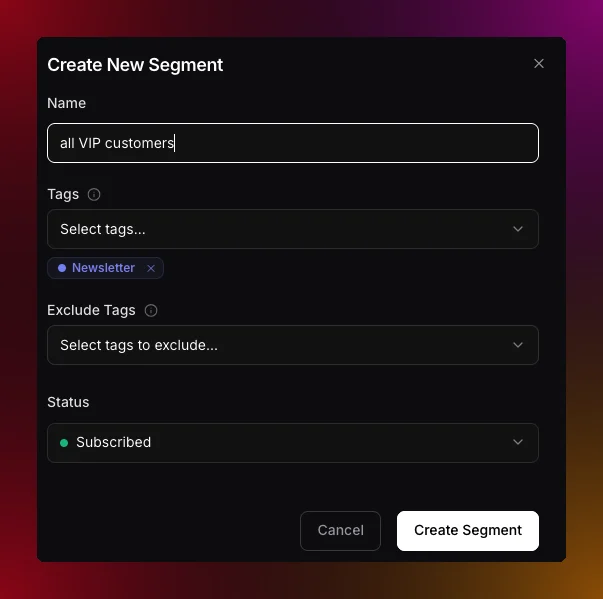 The plain-language segment box in **Contacts** now understands examples. Ask for "contacts like [alex@acme.com](mailto:alex@acme.com)" or "subscribers similar to my best customer" and Migma looks up that person, finds the traits that make them stand out from the rest of your audience, and drafts a lookalike segment from those. It skips traits almost everyone shares, and never targets on names or email addresses, so you get a real audience rather than a copy of one contact.
Plain-language drafting also reads attributes and engagement together, so requests like "pro plan contacts in France who opened recently" become filters you can review before saving. New **Try** chips under the box give you a starting phrase to edit.
You can also point engagement filters at one campaign, for example "people who received the launch but did not click it". Migma reads the campaign recipient log and tells you clearly when that activity is no longer retained.
## Group contacts by a value pattern
Ask for a group like "investors" and Migma looks at the real values in your contacts to find what they share, for example emails that end in ".vc", then writes one rule instead of listing every address. Because it is a rule, the segment keeps matching new contacts as they arrive. When you build filters by hand, field conditions now offer **starts with**, **ends with**, **contains**, and **does not contain** alongside the exact **is** and **is not**.
Improves field conditions for imported numeric and date values. Counts, prices, scores, and dates now appear as typed properties with matching operators, and plain-language drafting can suggest thresholds from real audience values.
[Tags and segments](/audience/manage-tags-and-segments) · [Engagement segments](/audience/engagement-segments)
The plain-language segment box in **Contacts** now understands examples. Ask for "contacts like [alex@acme.com](mailto:alex@acme.com)" or "subscribers similar to my best customer" and Migma looks up that person, finds the traits that make them stand out from the rest of your audience, and drafts a lookalike segment from those. It skips traits almost everyone shares, and never targets on names or email addresses, so you get a real audience rather than a copy of one contact.
Plain-language drafting also reads attributes and engagement together, so requests like "pro plan contacts in France who opened recently" become filters you can review before saving. New **Try** chips under the box give you a starting phrase to edit.
You can also point engagement filters at one campaign, for example "people who received the launch but did not click it". Migma reads the campaign recipient log and tells you clearly when that activity is no longer retained.
## Group contacts by a value pattern
Ask for a group like "investors" and Migma looks at the real values in your contacts to find what they share, for example emails that end in ".vc", then writes one rule instead of listing every address. Because it is a rule, the segment keeps matching new contacts as they arrive. When you build filters by hand, field conditions now offer **starts with**, **ends with**, **contains**, and **does not contain** alongside the exact **is** and **is not**.
Improves field conditions for imported numeric and date values. Counts, prices, scores, and dates now appear as typed properties with matching operators, and plain-language drafting can suggest thresholds from real audience values.
[Tags and segments](/audience/manage-tags-and-segments) · [Engagement segments](/audience/engagement-segments)