> ## Documentation Index
> Fetch the complete documentation index at: https://docs.migma.ai/llms.txt
> Use this file to discover all available pages before exploring further.
# Marketing Calendar
> Marketing calendar, dynamic styles, and developer tools
## Marketing Calendar
A brand-aware marketing calendar lets you create a campaign in one click from any date, so planning and creation happen in the same view.
 ## Dynamic Email Styles
Migma now detects a site's design system on brand import and applies it to generated emails, so output matches the brand automatically.
## Dynamic Email Styles
Migma now detects a site's design system on brand import and applies it to generated emails, so output matches the brand automatically.
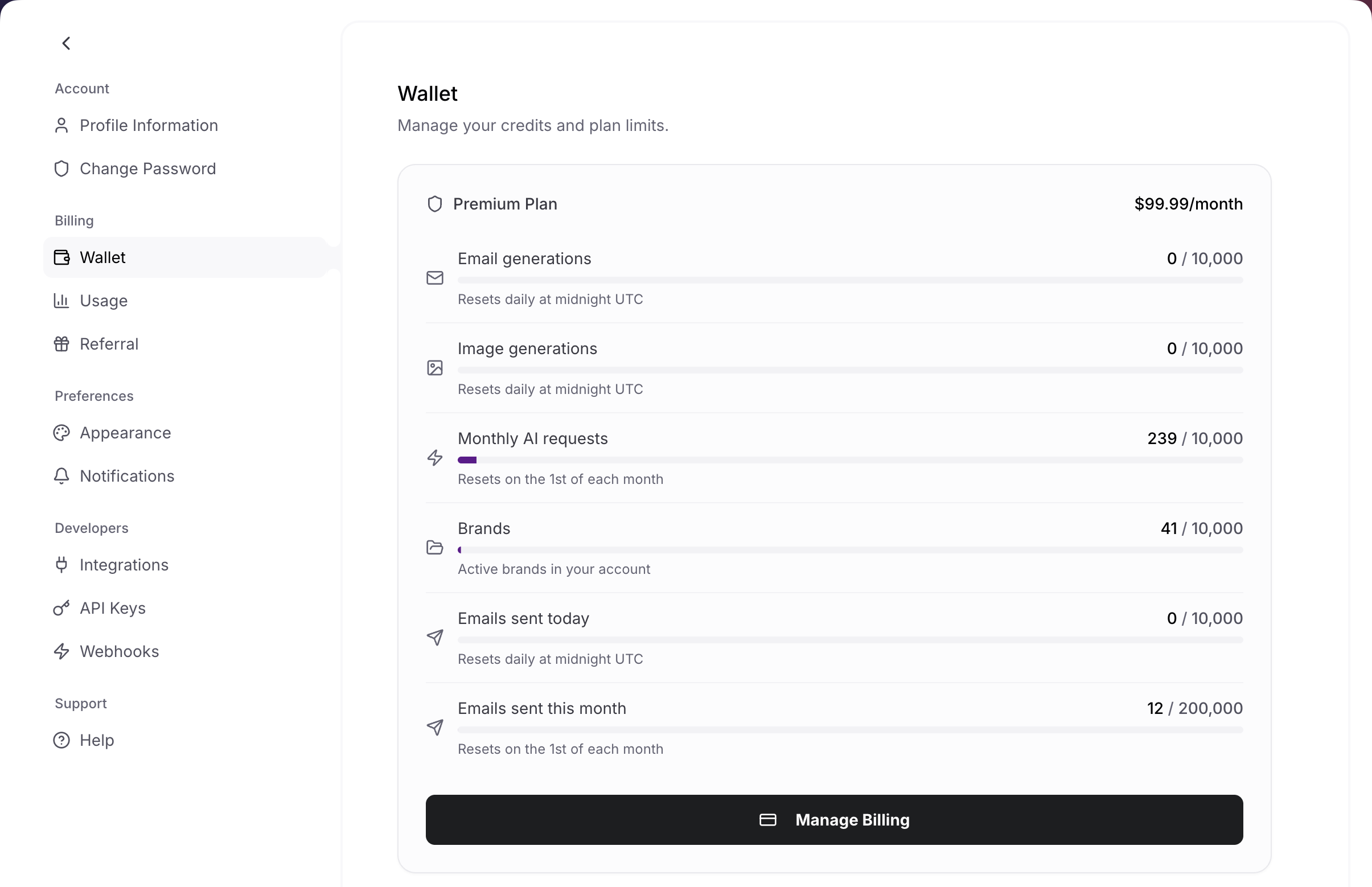
 ## Settings Page
The settings page is redesigned around usage, sending rates, and account activity for a clearer view of your workspace.
## Settings Page
The settings page is redesigned around usage, sending rates, and account activity for a clearer view of your workspace.
 ## Developer Tools
A full set of developer entry points is now available:
* [OpenClaw](/openclaw): chat apps via the OpenClaw skill
* [Skills](/skills): agent integrations
* [CLI](/cli): terminal workflows
* [MCP](/mcp-server): MCP clients
## Daily Calendar Email
A morning digest summarizes upcoming campaign dates with create links, so the calendar comes to your inbox.
## Developer Tools
A full set of developer entry points is now available:
* [OpenClaw](/openclaw): chat apps via the OpenClaw skill
* [Skills](/skills): agent integrations
* [CLI](/cli): terminal workflows
* [MCP](/mcp-server): MCP clients
## Daily Calendar Email
A morning digest summarizes upcoming campaign dates with create links, so the calendar comes to your inbox.
 ## Also Ships
* Brand insights on email strategy
* Bulk subscriber edit
* Topic opt-in in preference center
* Domain stack detection on brand import
## Also Ships
* Brand insights on email strategy
* Bulk subscriber edit
* Topic opt-in in preference center
* Domain stack detection on brand import