> ## Documentation Index
> Fetch the complete documentation index at: https://docs.migma.ai/llms.txt
> Use this file to discover all available pages before exploring further.
# Competitor Tracking, Sending, Audience, GIFs, Editor
> Competitor tracking, sending, audience, GIFs, and the editor
## Competitor Tracking, Sending, Audience, GIFs, Editor
A broad release adds competitor tracking, native sending, audience tooling, GIF Studio, and visual editing — the building blocks of a full email program.
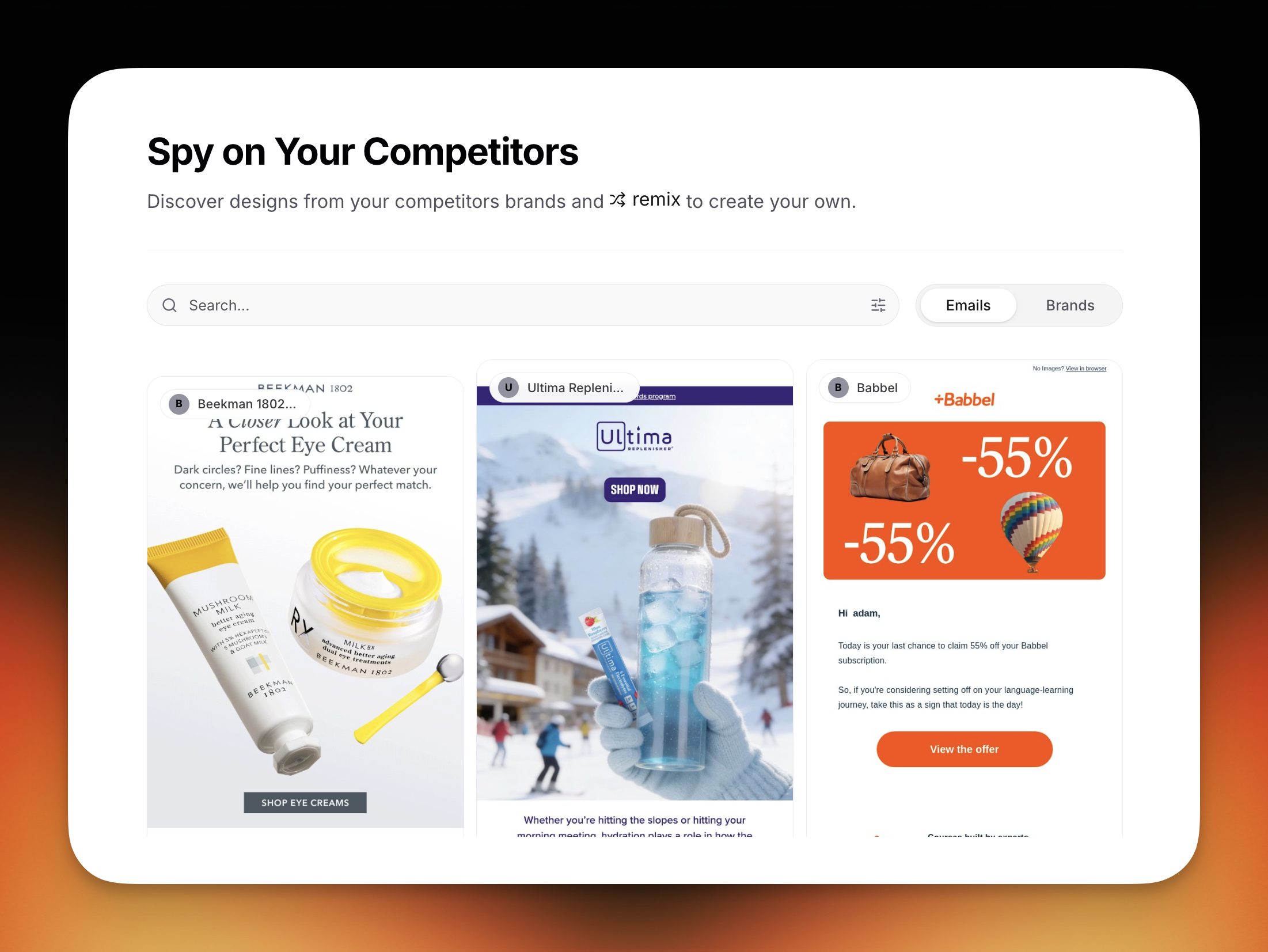
## Competitor Tracking
Subscribe to competitor newsletters, view their sends, see a 12-month cadence heatmap, and remix anything into your own brand.
 [Competitor tracking](/creating-emails/competitor-tracking)
## Send From Migma
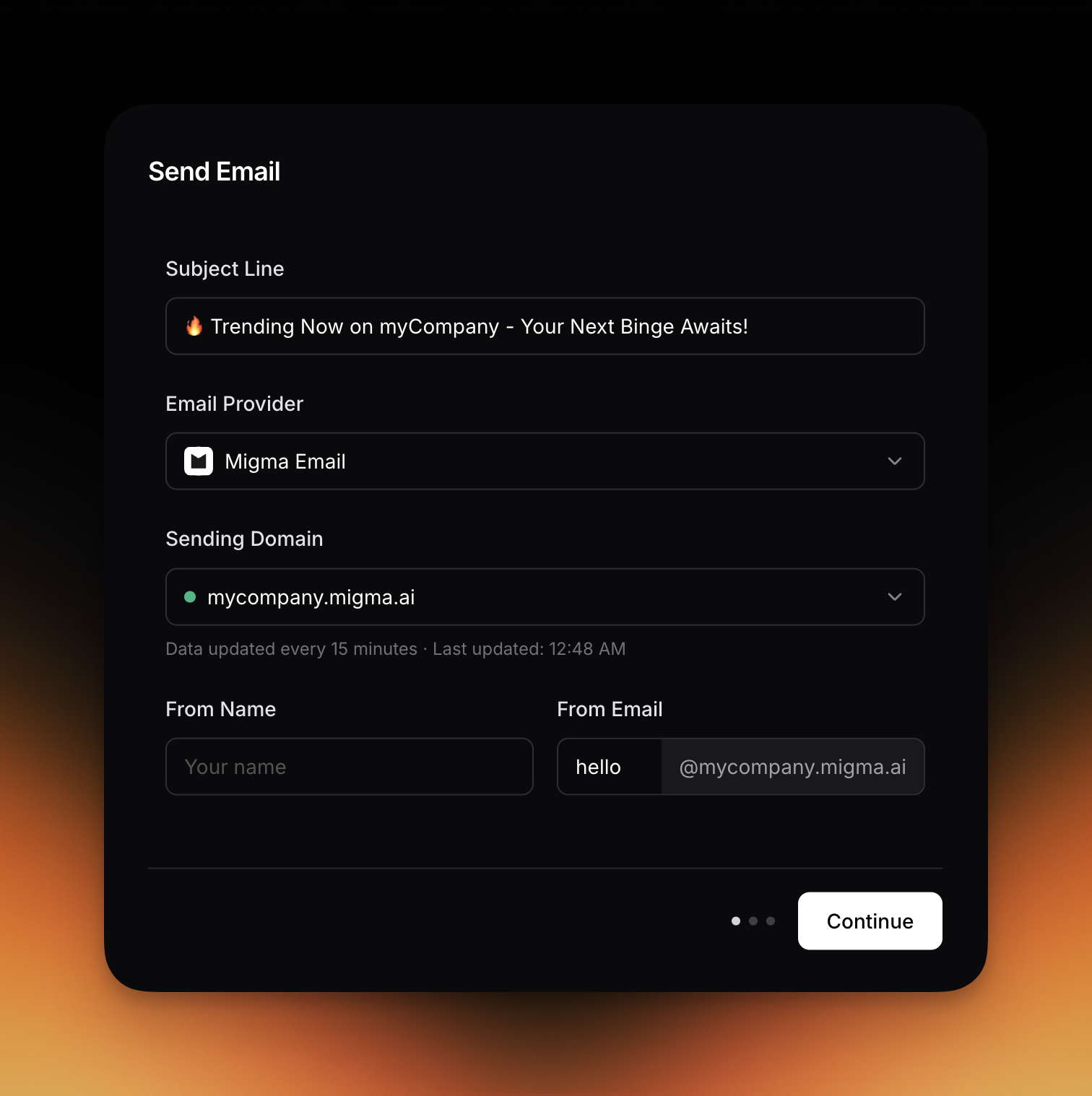
Send directly from Migma with options for every stage:
* **Quick Start**: a shared `@migma.email` sender
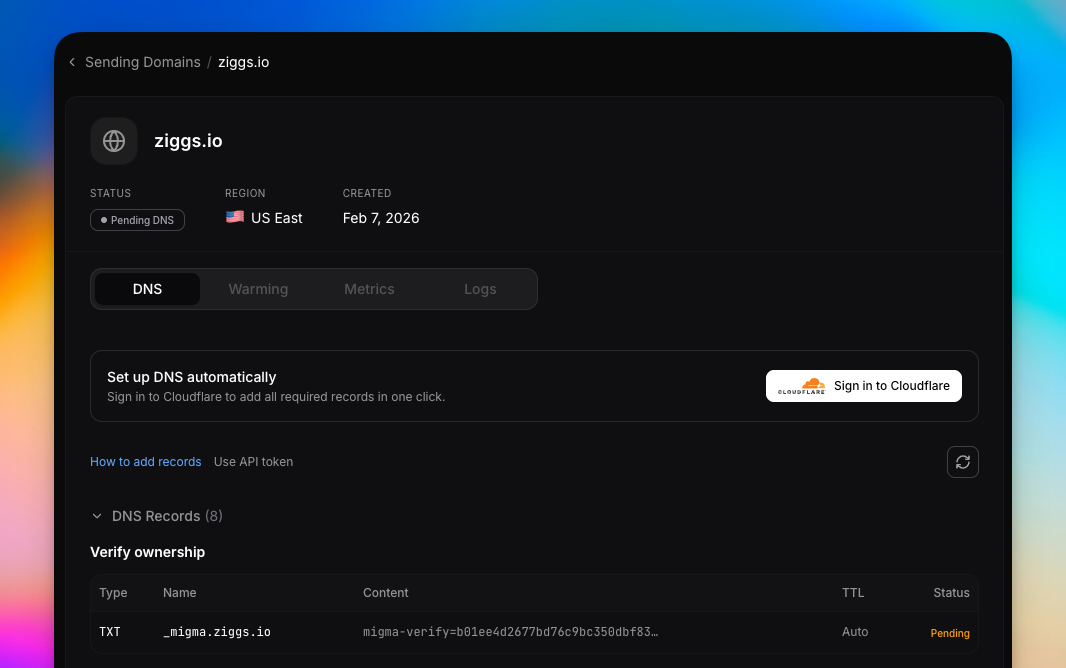
* **Custom domain**: dedicated IP, Cloudflare DNS assist, and warmup
* **Metrics**: delivery, opens, and clicks
[Competitor tracking](/creating-emails/competitor-tracking)
## Send From Migma
Send directly from Migma with options for every stage:
* **Quick Start**: a shared `@migma.email` sender
* **Custom domain**: dedicated IP, Cloudflare DNS assist, and warmup
* **Metrics**: delivery, opens, and clicks
 [Sending domains](/sending-domains/overview)
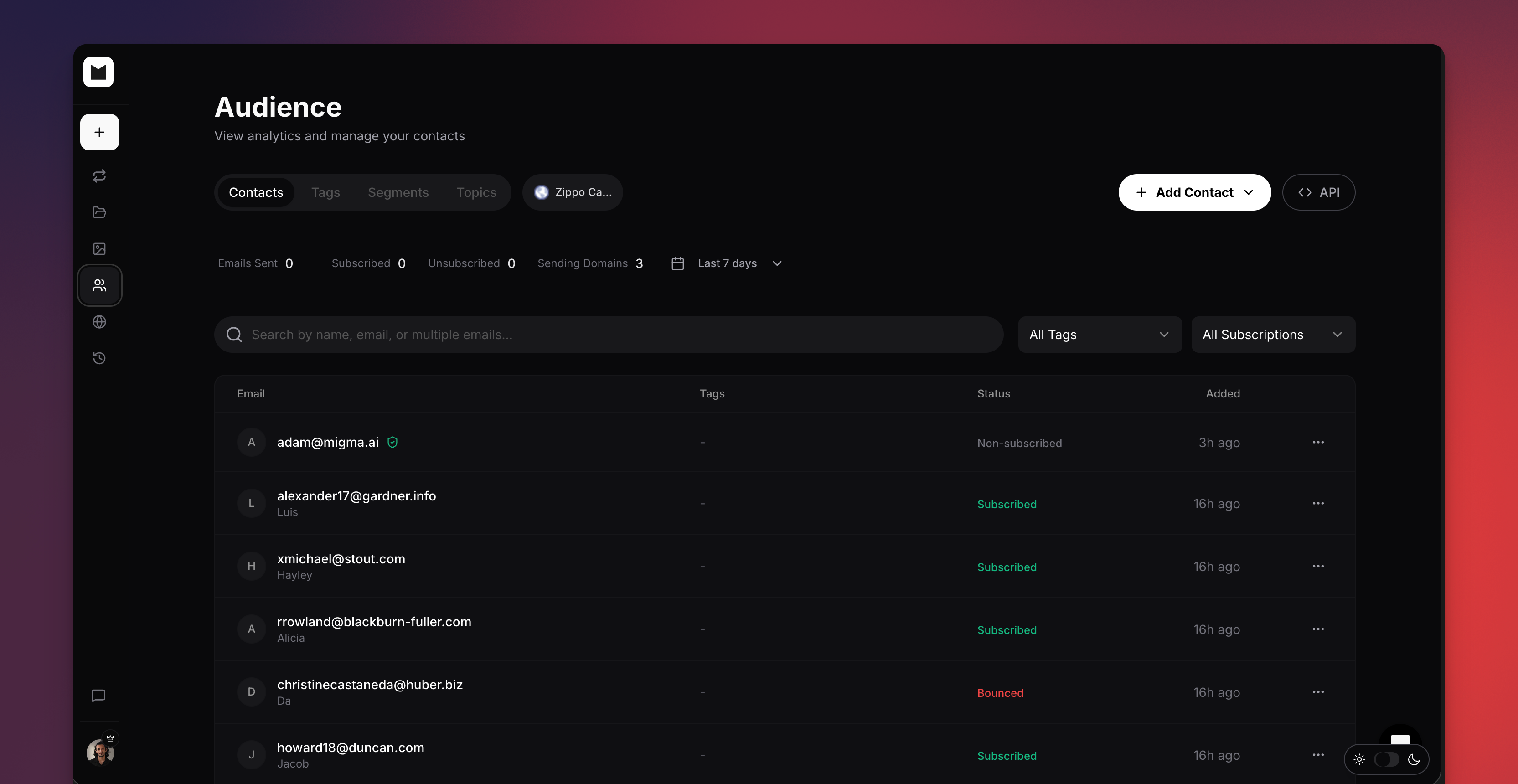
## Audience and Contacts
Audience tooling now covers validation on import, CSV bulk import, tags, dynamic segments, and per-contact engagement.
[Sending domains](/sending-domains/overview)
## Audience and Contacts
Audience tooling now covers validation on import, CSV bulk import, tags, dynamic segments, and per-contact engagement.
 [Manage contacts](/audience/manage-contacts)
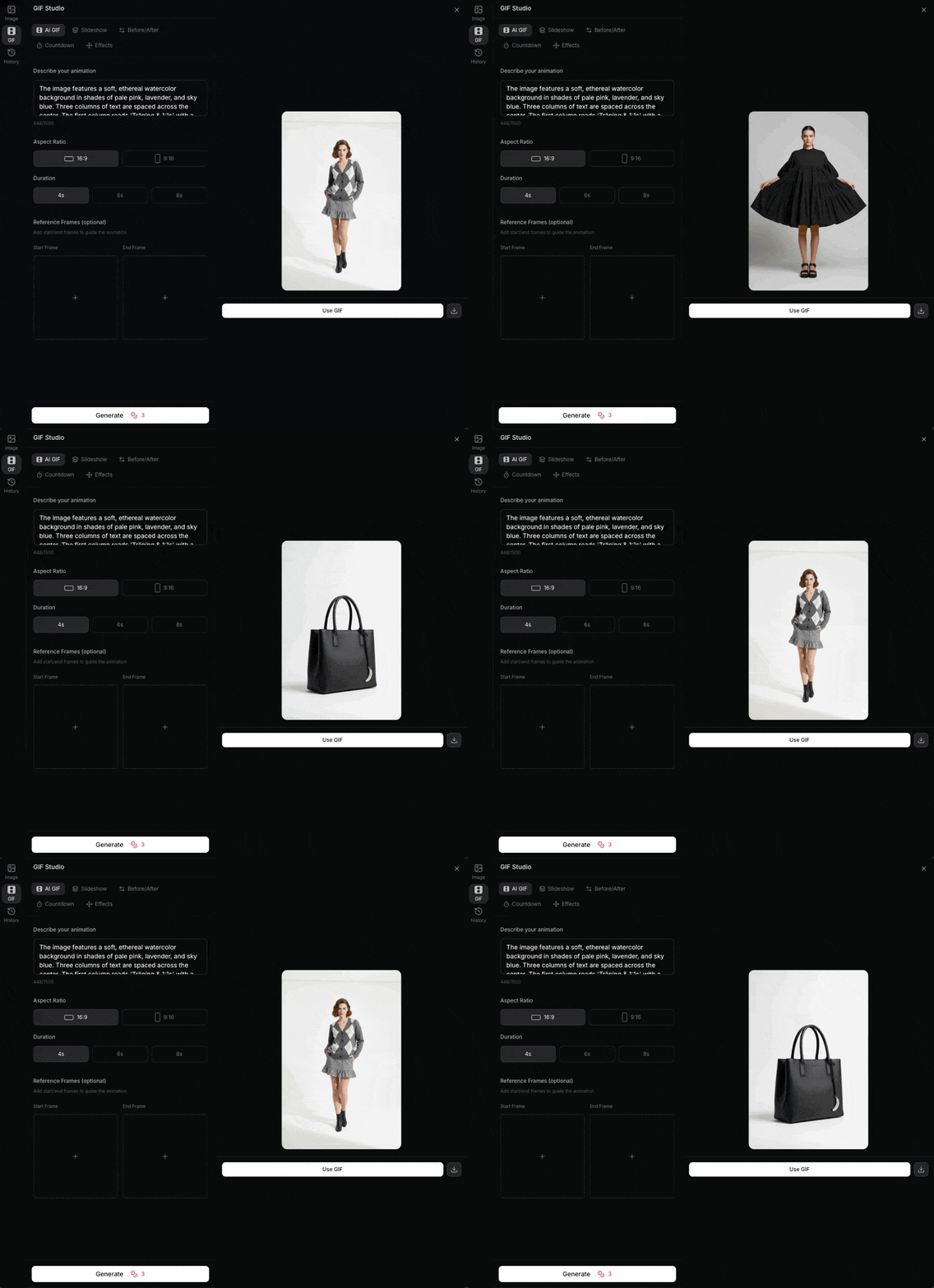
## GIF Studio
Generate brand-matched slideshows, reveals, and countdown GIFs to add motion to emails.
[Manage contacts](/audience/manage-contacts)
## GIF Studio
Generate brand-matched slideshows, reveals, and countdown GIFs to add motion to emails.
 [Animated GIFs](/content-hub/animated-gifs)
## Visual Editor
Point-and-click editing now covers text, images, colors, and styles, so refining a generated email is direct and visual.
[Visual editor](/email-editor/visual-editor)
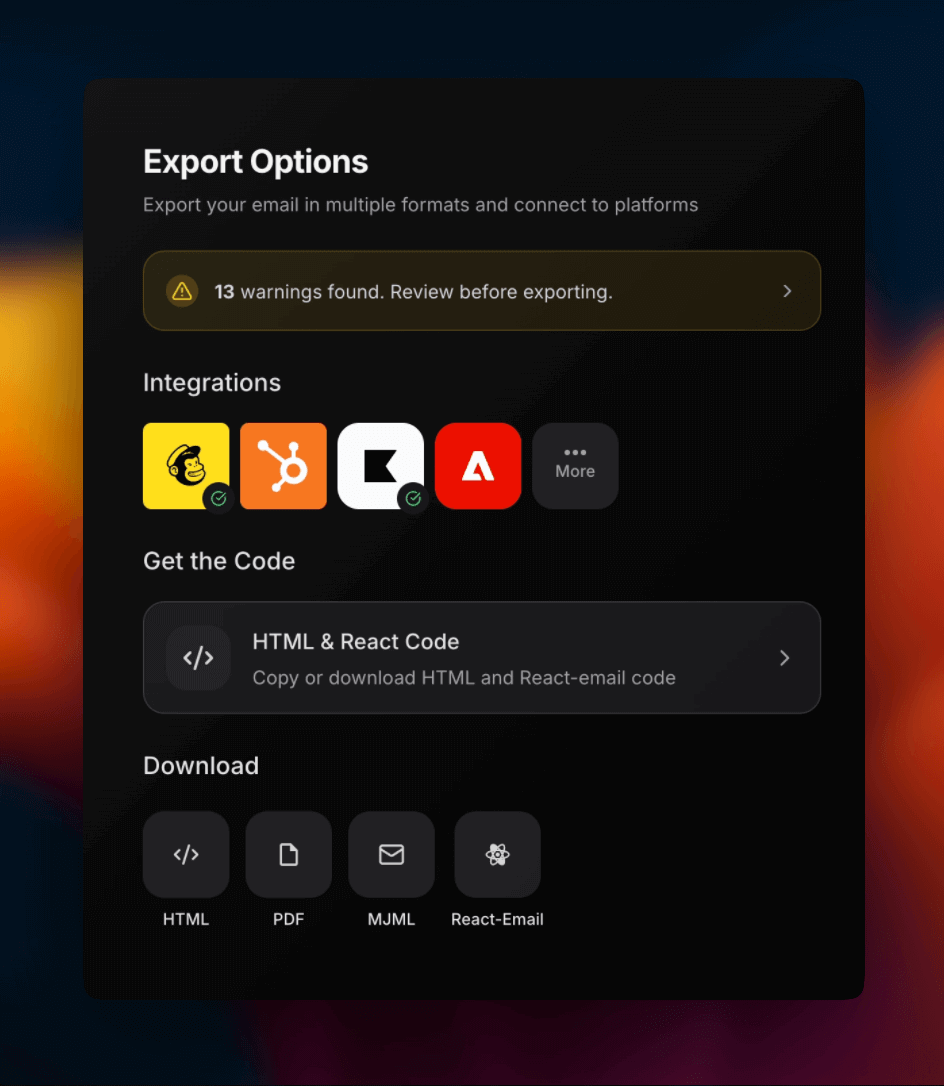
## Export
Export to Mailchimp, Klaviyo, Brevo, HubSpot, and HTML download.
[Animated GIFs](/content-hub/animated-gifs)
## Visual Editor
Point-and-click editing now covers text, images, colors, and styles, so refining a generated email is direct and visual.
[Visual editor](/email-editor/visual-editor)
## Export
Export to Mailchimp, Klaviyo, Brevo, HubSpot, and HTML download.
 [Export options](/email-editor/export-options)
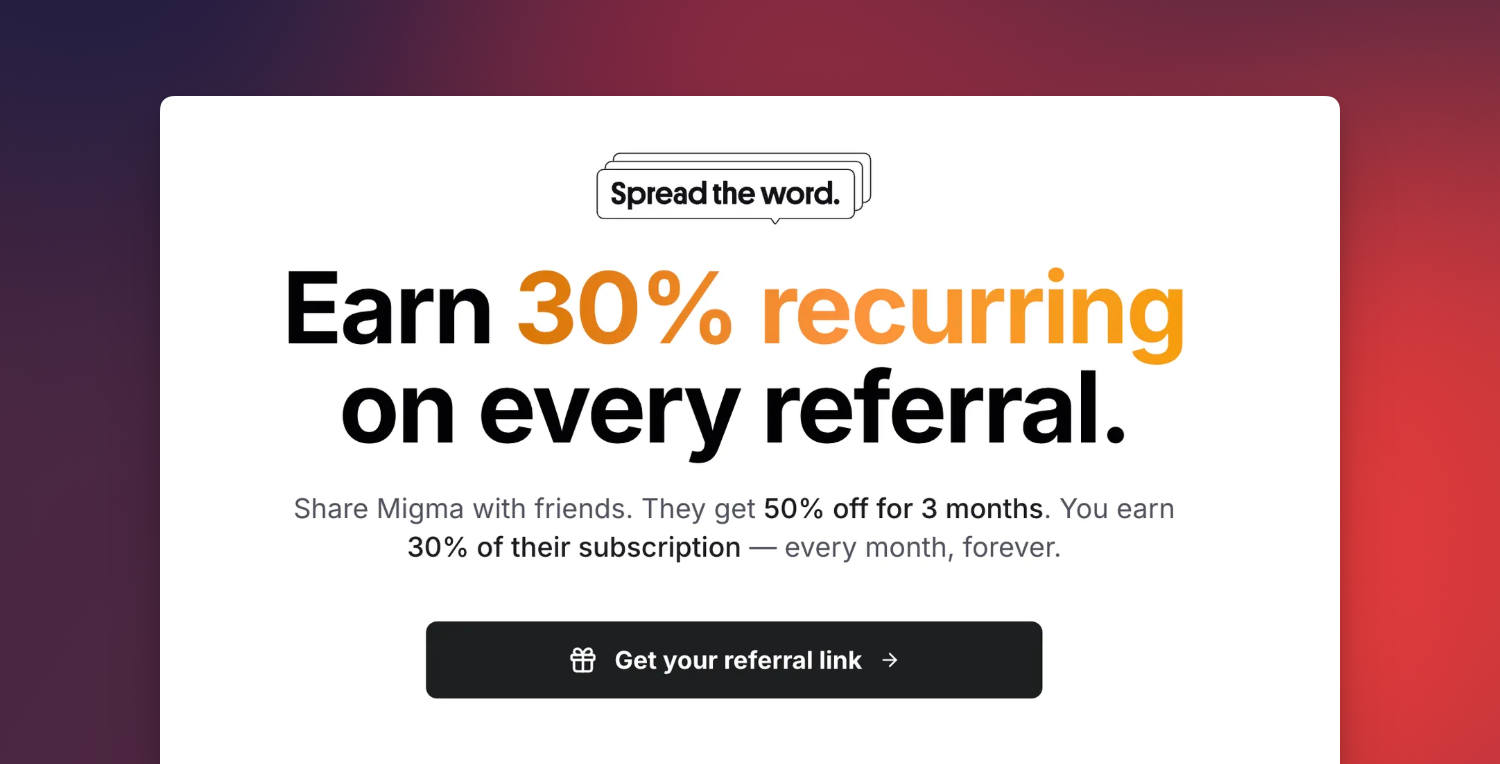
## Referral Program
Earn 30% recurring commission, and referrals get 50% off the first 3 months.
[Export options](/email-editor/export-options)
## Referral Program
Earn 30% recurring commission, and referrals get 50% off the first 3 months.
 [Referral program](/referral/overview)
## Node.js SDK
The Node.js SDK lets you import brands and generate emails programmatically:
```bash theme={null}
yarn add migma
```
```typescript theme={null}
import Migma from 'migma';
const migma = new Migma(process.env.MIGMA_API_KEY);
// Import a brand and wait for completion
const brand = await migma.projects.importAndWait({
urls: ['https://yourbrand.com']
});
// Generate an email and wait for completion
const email = await migma.emails.generateAndWait({
projectId: brand.data.projectId,
prompt: 'Create a welcome email for new subscribers',
languages: ['en']
});
console.log(email.data.result.html);
```
[SDK](https://docs.migma.ai/sdk)
## Tutorials
New tutorials walk through the headline workflows:
Subscribe, heatmap cadence, remix competitor emails.
Send from WhatsApp, Telegram, or Discord via OpenClaw.
One campaign, per-subscriber language rendering.
[Referral program](/referral/overview)
## Node.js SDK
The Node.js SDK lets you import brands and generate emails programmatically:
```bash theme={null}
yarn add migma
```
```typescript theme={null}
import Migma from 'migma';
const migma = new Migma(process.env.MIGMA_API_KEY);
// Import a brand and wait for completion
const brand = await migma.projects.importAndWait({
urls: ['https://yourbrand.com']
});
// Generate an email and wait for completion
const email = await migma.emails.generateAndWait({
projectId: brand.data.projectId,
prompt: 'Create a welcome email for new subscribers',
languages: ['en']
});
console.log(email.data.result.html);
```
[SDK](https://docs.migma.ai/sdk)
## Tutorials
New tutorials walk through the headline workflows:
Subscribe, heatmap cadence, remix competitor emails.
Send from WhatsApp, Telegram, or Discord via OpenClaw.
One campaign, per-subscriber language rendering.