> ## Documentation Index
> Fetch the complete documentation index at: https://docs.migma.ai/llms.txt
> Use this file to discover all available pages before exploring further.
# Changelog
> Product updates: features, improvements, and fixes.
The latest Migma releases, newest first. Each update covers what shipped and why it matters.
Every release also has its own page, grouped by month in the left sidebar. The Migma RSS feed is available for changelog updates.
## Sending Metrics and Campaign Notifications (July 19th)
Adds account-level sending metrics to the Migma API. Review current-month sent, delivered, bounced, and complained totals; today's sent and reserved usage; daily and monthly limits; remaining capacity; and up to 12 previous months.
Adds campaign notifications in Slack and Telegram. Tell Migma in the current channel or chat to notify you about campaigns. Migma posts when sending starts, when a campaign is sent, or if it fails, then follows a successful send with a stats digest about 30 minutes later.
Adds next-campaign planning in Slack and Telegram. Ask what to send next and Migma answers from your Marketing Calendar: prepared campaigns with their reasons and proposed send times, plus upcoming moments worth covering. Confirm a prepared campaign in chat and Migma schedules it.
[Slack](/integrations/slack) · [Telegram](/integrations/telegram) · [API reference](/api-reference/introduction)
## Rename campaigns, chats, series, and emails (July 18th)
Adds **Rename** to campaign, chat, series, and individual email menus. Campaign names can be changed before or after sending, while individual emails keep their original subject.
A chat and its series share one name, so renaming either keeps both labels aligned.
[Visual Canvas](/creating-emails/visual-canvas) · [Campaigns](/campaigns/overview)
## Deeper Brand Import (July 16th)
Improves **Brand Import**: Migma now studies relevant About, product, pricing, news, and contact pages in addition to the homepage. It learns the brand's products, positioning, copy and CTA patterns, footer details, social links, and observed icon or emoji style.
Useful findings appear in **Brand Guidelines** and guide future email design and copy. Recent public brand and industry updates are kept in one dated research entry, while anything you add manually stays untouched.
[Configure your brand](/get-started/configure-brand)
## Founder Pass for Product Hunt (July 11th)
Updates the limited **Founder Pass** with a direct Premium overview: up to 200,000 monthly sends for marketing and transactional email, API and hosted MCP access, analytics, and Slack and Telegram beta access.
Eligible new customers create an account, start a seven-day trial, then continue into setup. The first 200 keep the \$49 monthly Founder price while the qualifying subscription stays active.
[Claim Founder Pass](https://migma.ai/founder-pass)
## Comment threads on canvas (July 11th)
Adds anchored comment threads to **Visual Canvas**. Place a comment beside an email, mention a teammate with `@`, reply in the thread, and resolve or reopen feedback without covering the canvas with sticky notes. Mention alerts open the exact thread and wait for teammates who are away. Comment markers show who started each thread and how many replies it contains.
Commenters can now create, reply to, move, and resolve canvas comments while email editing and sending stay disabled for their role. Unresolved feedback remains available to Migma during the next design turn. Resolved threads stay on canvas for reference without affecting later edits.
[Visual Canvas](/creating-emails/visual-canvas) · [Real-time collaboration](/collaboration/realtime) · [Team access](/collaboration/team-access)
## Click map for campaign emails (July 9th)
Adds **Click map** to each campaign's **Analytics** tab. See recorded human clicks directly on links and buttons in the sent email, with stronger intensity for actions clicked by more people. Select a marker to see its total clicks.
Bot and scanner activity stays hidden, along with system actions such as unsubscribe and preference links. The map shows which email action was clicked; email clients do not provide cursor coordinates.
[Track results](/campaigns/track-results)
## Marketing Calendar Prepares Your Campaigns (July 6th)
Improves the **Marketing Calendar**: Migma now prepares upcoming calendar campaigns before you ask. Each item under **Prepared for you** is a finished email with a suggested audience and send time. Review it, click **Approve**, and the campaign is scheduled. Dismiss anything that does not fit.
Adds **Connect calendar**: link Google Calendar (read only) and real business events like launches and sales become planned emails anchored to their true dates.
Improves performance learning: recent sent campaigns now appear as subdued items on their calendar dates. Open one to see click and open rates. Migma uses delivered-weighted human clicks as the main timing signal and treats opens as supporting context.
Adds **Calendar settings**: turn on automatic email creation from your calendar (works with or without a connected calendar) and Migma prepares upcoming emails in the background, then emails you when they are ready, like "Your Black Friday email is ready to approve", with review links. Notifications have their own toggle. Migma skips anything you already created yourself, and nothing sends without your approval.
[Marketing Calendar](/campaigns/marketing-calendar) · [Send a Campaign](/campaigns/send-campaign)
## Migma for Telegram (July 6th)
Adds **Migma for Telegram**, so you can create and edit branded emails from a Telegram chat or a group. Start a chat with the bot, connect your account once with the Telegram Login Widget, then ask it to list your brands, import a brand from a URL, generate emails, edit them, or find design inspiration. Attach an image to generate an email from it.
Connecting uses Telegram's verified Login Widget, so your identity is asserted by Telegram and nothing is pasted. The bot creates and edits drafts only. Sending, scheduling, and exporting stay in Migma, where you review and approve the send.
[Telegram](/integrations/telegram) · [Agent auth](/agent-auth)
## Import Contacts from Mailchimp, Klaviyo, and HubSpot (July 3rd)
Adds **Import from integration** to the **Add Contact** menu on the Contacts page. Choose a connected Mailchimp audience, saved segment, or tag, a Klaviyo list or segment, or a HubSpot contact list, and Migma imports the contacts as a background job with progress and final counts in **Import History**.
Consent stays intact: by default only subscribed contacts are imported, contacts without clear marketing permission stay non-sendable, and existing unsubscribed or bounced contacts are never resubscribed. Every import creates a source tag and a matching snapshot segment, so the imported audience is ready to target right away.
[Mailchimp](/integrations/mailchimp) · [Klaviyo](/integrations/klaviyo) · [HubSpot](/integrations/hubspot) · [Manage contacts](/audience/manage-contacts)
## Brand Settings Redesign (July 3rd)
Improves brand settings: sections now follow how an email reads, and a new **Visual Identity** section groups **Logos**, **Colors & Styling**, and **Typography** in one place. **Knowledge Base** is now **Brand Guidelines**, with generation rules in their own **AI Instructions** section. The **Gallery** now holds brand images only, and **Company Profile** and **Sitemap** sit together under **Footer**, where social links are managed.
Adds a **Search settings** box to the settings sidebar. Press slash to focus it, then search by setting name or by what lives inside a section, including connected tool names like Notion or Stripe.
[Brand setup](/get-started/configure-brand) · [External MCP servers](/integrations/mcp-servers)
## Events and Conversion Tracking API (July 3rd)
Adds `POST /v1/events` and `/v1/events/batch` so your backend can report customer events like purchases, trials, and refunds. Send a single event with an **Idempotency-Key** header, or batch up to 500 events with per-row dedupe keys and row-level partial success.
An event that carries an order identifier and a numeric value is recorded as a conversion and attributed to the last email the recipient clicked within the previous five days, credited once. Event names containing refund or cancelled record negative amounts, so returned revenue is subtracted instead of counted.
Conversions and revenue then appear in campaign stats, shown only when real activity has been reported so a campaign with no attributed revenue shows no figures rather than fake zeros. Events never change subscription status.
[Events](/events) · [API reference](/api-reference/introduction)
## MCP Clients Connect with OAuth (July 2nd)
Adds OAuth connection for hosted MCP clients that support it, including claude.ai custom connectors. Add `https://migma.ai/mcp`, sign in, review scopes on the Migma consent page, and approve. Migma gives the client a scoped key automatically, so no API-key pasting is needed.
Manual bearer-key setup remains supported. Sending access is shown as `email:send` on consent, and generated keys can be revoked from **Settings → Developers → API Keys**.
[MCP](/mcp-server) · [Agent auth](/agent-auth)
## Audience Insights in Email Analytics (July 2nd)
Adds device, email client, top clicked link, and inbox provider breakdowns to the **Activity** page, covering every send in the selected date range. Inbox provider open rates for Gmail, Outlook, Yahoo, and Apple sit side by side, making it easy to spot a provider filtering your mail before it affects a whole campaign. **Top links** ranks the links and buttons in your emails by clicks.
Each campaign's **Analytics** tab shows the same breakdowns scoped to that campaign. Engagement counts exclude bot and scanner activity, and the card notes where Apple's Mail Privacy Protection inflates opens.
[Send campaigns](/campaigns/send-campaign) · [Domain metrics](/sending-domains/metrics)
## Bulk Contact Imports (July 1st)
Adds bulk contact import from a CSV in the dashboard and through the API, SDK, CLI, and MCP server. Large lists upload and process in the background, columns map to contact fields automatically, and **Import History** shows a live breakdown of contacts created, updated, skipped, and failed.
Adds suggested segments after an import, so a fresh list becomes a targeted audience in one step. Choose to update or skip contacts that already exist.
[Manage contacts](/audience/manage-contacts) · [API reference](/api-reference/introduction) · [SDK](/sdk) · [CLI](/cli) · [MCP](/mcp-server)
## Draft-Only API Key Permissions (June 30th)
Adds `email:write` for creating and editing generated emails without granting send access. API keys and agent registrations can now let tools prepare drafts while keeping test and live sends behind `email:send`.
Updates brand import and retry permissions to use `project:write`, matching the permissions shown in **Settings → Developers**.
[Authentication](/authentication) · [Agent registration](/agent-registration)
## Duplicate Emails and Series (June 29th)
Adds **Duplicate email** and **Duplicate series** to the email card menu. Duplicate opens the latest canvas version in a new chat, so you can try another direction without changing the original.
[Visual canvas](/creating-emails/visual-canvas) · [Email series](/creating-emails/email-series)
## Email Metrics and Domain Warmup (June 28th)
Adds per-email performance to the app, API, SDK, CLI, and MCP server. Open a generated email's metrics to review delivery, opens, clicks, period deltas, campaign usage, transactional send logs, top locations, preflight status, and improvement options across every send of it.
Adds **Copy for AI** to Publish and API setup surfaces, so coding agents can wire a selected Migma email into an app with a short setup prompt.
Improves **Domain Warming** with starting volume, daily growth, and safety settings before warmup starts. The Warming tab now shows today's cap, safe remaining capacity, the next cap, a schedule preview, and bounce and complaint thresholds.
Paused warmup now turns off warmup caps until you resume. Automatic safety pauses still protect risky domains.
[API reference](/api-reference/introduction) · [SDK](/sdk) · [CLI](/cli) · [MCP](/mcp-server) · [Domain warming](/sending-domains/domain-warming)
## API, Sender, and Agent Updates (June 27th)
Adds batch contact deletion to the API. Remove many contacts by email in one request, and see which emails had no matching contact.
Adds From addresses to Sending Domains. Manage each domain's sender names and addresses, set the default sender, and keep Publish using the same verified sender list.
Adds safe retries for write requests. Retry after a network error or timeout and Migma replays the original result instead of doing the work twice. The official SDK carries the retry key automatically.
Adds campaign performance to the API, SDK, CLI, and MCP server. Read opens, clicks, bounces, unsubscribes, and per-recipient delivery activity for any campaign.
Adds MCP capabilities and guided workflows. Your agent can ask what Migma can do, then follow recipes to design an email, send a test, launch a campaign, and read results.
Adds domain security to Sending Domains. If another team is using a domain you own, you can prove DNS ownership and claim it back to your workspace. Migma re-provisions the domain and prepares it for sending under your account.
Adds bot protection to public forms. Signup, login, password reset, waitlist, and careers forms now verify you are human before submitting.
Adds a redirect URL option when buying a domain. The domain apex can point to your brand site while you set up sending.
[Sending domains](/sending-domains/overview) · [Contacts API](/api-reference/introduction) · [MCP](/mcp-server) · [Bring your agent](/agent-auth)
## Remote MCP for AI Tools (June 24th)
Adds remote MCP support so teams can connect Migma to MCP-compatible AI tools without running a local server. Once connected, agents can help create, send, validate, and export emails from the tools your team already uses.
Local setup remains available for teams that prefer it.
[MCP](/mcp-server)
## Omnisend Export
Adds Omnisend as an OAuth export destination from **Publish**. Connect a brand, export a draft campaign to Omnisend, or keep using HTML export when you want to import manually.
[Export options](/email-editor/export-options)
Email has an agent now. Connect your brand, set a goal, and Migma turns it into production-ready email marketing. This is the biggest release yet: Migma is no longer just an AI email creator. It is now an AI-native ESP that helps teams create, segment, collaborate on, render, send, export, and improve email sequences from one workspace.
## Email Canvas: Full Sequences, Not Single Emails (June 22nd)
You can now generate complete email sequences inside one canvas instead of designing one email at a time. Welcome, onboarding, product launch, abandoned cart, win-back, lifecycle, and transactional sequences are all generated from a single prompt. Every email in the sequence can be edited, rewritten, localized, personalized, and improved in the same workflow, so teams can shape the full customer journey instead of building isolated emails.
[Email series](/creating-emails/email-series) · [Visual canvas](/creating-emails/visual-canvas)
## Email Rendering Built for Inboxes
Migma now produces email-safe output for major inboxes, including Gmail, Outlook, Apple Mail, mobile, dark mode, light mode, and older clients. Designs should hold up when subscribers open them, not only inside the editor.
[Client compatibility](/email-editor/client-compatibility) · [Email preflight](/email-editor/email-preflight)
## AI Segmentation: The Right Email for the Right Segment
Migma now helps decide who should receive what. Create audience segments with AI, generate campaign variants for different customer groups, and personalize by language, country, persona, and audience context. A normal email designer creates one email; Migma creates the right email for the right segment, so each cohort gets a message that actually fits it.
[Manage contacts](/audience/manage-contacts) · [Tags and segments](/audience/manage-tags-and-segments) · [Engagement segments](/audience/engagement-segments)
## Workspaces and Realtime Collaboration
Email marketing is team work for founders, marketers, designers, agencies, clients, and operators. Migma now supports invites, seats, workspaces, comments, realtime editing, and campaign review in one canvas.
[Real-time collaboration](/collaboration/realtime) · [Workspaces](/collaboration/workspaces) · [Team access](/collaboration/team-access) · [Seats](/collaboration/seats)
## Agentic Handoff: Start From the Tools Your Team Already Uses
Migma can now work from the AI tools your team already uses, including Claude, Cursor, Lovable, Figma, screenshots, HTML, your website, files, references, and prompts. Agents can bring plans and source material into Migma, where teams can render, send, and export the emails.
[MCP servers](/integrations/mcp-servers) · [Setup skill](/setup) · [CLI](/cli) · [Design with Claude](/creating-emails/claude-design)
## Send and Export Through Your Stack
Teams can adopt Migma without rebuilding their entire email stack on day one. Send or export through Mailchimp, HubSpot, Klaviyo, and similar tools, and prepare marketing emails, transactional emails, brand and domain setup, and sending workflows from one place. Migma fits into the pipeline you already run instead of asking you to replace it.
[Mailchimp](/integrations/mailchimp) · [Klaviyo](/integrations/klaviyo) · [Email service providers](/integrations/email-service-providers) · [Sending domains](/sending-domains/overview)
## References, Files, Screenshots, Voice, and HTML Input
Real teams start with context. Migma can use files, screenshots, pasted HTML, design references, competitor examples, comments, and voice input. The more context you bring, the closer the first draft lands.
[HTML import](/creating-emails/html-import) · [Figma import](/creating-emails/figma-import) · [Image clone](/creating-emails/image-clone) · [Prompt-based creation](/creating-emails/prompt-based-creation)
## Performance Feedback Loop
Migma is moving from creation to optimization. Campaign feedback can guide future sends so teams create better messages over time.
[Domain metrics](/sending-domains/metrics)
## Build a Segment From Someone You Already Know (June 20th)
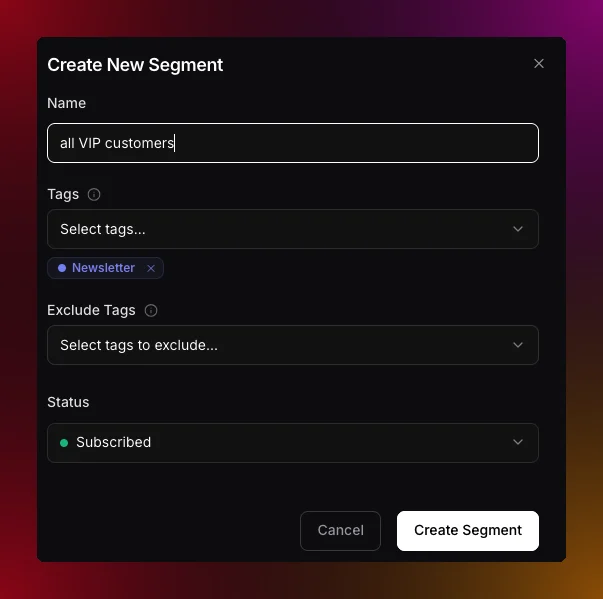 The plain-language segment box in **Contacts** now understands examples. Ask for "contacts like [alex@acme.com](mailto:alex@acme.com)" or "subscribers similar to my best customer" and Migma looks up that person, finds the traits that make them stand out from the rest of your audience, and drafts a lookalike segment from those. It skips traits almost everyone shares, and never targets on names or email addresses, so you get a real audience rather than a copy of one contact.
Plain-language drafting also reads attributes and engagement together, so requests like "pro plan contacts in France who opened recently" become filters you can review before saving. New **Try** chips under the box give you a starting phrase to edit.
You can also point engagement filters at one campaign, for example "people who received the launch but did not click it". Migma reads the campaign recipient log and tells you clearly when that activity is no longer retained.
## Group contacts by a value pattern
Ask for a group like "investors" and Migma looks at the real values in your contacts to find what they share, for example emails that end in ".vc", then writes one rule instead of listing every address. Because it is a rule, the segment keeps matching new contacts as they arrive. When you build filters by hand, field conditions now offer **starts with**, **ends with**, **contains**, and **does not contain** alongside the exact **is** and **is not**.
Improves field conditions for imported numeric and date values. Counts, prices, scores, and dates now appear as typed properties with matching operators, and plain-language drafting can suggest thresholds from real audience values.
[Tags and segments](/audience/manage-tags-and-segments) · [Engagement segments](/audience/engagement-segments)
## Agents and Teammates Show Up Live (June 17th)
Presence, member avatars, and agent activity are now clearer while teams work together on canvas. You can see who is editing, where their focus is, and when an agent is generating, so collaboration feels coordinated instead of accidental.
[Real-time collaboration](/collaboration/realtime)
## Turn Searches and Imports Into Segments
Describe an audience in plain language, preview the matching contacts, and save the result as an AI-built segment after importing subscribers. The flow turns ad-hoc searches and fresh imports into reusable segments without leaving Contacts.
[Manage contacts](/audience/manage-contacts) · [Tags and segments](/audience/manage-tags-and-segments)
## Protect Accounts With 2FA
Two-factor authentication is now available account-wide. Use an authenticator app or emailed security codes, verify your email address, and download backup codes from Settings so you can recover access if you lose your device.
## Set Up Migma From Create
A new **Set up Migma** action on Create copies `/setup` instructions so coding agents can audit your app, create emails, and wire safe backend sends. It hands your agent everything it needs to integrate Migma correctly the first time.
[Setup skill](/setup)
## Create a Full Email Series in Under a Minute
Generate connected welcome, launch, nurture, and winback flows from a single prompt. Instead of building each message by hand, you describe the goal and Migma drafts the whole series ready to refine.
[Email series](/creating-emails/email-series)
## Realtime Collaboration and Workspaces
Share workspaces, invite teammates, and build emails together live. The whole team can work on the same canvas at once, so reviews and edits happen in place.
[Real-time collaboration](/collaboration/realtime) · [Team access](/collaboration/team-access)
## Agents Register Themselves (June 13th)
Agents can now register themselves with scoped API keys. An AI agent like Claude, Cursor, or OpenClaw asks to connect, you approve it with a short code at [migma.ai/claim](https://migma.ai/claim), and the agent receives its own scoped API key. You never create, copy, or paste a key. You see the agent's name and the permissions it requested before you confirm, and you can revoke any agent key from Settings, Developers, API Keys. Migma follows the open [auth.md](https://workos.com/auth-md/docs) convention, so agents discover and complete the whole flow on their own.
[Agent registration](/agent-registration)
## Account Security (June 12th)
Two-factor authentication is now available from Settings. Use an authenticator app or emailed security codes, verify your email address, and download backup codes for account recovery, so your workspace stays protected even if a password leaks.
## Smart Segmentation
Contacts now supports natural-language segment drafting. Describe an audience like "inactive subscribers in Spain" and Migma builds the matching filters for you. Contact search also gains smart filtering, custom-field filters, activity filters, live counts, and post-import segment suggestions, so targeting is faster and far less manual.
[Manage contacts](/audience/manage-contacts) · [Tags and segments](/audience/manage-tags-and-segments)
## Setup Skill
A new **Set up Migma** action on Create copies `/setup` instructions with sender status, agent auth guidance, and skill or plugin install paths. Coding agents use it to audit the app, create emails, and wire safe backend sends without guesswork.
## Live Collaboration Polish
Shared workspace presence is clearer, with more legible member and agent activity while teams work on canvas. It is easier to tell at a glance who is doing what.
[Real-time collaboration](/collaboration/realtime)
## Free Collaborators (June 10th)
Migma now offers a seat-free way to invite editors and managers. Owners and admins check **Free collaborator** when inviting from a brand's Share panel or from Settings, People & Access. Free collaborators edit and collaborate in real time without using a seat, and AI generation runs on their own plan's credits. People they invite stay seat-free automatically, so teams and agencies can scale collaboration without scaling seat costs.
[Seats](/collaboration/seats)
## Agencies and Client Brands (June 7th)
New guidance helps agencies run client work cleanly. Keep each client in its own workspace with your team as editors, or join a client's brand as a guest. Editors use a seat, reviewers stay free, and the workspace owner is billed, so the billing and access model matches how agency engagements actually work.
[Agencies & client brands](/collaboration/agencies)
## Proprietary Email Engine (June 4th)
Migma's email rendering engine now powers output. Emails render to table-based HTML for Outlook, webmail, and mobile, and preflight adds client previews before send so you can catch rendering issues before subscribers do.
[Client compatibility](/email-editor/client-compatibility)
## Image Generation Toggle
A per-project toggle now controls the image and GIF generator, so you can turn generated imagery on or off depending on the brand or workflow.
[AI image generation](/content-hub/ai-image-generation)
## Campaign Publishing Dialog (June 1st)
The publishing dialog is redesigned for send, export, and API options, with clearer tabs, better recipient copy, refined typography, and improved preview controls. Choosing how a campaign goes out is now faster to understand at a glance.
## Voice Dictation in Composer (June 1st)
The prompt bar now has a mic control. Speech transcribes directly into the composer for both single emails and series briefs, so you can describe what you want out loud instead of typing it.
## Import Paths Render to Email-Safe HTML (May 31st)
Prompt, Figma, image, HTML, and Claude design imports now all render to the same table-based HTML for Outlook, Gmail, Apple Mail, and mobile. However you bring a design into Migma, it ends up as email that behaves consistently in the inbox.
## Claude Design Import
You can now import Claude design exports as editable Migma emails, turning agent-generated designs into something you can refine and send.
[Claude design](/creating-emails/claude-design)
## HTML Import
Paste or upload external HTML and Migma converts legacy templates into compatible Migma email, so existing assets can move into the workflow without a rebuild.
[HTML import](/creating-emails/html-import)
## Figma and Image Import
Figma frame conversion is improved for layout, spacing, and typography, and screenshot and mockup conversion lands closer to the source for higher fidelity from the start.
[Figma import](/creating-emails/figma-import) · [Image clone](/creating-emails/image-clone)
## Client Compatibility
All creation and import paths render to table-based HTML, including desktop Outlook (Word rendering). Migma sets `color-scheme` and optional locked brand colors, and preflight reports pass, warning, or fail per client so you know exactly how an email will land before sending.
[Client compatibility](/email-editor/client-compatibility)
## Collaboration, Canvas, and Email Series (May 31st)
Migma now supports real-time team editing on a shared visual canvas alongside multi-email series workflows. Teams can plan, draft, and refine entire sequences together in one space.
## Team Access
Projects now have roles — Manager, Editor, Commenter, and Viewer — plus account-level invites that apply across all projects. Manage members and pending invites from project settings.
[Team access](/collaboration/team-access)
## Real-Time Collaboration
Collaboration gains presence avatars, live cursors and focus, canvas sync, and a generating indicator that shows when another member is running generation, so the whole team stays in sync as they work.
[Real-time collaboration](/collaboration/realtime)
## Visual Canvas
A new spatial board holds emails, social posts, and blog nodes in one place. Pin HTML references, images, URLs, and competitor emails, and use sticky notes, flow lines, groups, and canvas version restore to plan campaigns visually.
[Visual canvas](/creating-emails/visual-canvas)
## Email Series
Generate a multi-email series from one brief, then add, remove, or reorder emails. Batch edit across the series, set per-email cadence, and restore prior versions per email — the full sequence is editable, not locked.
[Email series](/creating-emails/email-series)
## Deliverability Settings (May 5th)
A new **Settings, Email, Deliverability** area gives you more control over who you send to and how list health is maintained:
* **Exclude risky addresses**: an optional toggle skips disposable and role addresses on send, and skipped campaigns list the reason `risky`.
* **Daily re-validation**: a nightly re-check for subscribed contacts whose validation is older than 30 days.
* **Segment validation filter**: scope segments by `valid`, `invalid`, `risky`, or `unknown`, and contact detail now shows **Last validated**.
[Deliverability](/audience/deliverability)
## Skipped Recipients Per Campaign (May 4th)
A new **Skipped** sub-tab sits under campaign **Recipients** next to **Sent**, listing pre-send exclusions with their reason. Filter by reason and open the contact directly from a row to understand exactly why someone did not receive a campaign.
[Skipped recipients](/campaigns/skipped-recipients)
## Suppression List in Contacts (May 3rd)
A new **Contacts, Suppression** view tracks blocked addresses from bounces, complaints, unsubscribes, and manual entries. It includes reason filters, row detail (SMTP subtype, complaint type, soft-bounce streak), and inline add or remove, so list hygiene lives where your contacts do.
[Suppression list](/sending-domains/suppression-list)
## Persona Drafting (April 27th)
A new **Persona** option on create lets you pick a contact, audience, or tag to seed a draft. Variable suggestions match the populated fields for that cohort, fields populated for under 5% of contacts are hidden, and **Personalise for…** appears on Tag, Audience, and Contact rows. Persona shapes the draft only, not send targeting, so you can write for a real reader without changing who receives the email.
[Persona](/creating-emails/persona)
## Engagement Segments
The segment editor now includes **Opened** and **Clicked** filters alongside **Received**, with time modes for in the past N days, not in the past N days, and never. Membership updates automatically as engagement events arrive, so segments stay current without manual maintenance.
[Engagement segments](/audience/engagement-segments)
## Email Folders (April 22nd)
Finder-style folders bring order to your emails with drag and drop, context-menu actions, and pinned folders, available on both desktop and mobile.
## Subject, Languages, and Variables
A two-column editor with live preview opens from the email card menu, and updates apply to exports and linked campaigns so subject lines, languages, and variables stay consistent everywhere.
## Email DNS to Developer
A new **Email to developer** action on sending domain records lets you hand off DNS setup with an optional note on the message and reply-to set to your address, making it easy to loop in whoever manages your domain.
## Bulk Image Upload
The composer now supports multi-image drag and drop with parallel upload, so adding many images at once is quick.
## BCC
BCC is now available on one-off and test sends.
## Subject Handling
Migma now back-fills a campaign subject from the HTML `` at send when the subject is empty, and renaming an email updates the exported HTML `<title>`, keeping subjects and titles aligned.
</Update>
<Update label="March 2026" description="Campaign archiving">
## Campaign Archiving (March 15th)
You can now archive and unarchive campaigns from the campaign actions menu in any status. Archived campaigns keep their stats and history, a new **Archived** tab keeps the workspace tidy, and the capability is exposed in the SDK and MCP.
</Update>
<Update label="February 2026" description="Campaigns and analytics, the marketing calendar, dynamic styles, competitor tracking, sending, and developer tools">
## Per-Project Integrations (February 24th)
Klaviyo, Mailchimp, and Brevo are now scoped to projects, configurable from the export dialog or project settings, so each brand keeps its own destinations.
## Figma Token Persistence
Migma now stores a Figma personal access token per project, so importing private files no longer requires re-authenticating each time.
## Custom Font Upload
Drag and drop font files (WOFF, WOFF2, TTF, OTF) to add brand fonts. Fonts are per-project and served from CDN.
## Managed Domain Reputation
Bounce and complaint thresholds on Quick Start domains are tighter, and warning and suspend limits now appear on metric hover so reputation risk is visible before it becomes a problem.
## Automatic Domain Warming
Warmup now starts automatically when a managed domain verifies, ramping daily send volume gradually to build sending reputation safely.
## Campaign Management (February 20th)
A new 5-step campaign wizard and a campaign dashboard with status filters, search, and actions make it straightforward to plan and track sends.
<Frame caption="Campaign dashboard">
<img src="https://cdn.migma.ai/public/media/images/campaigns-dashboard.png" alt="Campaign dashboard" />
</Frame>
[Send a campaign](/campaigns/send-campaign)
## A/B Testing
Run variant tests on a subset of your audience with open and click comparison, then choose which version to send to the remainder.
[Campaigns](/campaigns/overview)
## Campaign Analytics
Cross-campaign metrics now cover sends, opens, clicks, bounces, and unsubscribes, so you can see performance across your whole program in one place.
[Track results](/campaigns/track-results)
## Email Activity Dashboard
A new activity dashboard surfaces delivery, engagement, bounce, and complaint trends, a country breakdown, and filtered email logs.
## Inbox Icons
Emails can now show BIMI, Gravatar, and Google Profile inbox avatars, strengthening brand recognition in the inbox.
[Inbox icons](/campaigns/inbox-icons)
## Bot Protection
Migma now filters bot opens and clicks, including Apple Mail Privacy Protection, so engagement metrics reflect real recipients.
## Also Ships
* Campaign scheduling with timezone and cancel before send
* Campaign duplication
* Geographic engagement map
* Email log search
* Deliverability docs
* Migma vs Resend comparison doc
## Marketing Calendar (February 16th)
A brand-aware marketing calendar lets you create a campaign in one click from any date, so planning and creation happen in the same view.
<Frame caption="Marketing calendar">
<img src="https://cdn.migma.ai/public/media/images/1771208982971-sc-000628-2026-02-16_2x.png" alt="Marketing calendar" />
</Frame>
## Dynamic Email Styles
Migma now detects a site's design system on brand import and applies it to generated emails, so output matches the brand automatically.
<Frame caption="Dynamic styles">
<img src="https://cdn.migma.ai/public/media/images/1771209038395-sc-000629-2026-02-16_2x.png" alt="Dynamic styles" />
</Frame>
## Settings Page
The settings page is redesigned around usage, sending rates, and account activity for a clearer view of your workspace.
<Frame caption="Settings">
<img src="https://cdn.migma.ai/public/media/images/1771209629463-sc-000630-2026-02-16_2x.png" alt="Settings" />
</Frame>
## Developer Tools
A full set of developer entry points is now available:
* [OpenClaw](/openclaw): chat apps via the OpenClaw skill
* [Skills](/skills): agent integrations
* [CLI](/cli): terminal workflows
* [MCP](/mcp-server): MCP clients
## Daily Calendar Email
A morning digest summarizes upcoming campaign dates with create links, so the calendar comes to your inbox.
<Frame caption="Calendar digest email">
<img src="https://cdn.migma.ai/public/media/images/1771392507216-sc-000691-2026-02-18.png" alt="Calendar digest email" />
</Frame>
## Also Ships
* Brand insights on email strategy
* Bulk subscriber edit
* Topic opt-in in preference center
* Domain stack detection on brand import
## Competitor Tracking, Sending, Audience, GIFs, Editor (February 8th)
A broad release adds competitor tracking, native sending, audience tooling, GIF Studio, and visual editing — the building blocks of a full email program.
<Frame>
<video autoPlay muted loop playsInline src="https://migma.ai/videos/allset-dark.mp4" style={{ width: '100%', borderRadius: '8px' }} />
</Frame>
## Competitor Tracking
Subscribe to competitor newsletters, view their sends, see a 12-month cadence heatmap, and remix anything into your own brand.
<Frame caption="Competitor tracking">
<img src="https://cdn.migma.ai/public/media/images/1770583770712-2026-02-07_at_01.11.08_2x.png" alt="Competitor tracking" />
</Frame>
[Competitor tracking](/creating-emails/competitor-tracking)
## Send From Migma
Send directly from Migma with options for every stage:
* **Quick Start**: a shared `@migma.email` sender
* **Custom domain**: dedicated IP, Cloudflare DNS assist, and warmup
* **Metrics**: delivery, opens, and clicks
<Frame caption="Send from Migma">
<img src="https://cdn.migma.ai/public/media/images/1770583876449-2026-02-07_at_00.51.43_2x.png" alt="Send from Migma" />
</Frame>
<Frame caption="Domain setup">
<img src="https://cdn.migma.ai/public/media/images/1770583905292-sc-000500-2026-02-07__1_.png" alt="Domain setup" />
</Frame>
[Sending domains](/sending-domains/overview)
## Audience and Contacts
Audience tooling now covers validation on import, CSV bulk import, tags, dynamic segments, and per-contact engagement.
<Frame caption="Audience">
<img src="https://cdn.migma.ai/public/media/images/1770583759048-sc-000525-2026-02-08_2x.png" alt="Audience" />
</Frame>
[Manage contacts](/audience/manage-contacts)
## GIF Studio
Generate brand-matched slideshows, reveals, and countdown GIFs to add motion to emails.
<Frame caption="GIF Studio">
<img src="https://cdn.migma.ai/public/media/images/1770583980324-sc-000494-2026-02-07.gif" alt="GIF Studio" />
</Frame>
[Animated GIFs](/content-hub/animated-gifs)
## Visual Editor
Point-and-click editing now covers text, images, colors, and styles, so refining a generated email is direct and visual.
[Visual editor](/email-editor/visual-editor)
## Export
Export to Mailchimp, Klaviyo, Brevo, HubSpot, and HTML download.
<Frame caption="Export destinations">
<img src="https://cdn.migma.ai/public/media/images/1770583977317-image__1_.png" alt="Export destinations" />
</Frame>
[Export options](/email-editor/export-options)
## Referral Program
Earn 30% recurring commission, and referrals get 50% off the first 3 months.
<Frame caption="Referrals">
<img src="https://cdn.migma.ai/public/media/images/1770584038067-sc-000526-2026-02-08_2x.png" alt="Referrals" />
</Frame>
[Referral program](/referral/overview)
## Node.js SDK
The Node.js SDK lets you import brands and generate emails programmatically:
```bash theme={null}
yarn add migma
```
```typescript theme={null}
import Migma from 'migma';
const migma = new Migma(process.env.MIGMA_API_KEY);
// Import a brand and wait for completion
const brand = await migma.projects.importAndWait({
urls: ['https://yourbrand.com']
});
// Generate an email and wait for completion
const email = await migma.emails.generateAndWait({
projectId: brand.data.projectId,
prompt: 'Create a welcome email for new subscribers',
languages: ['en']
});
console.log(email.data.result.html);
```
[SDK](https://docs.migma.ai/sdk)
## Tutorials
New tutorials walk through the headline workflows:
<CardGroup cols={3}>
<Card title="Competitor tracking" icon="binoculars" href="/creating-emails/competitor-tracking">
Subscribe, heatmap cadence, remix competitor emails.
</Card>
<Card title="Send from OpenClaw" icon="lobster" href="/tutorials/send-emails-from-openclaw">
Send from WhatsApp, Telegram, or Discord via OpenClaw.
</Card>
<Card title="Localized campaigns" icon="globe" href="/tutorials/send-localized-emails">
One campaign, per-subscriber language rendering.
</Card>
</CardGroup>
</Update>
<Update label="January 2026" description="The v3.0 launch with sending domains, audience tools, integrations, and the public API">
## Icons, GIF Slideshows, Countdown Timers (January 26th)
This release adds an icons library, multi-image GIF slideshows, and countdown GIFs, plus an instant credit grant when you upgrade your plan so new capacity is available immediately.
## Icon Editing in Visual Editor (January 22nd)
You can now swap icons directly inside the visual editor without leaving the canvas.
## Test Send to Any Address (January 21st)
Test sends now accept an arbitrary recipient, so you can preview an email in any inbox before going live.
## Mobile and Dark Mode Generation (January 19th)
Responsive layouts are improved and dark and light client rendering is more reliable, so generated emails look right across devices and themes.
## Email Generation Status API (January 17th)
The status endpoint now returns HTML, screenshot URLs, stats (images, buttons, colors), and detected languages, giving integrations a complete picture of a generated email.
[API reference](/api-reference/introduction)
## Integrations (January 15th)
New integrations land for Zapier, Short.io, Close CRM, Meta Ads, monday.com, and Asana, and Figma now uses the native MCP server.
## Bug Fixes (January 11th)
* Fixes MCP connector connections
* Fixes Klaviyo API connection reliability
## v3.0.0 Launch (January 6th)
The v3.0.0 release pairs a full redesign with sending domains, audience tools, GIF studio, custom fonts, referrals, and a public API — Migma's biggest step toward an end-to-end email platform.
<Frame>
<iframe src="https://www.youtube.com/embed/6AW9JVpx-cs?rel=0&modestbranding=1" title="Introducing the New Migma" allow="accelerometer; autoplay; clipboard-write; encrypted-media; gyroscope; picture-in-picture; web-share" allowFullScreen style={{ width: '100%', aspectRatio: '16/9' }} />
</Frame>
## Brand and UI
A new logo and app shell arrive with light and dark themes.
<Frame caption="New brand">
<img src="https://cdn.migma.ai/static/assets/blog/images/sc-000171-2026-01-02_2x.png_1767396384155-986405.png" alt="New brand" />
</Frame>
<Frame caption="Light and dark mode">
<img src="https://cdn.migma.ai/static/assets/blog/images/sc-000169-2026-01-02_2x.png_1767396208715-38a697.png" alt="Light and dark mode" />
</Frame>
## Sending Domains
Set up managed or custom domains with warmup, DKIM/SPF/DMARC, MAIL FROM, bounce and complaint monitoring, and Cloudflare DNS assist.
[Sending domains](/sending-domains/overview)
## Audience
Audience tooling adds tags, dynamic segments, a preference center, CSV import with validation, and multi-language support per subscriber.
[Audience](/audience/manage-contacts)
## Referral Program
Earn 30% recurring commission while referrals get 50% off for 3 months, with milestone bonuses and multiple payout methods.
[Referral program](/referral/overview)
## Image Clone and Remix
Create exact and brand-adapted clones from screenshots or saved emails, and remix from a trending library with one click.
<Frame caption="Remix trending emails">
<img src="https://cdn.migma.ai/static/assets/blog/images/sc-000174-2026-01-02_2x.png_1767396597512-6cb0af.png" alt="Remix trending emails" />
</Frame>
[Image clone](/creating-emails/image-clone)
## Custom Fonts, GIF Studio, Social and Blog Export
Upload custom fonts, generate GIFs from prompts or images, turn emails into social posts and blog content, and export to PDF and PNG.
<Frame caption="Custom fonts">
<img src="https://cdn.migma.ai/static/assets/blog/images/sc-000173-2026-01-02_2x.png_1767396460476-0873fe.png" alt="Custom fonts" />
</Frame>
## Public API
A public API opens Migma to programmatic workflows.
[API reference](/api-reference/introduction)
## Also Ships
* Improved generation memory and post-generation suggestions
* CDN image optimization
* Visual editor image controls
* Composer queue during generation
* Klaviyo export reliability fixes
</Update>
<Update label="December 2025" description="Export to 7+ platforms, the analysis dashboard, trending emails, and the Brand Kit">
## Custom Fonts and Brand Versions (December 20th)
* Adds custom font upload
* Adds brand version history and restore
* Adds tag search on trending emails
* Adds shareable preflight result links
* Improves design generation speed
## Search and Smart Tags (December 19th)
* Adds full-text search in conversations
* Adds AI tags in Remix
* Adds project version restore
* Adds semantic search
## Brand Kit Page (December 13th)
* Adds a Brand Kit page for assets
* Improves tag filter performance
## Trending Emails (December 12th)
* Adds a trending email gallery
* Adds auto tags and titles on content
## Analysis Dashboard and CSS Checker (December 9th)
* Adds a quality score dashboard
* Adds a CSS checker for 20+ clients
* Adds in-project chat
* Improves dark mode in generated emails
* Adds multi-language generation
## Export to 7+ Platforms (December 9th)
Export to HTML, React, Klaviyo, HubSpot, Mailchimp, Brevo, and MJML with one click. Exported templates carry dark mode, accessibility, and client compatibility defaults.
## Live HTML Code Preview (December 8th)
Adds a live HTML preview in preflight, so you can see the rendered markup as you work.
## Email Fixer and Device Preview (December 6th)
* Adds one-click compatibility and link fixes
* Adds previews for 20+ clients
* Adds HTML to email conversion
## Bulk Import and Dark UI (December 4th)
* Adds bulk contact import with dedupe and validation
* Adds dark mode UI
* Improves MJML export
## Export Speed and Social Posts (December 2nd)
* Improves export performance
* Adds a social post generator from emails
* Improves brand import speed
</Update>
<Update label="November 2025" description="ESP integrations, on-brand AI images, and Figma conversion">
## ESP Integrations (November 28th)
* Adds Mailchimp export
* Adds HubSpot export
* Adds Brevo export
* Improves brand import time
## Images and Figma (November 21st)
* Adds on-brand AI images
* Adds Figma to email conversion
* Adds image aspect ratio handling for layouts
## Figma Assets and Logos (November 5th)
* Adds Figma image extract
* Adds logo extraction on import
* Improves default template patterns
</Update>
<Update label="October 2025" description="Email sequences, prompt enhancement, and AVIF output">
## Sequences and YouTube (October 31st)
* Adds automated email sequences
* Adds YouTube caption to email content
* Improves preview image selection
## Prompt and Compatibility (October 27th)
* Adds prompt enhancement before generation
* Adds a design compatibility checker
* Improves generation prompt handling
## AVIF and Icons (October 14th)
* Adds AVIF images in email output
* Adds a custom icon renderer
* Improves image compression
</Update>
The plain-language segment box in **Contacts** now understands examples. Ask for "contacts like [alex@acme.com](mailto:alex@acme.com)" or "subscribers similar to my best customer" and Migma looks up that person, finds the traits that make them stand out from the rest of your audience, and drafts a lookalike segment from those. It skips traits almost everyone shares, and never targets on names or email addresses, so you get a real audience rather than a copy of one contact.
Plain-language drafting also reads attributes and engagement together, so requests like "pro plan contacts in France who opened recently" become filters you can review before saving. New **Try** chips under the box give you a starting phrase to edit.
You can also point engagement filters at one campaign, for example "people who received the launch but did not click it". Migma reads the campaign recipient log and tells you clearly when that activity is no longer retained.
## Group contacts by a value pattern
Ask for a group like "investors" and Migma looks at the real values in your contacts to find what they share, for example emails that end in ".vc", then writes one rule instead of listing every address. Because it is a rule, the segment keeps matching new contacts as they arrive. When you build filters by hand, field conditions now offer **starts with**, **ends with**, **contains**, and **does not contain** alongside the exact **is** and **is not**.
Improves field conditions for imported numeric and date values. Counts, prices, scores, and dates now appear as typed properties with matching operators, and plain-language drafting can suggest thresholds from real audience values.
[Tags and segments](/audience/manage-tags-and-segments) · [Engagement segments](/audience/engagement-segments)
## Agents and Teammates Show Up Live (June 17th)
Presence, member avatars, and agent activity are now clearer while teams work together on canvas. You can see who is editing, where their focus is, and when an agent is generating, so collaboration feels coordinated instead of accidental.
[Real-time collaboration](/collaboration/realtime)
## Turn Searches and Imports Into Segments
Describe an audience in plain language, preview the matching contacts, and save the result as an AI-built segment after importing subscribers. The flow turns ad-hoc searches and fresh imports into reusable segments without leaving Contacts.
[Manage contacts](/audience/manage-contacts) · [Tags and segments](/audience/manage-tags-and-segments)
## Protect Accounts With 2FA
Two-factor authentication is now available account-wide. Use an authenticator app or emailed security codes, verify your email address, and download backup codes from Settings so you can recover access if you lose your device.
## Set Up Migma From Create
A new **Set up Migma** action on Create copies `/setup` instructions so coding agents can audit your app, create emails, and wire safe backend sends. It hands your agent everything it needs to integrate Migma correctly the first time.
[Setup skill](/setup)
## Create a Full Email Series in Under a Minute
Generate connected welcome, launch, nurture, and winback flows from a single prompt. Instead of building each message by hand, you describe the goal and Migma drafts the whole series ready to refine.
[Email series](/creating-emails/email-series)
## Realtime Collaboration and Workspaces
Share workspaces, invite teammates, and build emails together live. The whole team can work on the same canvas at once, so reviews and edits happen in place.
[Real-time collaboration](/collaboration/realtime) · [Team access](/collaboration/team-access)
## Agents Register Themselves (June 13th)
Agents can now register themselves with scoped API keys. An AI agent like Claude, Cursor, or OpenClaw asks to connect, you approve it with a short code at [migma.ai/claim](https://migma.ai/claim), and the agent receives its own scoped API key. You never create, copy, or paste a key. You see the agent's name and the permissions it requested before you confirm, and you can revoke any agent key from Settings, Developers, API Keys. Migma follows the open [auth.md](https://workos.com/auth-md/docs) convention, so agents discover and complete the whole flow on their own.
[Agent registration](/agent-registration)
## Account Security (June 12th)
Two-factor authentication is now available from Settings. Use an authenticator app or emailed security codes, verify your email address, and download backup codes for account recovery, so your workspace stays protected even if a password leaks.
## Smart Segmentation
Contacts now supports natural-language segment drafting. Describe an audience like "inactive subscribers in Spain" and Migma builds the matching filters for you. Contact search also gains smart filtering, custom-field filters, activity filters, live counts, and post-import segment suggestions, so targeting is faster and far less manual.
[Manage contacts](/audience/manage-contacts) · [Tags and segments](/audience/manage-tags-and-segments)
## Setup Skill
A new **Set up Migma** action on Create copies `/setup` instructions with sender status, agent auth guidance, and skill or plugin install paths. Coding agents use it to audit the app, create emails, and wire safe backend sends without guesswork.
## Live Collaboration Polish
Shared workspace presence is clearer, with more legible member and agent activity while teams work on canvas. It is easier to tell at a glance who is doing what.
[Real-time collaboration](/collaboration/realtime)
## Free Collaborators (June 10th)
Migma now offers a seat-free way to invite editors and managers. Owners and admins check **Free collaborator** when inviting from a brand's Share panel or from Settings, People & Access. Free collaborators edit and collaborate in real time without using a seat, and AI generation runs on their own plan's credits. People they invite stay seat-free automatically, so teams and agencies can scale collaboration without scaling seat costs.
[Seats](/collaboration/seats)
## Agencies and Client Brands (June 7th)
New guidance helps agencies run client work cleanly. Keep each client in its own workspace with your team as editors, or join a client's brand as a guest. Editors use a seat, reviewers stay free, and the workspace owner is billed, so the billing and access model matches how agency engagements actually work.
[Agencies & client brands](/collaboration/agencies)
## Proprietary Email Engine (June 4th)
Migma's email rendering engine now powers output. Emails render to table-based HTML for Outlook, webmail, and mobile, and preflight adds client previews before send so you can catch rendering issues before subscribers do.
[Client compatibility](/email-editor/client-compatibility)
## Image Generation Toggle
A per-project toggle now controls the image and GIF generator, so you can turn generated imagery on or off depending on the brand or workflow.
[AI image generation](/content-hub/ai-image-generation)
## Campaign Publishing Dialog (June 1st)
The publishing dialog is redesigned for send, export, and API options, with clearer tabs, better recipient copy, refined typography, and improved preview controls. Choosing how a campaign goes out is now faster to understand at a glance.
## Voice Dictation in Composer (June 1st)
The prompt bar now has a mic control. Speech transcribes directly into the composer for both single emails and series briefs, so you can describe what you want out loud instead of typing it.
## Import Paths Render to Email-Safe HTML (May 31st)
Prompt, Figma, image, HTML, and Claude design imports now all render to the same table-based HTML for Outlook, Gmail, Apple Mail, and mobile. However you bring a design into Migma, it ends up as email that behaves consistently in the inbox.
## Claude Design Import
You can now import Claude design exports as editable Migma emails, turning agent-generated designs into something you can refine and send.
[Claude design](/creating-emails/claude-design)
## HTML Import
Paste or upload external HTML and Migma converts legacy templates into compatible Migma email, so existing assets can move into the workflow without a rebuild.
[HTML import](/creating-emails/html-import)
## Figma and Image Import
Figma frame conversion is improved for layout, spacing, and typography, and screenshot and mockup conversion lands closer to the source for higher fidelity from the start.
[Figma import](/creating-emails/figma-import) · [Image clone](/creating-emails/image-clone)
## Client Compatibility
All creation and import paths render to table-based HTML, including desktop Outlook (Word rendering). Migma sets `color-scheme` and optional locked brand colors, and preflight reports pass, warning, or fail per client so you know exactly how an email will land before sending.
[Client compatibility](/email-editor/client-compatibility)
## Collaboration, Canvas, and Email Series (May 31st)
Migma now supports real-time team editing on a shared visual canvas alongside multi-email series workflows. Teams can plan, draft, and refine entire sequences together in one space.
## Team Access
Projects now have roles — Manager, Editor, Commenter, and Viewer — plus account-level invites that apply across all projects. Manage members and pending invites from project settings.
[Team access](/collaboration/team-access)
## Real-Time Collaboration
Collaboration gains presence avatars, live cursors and focus, canvas sync, and a generating indicator that shows when another member is running generation, so the whole team stays in sync as they work.
[Real-time collaboration](/collaboration/realtime)
## Visual Canvas
A new spatial board holds emails, social posts, and blog nodes in one place. Pin HTML references, images, URLs, and competitor emails, and use sticky notes, flow lines, groups, and canvas version restore to plan campaigns visually.
[Visual canvas](/creating-emails/visual-canvas)
## Email Series
Generate a multi-email series from one brief, then add, remove, or reorder emails. Batch edit across the series, set per-email cadence, and restore prior versions per email — the full sequence is editable, not locked.
[Email series](/creating-emails/email-series)
## Deliverability Settings (May 5th)
A new **Settings, Email, Deliverability** area gives you more control over who you send to and how list health is maintained:
* **Exclude risky addresses**: an optional toggle skips disposable and role addresses on send, and skipped campaigns list the reason `risky`.
* **Daily re-validation**: a nightly re-check for subscribed contacts whose validation is older than 30 days.
* **Segment validation filter**: scope segments by `valid`, `invalid`, `risky`, or `unknown`, and contact detail now shows **Last validated**.
[Deliverability](/audience/deliverability)
## Skipped Recipients Per Campaign (May 4th)
A new **Skipped** sub-tab sits under campaign **Recipients** next to **Sent**, listing pre-send exclusions with their reason. Filter by reason and open the contact directly from a row to understand exactly why someone did not receive a campaign.
[Skipped recipients](/campaigns/skipped-recipients)
## Suppression List in Contacts (May 3rd)
A new **Contacts, Suppression** view tracks blocked addresses from bounces, complaints, unsubscribes, and manual entries. It includes reason filters, row detail (SMTP subtype, complaint type, soft-bounce streak), and inline add or remove, so list hygiene lives where your contacts do.
[Suppression list](/sending-domains/suppression-list)
## Persona Drafting (April 27th)
A new **Persona** option on create lets you pick a contact, audience, or tag to seed a draft. Variable suggestions match the populated fields for that cohort, fields populated for under 5% of contacts are hidden, and **Personalise for…** appears on Tag, Audience, and Contact rows. Persona shapes the draft only, not send targeting, so you can write for a real reader without changing who receives the email.
[Persona](/creating-emails/persona)
## Engagement Segments
The segment editor now includes **Opened** and **Clicked** filters alongside **Received**, with time modes for in the past N days, not in the past N days, and never. Membership updates automatically as engagement events arrive, so segments stay current without manual maintenance.
[Engagement segments](/audience/engagement-segments)
## Email Folders (April 22nd)
Finder-style folders bring order to your emails with drag and drop, context-menu actions, and pinned folders, available on both desktop and mobile.
## Subject, Languages, and Variables
A two-column editor with live preview opens from the email card menu, and updates apply to exports and linked campaigns so subject lines, languages, and variables stay consistent everywhere.
## Email DNS to Developer
A new **Email to developer** action on sending domain records lets you hand off DNS setup with an optional note on the message and reply-to set to your address, making it easy to loop in whoever manages your domain.
## Bulk Image Upload
The composer now supports multi-image drag and drop with parallel upload, so adding many images at once is quick.
## BCC
BCC is now available on one-off and test sends.
## Subject Handling
Migma now back-fills a campaign subject from the HTML `` at send when the subject is empty, and renaming an email updates the exported HTML `<title>`, keeping subjects and titles aligned.
</Update>
<Update label="March 2026" description="Campaign archiving">
## Campaign Archiving (March 15th)
You can now archive and unarchive campaigns from the campaign actions menu in any status. Archived campaigns keep their stats and history, a new **Archived** tab keeps the workspace tidy, and the capability is exposed in the SDK and MCP.
</Update>
<Update label="February 2026" description="Campaigns and analytics, the marketing calendar, dynamic styles, competitor tracking, sending, and developer tools">
## Per-Project Integrations (February 24th)
Klaviyo, Mailchimp, and Brevo are now scoped to projects, configurable from the export dialog or project settings, so each brand keeps its own destinations.
## Figma Token Persistence
Migma now stores a Figma personal access token per project, so importing private files no longer requires re-authenticating each time.
## Custom Font Upload
Drag and drop font files (WOFF, WOFF2, TTF, OTF) to add brand fonts. Fonts are per-project and served from CDN.
## Managed Domain Reputation
Bounce and complaint thresholds on Quick Start domains are tighter, and warning and suspend limits now appear on metric hover so reputation risk is visible before it becomes a problem.
## Automatic Domain Warming
Warmup now starts automatically when a managed domain verifies, ramping daily send volume gradually to build sending reputation safely.
## Campaign Management (February 20th)
A new 5-step campaign wizard and a campaign dashboard with status filters, search, and actions make it straightforward to plan and track sends.
<Frame caption="Campaign dashboard">
<img src="https://cdn.migma.ai/public/media/images/campaigns-dashboard.png" alt="Campaign dashboard" />
</Frame>
[Send a campaign](/campaigns/send-campaign)
## A/B Testing
Run variant tests on a subset of your audience with open and click comparison, then choose which version to send to the remainder.
[Campaigns](/campaigns/overview)
## Campaign Analytics
Cross-campaign metrics now cover sends, opens, clicks, bounces, and unsubscribes, so you can see performance across your whole program in one place.
[Track results](/campaigns/track-results)
## Email Activity Dashboard
A new activity dashboard surfaces delivery, engagement, bounce, and complaint trends, a country breakdown, and filtered email logs.
## Inbox Icons
Emails can now show BIMI, Gravatar, and Google Profile inbox avatars, strengthening brand recognition in the inbox.
[Inbox icons](/campaigns/inbox-icons)
## Bot Protection
Migma now filters bot opens and clicks, including Apple Mail Privacy Protection, so engagement metrics reflect real recipients.
## Also Ships
* Campaign scheduling with timezone and cancel before send
* Campaign duplication
* Geographic engagement map
* Email log search
* Deliverability docs
* Migma vs Resend comparison doc
## Marketing Calendar (February 16th)
A brand-aware marketing calendar lets you create a campaign in one click from any date, so planning and creation happen in the same view.
<Frame caption="Marketing calendar">
<img src="https://cdn.migma.ai/public/media/images/1771208982971-sc-000628-2026-02-16_2x.png" alt="Marketing calendar" />
</Frame>
## Dynamic Email Styles
Migma now detects a site's design system on brand import and applies it to generated emails, so output matches the brand automatically.
<Frame caption="Dynamic styles">
<img src="https://cdn.migma.ai/public/media/images/1771209038395-sc-000629-2026-02-16_2x.png" alt="Dynamic styles" />
</Frame>
## Settings Page
The settings page is redesigned around usage, sending rates, and account activity for a clearer view of your workspace.
<Frame caption="Settings">
<img src="https://cdn.migma.ai/public/media/images/1771209629463-sc-000630-2026-02-16_2x.png" alt="Settings" />
</Frame>
## Developer Tools
A full set of developer entry points is now available:
* [OpenClaw](/openclaw): chat apps via the OpenClaw skill
* [Skills](/skills): agent integrations
* [CLI](/cli): terminal workflows
* [MCP](/mcp-server): MCP clients
## Daily Calendar Email
A morning digest summarizes upcoming campaign dates with create links, so the calendar comes to your inbox.
<Frame caption="Calendar digest email">
<img src="https://cdn.migma.ai/public/media/images/1771392507216-sc-000691-2026-02-18.png" alt="Calendar digest email" />
</Frame>
## Also Ships
* Brand insights on email strategy
* Bulk subscriber edit
* Topic opt-in in preference center
* Domain stack detection on brand import
## Competitor Tracking, Sending, Audience, GIFs, Editor (February 8th)
A broad release adds competitor tracking, native sending, audience tooling, GIF Studio, and visual editing — the building blocks of a full email program.
<Frame>
<video autoPlay muted loop playsInline src="https://migma.ai/videos/allset-dark.mp4" style={{ width: '100%', borderRadius: '8px' }} />
</Frame>
## Competitor Tracking
Subscribe to competitor newsletters, view their sends, see a 12-month cadence heatmap, and remix anything into your own brand.
<Frame caption="Competitor tracking">
<img src="https://cdn.migma.ai/public/media/images/1770583770712-2026-02-07_at_01.11.08_2x.png" alt="Competitor tracking" />
</Frame>
[Competitor tracking](/creating-emails/competitor-tracking)
## Send From Migma
Send directly from Migma with options for every stage:
* **Quick Start**: a shared `@migma.email` sender
* **Custom domain**: dedicated IP, Cloudflare DNS assist, and warmup
* **Metrics**: delivery, opens, and clicks
<Frame caption="Send from Migma">
<img src="https://cdn.migma.ai/public/media/images/1770583876449-2026-02-07_at_00.51.43_2x.png" alt="Send from Migma" />
</Frame>
<Frame caption="Domain setup">
<img src="https://cdn.migma.ai/public/media/images/1770583905292-sc-000500-2026-02-07__1_.png" alt="Domain setup" />
</Frame>
[Sending domains](/sending-domains/overview)
## Audience and Contacts
Audience tooling now covers validation on import, CSV bulk import, tags, dynamic segments, and per-contact engagement.
<Frame caption="Audience">
<img src="https://cdn.migma.ai/public/media/images/1770583759048-sc-000525-2026-02-08_2x.png" alt="Audience" />
</Frame>
[Manage contacts](/audience/manage-contacts)
## GIF Studio
Generate brand-matched slideshows, reveals, and countdown GIFs to add motion to emails.
<Frame caption="GIF Studio">
<img src="https://cdn.migma.ai/public/media/images/1770583980324-sc-000494-2026-02-07.gif" alt="GIF Studio" />
</Frame>
[Animated GIFs](/content-hub/animated-gifs)
## Visual Editor
Point-and-click editing now covers text, images, colors, and styles, so refining a generated email is direct and visual.
[Visual editor](/email-editor/visual-editor)
## Export
Export to Mailchimp, Klaviyo, Brevo, HubSpot, and HTML download.
<Frame caption="Export destinations">
<img src="https://cdn.migma.ai/public/media/images/1770583977317-image__1_.png" alt="Export destinations" />
</Frame>
[Export options](/email-editor/export-options)
## Referral Program
Earn 30% recurring commission, and referrals get 50% off the first 3 months.
<Frame caption="Referrals">
<img src="https://cdn.migma.ai/public/media/images/1770584038067-sc-000526-2026-02-08_2x.png" alt="Referrals" />
</Frame>
[Referral program](/referral/overview)
## Node.js SDK
The Node.js SDK lets you import brands and generate emails programmatically:
```bash theme={null}
yarn add migma
```
```typescript theme={null}
import Migma from 'migma';
const migma = new Migma(process.env.MIGMA_API_KEY);
// Import a brand and wait for completion
const brand = await migma.projects.importAndWait({
urls: ['https://yourbrand.com']
});
// Generate an email and wait for completion
const email = await migma.emails.generateAndWait({
projectId: brand.data.projectId,
prompt: 'Create a welcome email for new subscribers',
languages: ['en']
});
console.log(email.data.result.html);
```
[SDK](https://docs.migma.ai/sdk)
## Tutorials
New tutorials walk through the headline workflows:
<CardGroup cols={3}>
<Card title="Competitor tracking" icon="binoculars" href="/creating-emails/competitor-tracking">
Subscribe, heatmap cadence, remix competitor emails.
</Card>
<Card title="Send from OpenClaw" icon="lobster" href="/tutorials/send-emails-from-openclaw">
Send from WhatsApp, Telegram, or Discord via OpenClaw.
</Card>
<Card title="Localized campaigns" icon="globe" href="/tutorials/send-localized-emails">
One campaign, per-subscriber language rendering.
</Card>
</CardGroup>
</Update>
<Update label="January 2026" description="The v3.0 launch with sending domains, audience tools, integrations, and the public API">
## Icons, GIF Slideshows, Countdown Timers (January 26th)
This release adds an icons library, multi-image GIF slideshows, and countdown GIFs, plus an instant credit grant when you upgrade your plan so new capacity is available immediately.
## Icon Editing in Visual Editor (January 22nd)
You can now swap icons directly inside the visual editor without leaving the canvas.
## Test Send to Any Address (January 21st)
Test sends now accept an arbitrary recipient, so you can preview an email in any inbox before going live.
## Mobile and Dark Mode Generation (January 19th)
Responsive layouts are improved and dark and light client rendering is more reliable, so generated emails look right across devices and themes.
## Email Generation Status API (January 17th)
The status endpoint now returns HTML, screenshot URLs, stats (images, buttons, colors), and detected languages, giving integrations a complete picture of a generated email.
[API reference](/api-reference/introduction)
## Integrations (January 15th)
New integrations land for Zapier, Short.io, Close CRM, Meta Ads, monday.com, and Asana, and Figma now uses the native MCP server.
## Bug Fixes (January 11th)
* Fixes MCP connector connections
* Fixes Klaviyo API connection reliability
## v3.0.0 Launch (January 6th)
The v3.0.0 release pairs a full redesign with sending domains, audience tools, GIF studio, custom fonts, referrals, and a public API — Migma's biggest step toward an end-to-end email platform.
<Frame>
<iframe src="https://www.youtube.com/embed/6AW9JVpx-cs?rel=0&modestbranding=1" title="Introducing the New Migma" allow="accelerometer; autoplay; clipboard-write; encrypted-media; gyroscope; picture-in-picture; web-share" allowFullScreen style={{ width: '100%', aspectRatio: '16/9' }} />
</Frame>
## Brand and UI
A new logo and app shell arrive with light and dark themes.
<Frame caption="New brand">
<img src="https://cdn.migma.ai/static/assets/blog/images/sc-000171-2026-01-02_2x.png_1767396384155-986405.png" alt="New brand" />
</Frame>
<Frame caption="Light and dark mode">
<img src="https://cdn.migma.ai/static/assets/blog/images/sc-000169-2026-01-02_2x.png_1767396208715-38a697.png" alt="Light and dark mode" />
</Frame>
## Sending Domains
Set up managed or custom domains with warmup, DKIM/SPF/DMARC, MAIL FROM, bounce and complaint monitoring, and Cloudflare DNS assist.
[Sending domains](/sending-domains/overview)
## Audience
Audience tooling adds tags, dynamic segments, a preference center, CSV import with validation, and multi-language support per subscriber.
[Audience](/audience/manage-contacts)
## Referral Program
Earn 30% recurring commission while referrals get 50% off for 3 months, with milestone bonuses and multiple payout methods.
[Referral program](/referral/overview)
## Image Clone and Remix
Create exact and brand-adapted clones from screenshots or saved emails, and remix from a trending library with one click.
<Frame caption="Remix trending emails">
<img src="https://cdn.migma.ai/static/assets/blog/images/sc-000174-2026-01-02_2x.png_1767396597512-6cb0af.png" alt="Remix trending emails" />
</Frame>
[Image clone](/creating-emails/image-clone)
## Custom Fonts, GIF Studio, Social and Blog Export
Upload custom fonts, generate GIFs from prompts or images, turn emails into social posts and blog content, and export to PDF and PNG.
<Frame caption="Custom fonts">
<img src="https://cdn.migma.ai/static/assets/blog/images/sc-000173-2026-01-02_2x.png_1767396460476-0873fe.png" alt="Custom fonts" />
</Frame>
## Public API
A public API opens Migma to programmatic workflows.
[API reference](/api-reference/introduction)
## Also Ships
* Improved generation memory and post-generation suggestions
* CDN image optimization
* Visual editor image controls
* Composer queue during generation
* Klaviyo export reliability fixes
</Update>
<Update label="December 2025" description="Export to 7+ platforms, the analysis dashboard, trending emails, and the Brand Kit">
## Custom Fonts and Brand Versions (December 20th)
* Adds custom font upload
* Adds brand version history and restore
* Adds tag search on trending emails
* Adds shareable preflight result links
* Improves design generation speed
## Search and Smart Tags (December 19th)
* Adds full-text search in conversations
* Adds AI tags in Remix
* Adds project version restore
* Adds semantic search
## Brand Kit Page (December 13th)
* Adds a Brand Kit page for assets
* Improves tag filter performance
## Trending Emails (December 12th)
* Adds a trending email gallery
* Adds auto tags and titles on content
## Analysis Dashboard and CSS Checker (December 9th)
* Adds a quality score dashboard
* Adds a CSS checker for 20+ clients
* Adds in-project chat
* Improves dark mode in generated emails
* Adds multi-language generation
## Export to 7+ Platforms (December 9th)
Export to HTML, React, Klaviyo, HubSpot, Mailchimp, Brevo, and MJML with one click. Exported templates carry dark mode, accessibility, and client compatibility defaults.
## Live HTML Code Preview (December 8th)
Adds a live HTML preview in preflight, so you can see the rendered markup as you work.
## Email Fixer and Device Preview (December 6th)
* Adds one-click compatibility and link fixes
* Adds previews for 20+ clients
* Adds HTML to email conversion
## Bulk Import and Dark UI (December 4th)
* Adds bulk contact import with dedupe and validation
* Adds dark mode UI
* Improves MJML export
## Export Speed and Social Posts (December 2nd)
* Improves export performance
* Adds a social post generator from emails
* Improves brand import speed
</Update>
<Update label="November 2025" description="ESP integrations, on-brand AI images, and Figma conversion">
## ESP Integrations (November 28th)
* Adds Mailchimp export
* Adds HubSpot export
* Adds Brevo export
* Improves brand import time
## Images and Figma (November 21st)
* Adds on-brand AI images
* Adds Figma to email conversion
* Adds image aspect ratio handling for layouts
## Figma Assets and Logos (November 5th)
* Adds Figma image extract
* Adds logo extraction on import
* Improves default template patterns
</Update>
<Update label="October 2025" description="Email sequences, prompt enhancement, and AVIF output">
## Sequences and YouTube (October 31st)
* Adds automated email sequences
* Adds YouTube caption to email content
* Improves preview image selection
## Prompt and Compatibility (October 27th)
* Adds prompt enhancement before generation
* Adds a design compatibility checker
* Improves generation prompt handling
## AVIF and Icons (October 14th)
* Adds AVIF images in email output
* Adds a custom icon renderer
* Improves image compression
</Update>