> ## Documentation Index
> Fetch the complete documentation index at: https://docs.migma.ai/llms.txt
> Use this file to discover all available pages before exploring further.
# Sending Emails
> Send emails to your audience through campaigns
## Overview
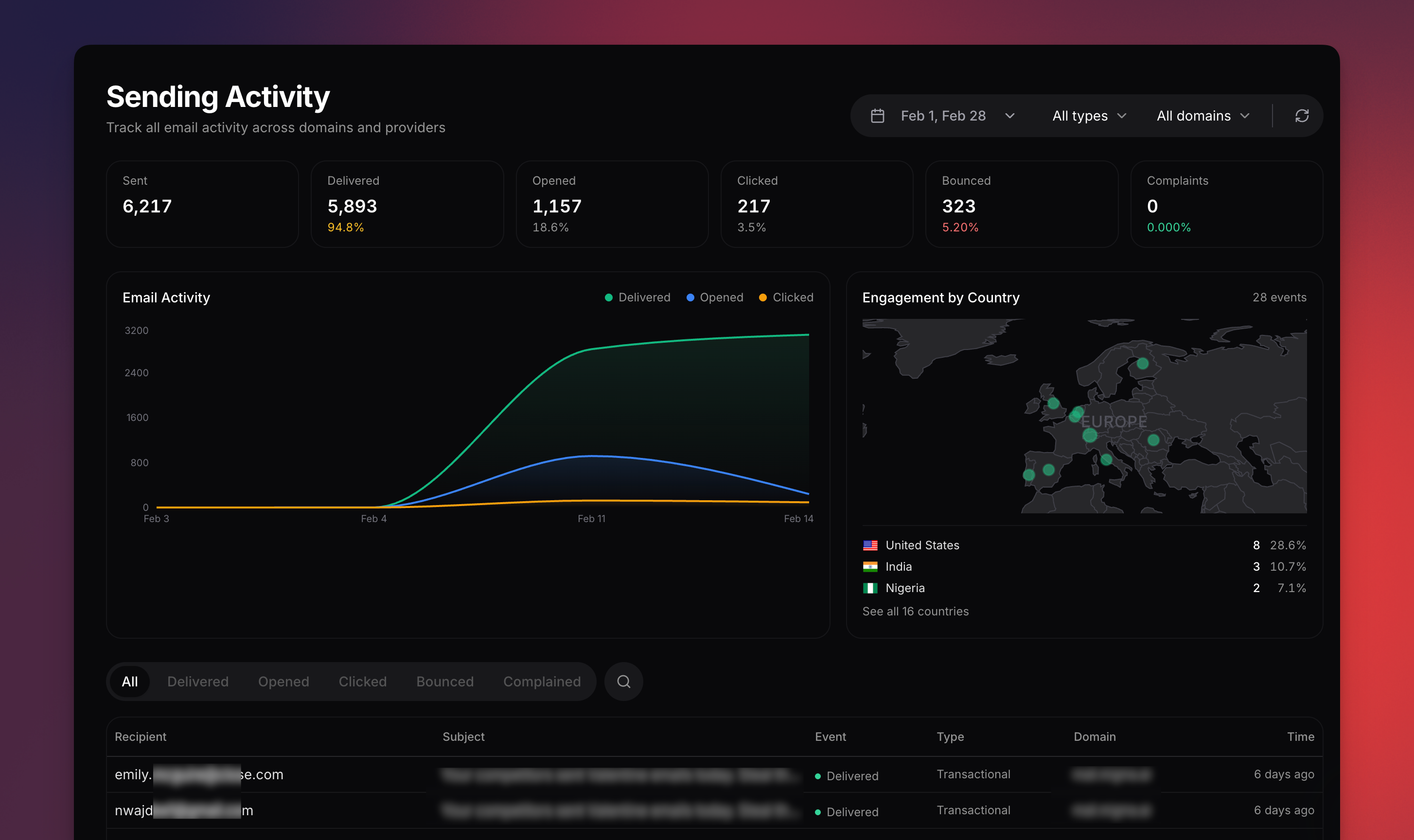
Send emails to your audience using [campaigns](/campaigns/overview). Campaigns let you select a segment or list as recipients, configure sender settings, and track results.
 Email sending in Migma is done through the **Campaigns** section, not from the Contacts page directly.
***
## Quick Start
Use Migma's AI tools to [create an email](/creating-emails/overview) in the chat editor.
Add contacts, organize with [lists](/audience/overview), and create [segments](/audience/overview) from the Audience page.
Go to **Campaigns** and [create a campaign](/campaigns/send-campaign). Select your email, choose recipients (segment or list), configure sender settings, and send or schedule.
***
## Prerequisites
**Email service provider required** — configure an ESP before sending.
* Connected email provider (Migma, Amazon SES, Resend, SendGrid, or Mailgun)
* Verified sending domain
* At least one contact with `subscribed` status
Connect and configure your email service provider
***
## Unsubscribe & Compliance
Migma handles compliance automatically:
* Unsubscribe links are added to every marketing email
* Clicking unsubscribe updates the contact's status immediately
* Unsubscribed contacts cannot receive marketing emails
* [Preference center](/audience/preference-center) lets subscribers manage their topic preferences
***
## Send via API
Send emails programmatically via the [SDK](/sdk), [CLI](/cli), or [API](/api-reference/introduction).
The `from` address determines your **sending domain** — it must be a [verified domain](/sending-domains/overview). The optional `providerType` field selects which email service provider delivers the message. It defaults to `migma` (built-in sending).
For generated emails, use the `emailId` returned by generation status or shown in **Publish → Send via API**. `conversationId` identifies the whole chat thread; it works for single-email conversations, but multi-slot emails and series need `emailId` so the API knows which email to send.
```typescript theme={null}
await migma.sending.send({
recipientType: 'email',
recipientEmail: 'sarah@example.com',
from: 'hello@yourcompany.migma.email',
fromName: 'Your Company',
subject: 'Welcome!',
emailId: 'email_123'
});
```
No `providerType` needed — Migma sends by default. Use a [verified sending domain](/sending-domains/overview) (managed or custom).
```typescript theme={null}
await migma.sending.send({
recipientType: 'email',
recipientEmail: 'sarah@example.com',
from: 'hello@yourcompany.migma.email',
fromName: 'Your Company',
subject: 'Welcome!',
template: source,
projectId: 'proj_123'
});
```
Requires [Amazon SES connected](/integrations/email-service-providers#amazon-ses-simple-email-service) in Settings → Integrations.
```typescript theme={null}
await migma.sending.send({
recipientType: 'email',
recipientEmail: 'sarah@example.com',
from: 'hello@yourdomain.com',
fromName: 'Your Company',
subject: 'Welcome!',
template: source,
projectId: 'proj_123',
providerType: 'ses'
});
```
Requires [Resend connected](/integrations/email-service-providers#resend) in Settings → Integrations.
```typescript theme={null}
await migma.sending.send({
recipientType: 'email',
recipientEmail: 'sarah@example.com',
from: 'hello@yourdomain.com',
fromName: 'Your Company',
subject: 'Welcome!',
template: source,
projectId: 'proj_123',
providerType: 'resend'
});
```
Requires [SendGrid connected](/integrations/email-service-providers#sendgrid) in Settings → Integrations.
```typescript theme={null}
await migma.sending.send({
recipientType: 'email',
recipientEmail: 'sarah@example.com',
from: 'hello@yourdomain.com',
fromName: 'Your Company',
subject: 'Welcome!',
template: source,
projectId: 'proj_123',
providerType: 'sendgrid'
});
```
Requires Mailgun connected in Settings → Integrations.
```typescript theme={null}
await migma.sending.send({
recipientType: 'email',
recipientEmail: 'sarah@example.com',
from: 'hello@yourdomain.com',
fromName: 'Your Company',
subject: 'Welcome!',
template: source,
projectId: 'proj_123',
providerType: 'mailgun'
});
```
Set up and verify a sending domain
Connect an external ESP
***
## Transactional vs Marketing
Migma automatically infers the email type from how you send:
| Send type | Default behavior | Example |
| ------------------------------------------------ | ---------------- | ------------------------------------ |
| **Single recipient** (`recipientType: 'email'`) | Transactional | Order confirmations, password resets |
| **Batch** (`recipientType: 'audience'`, `'tag'`) | Marketing | Newsletters, promotions |
**Transactional** emails bypass subscription status, skip topic filtering, and omit List-Unsubscribe headers. Bounced addresses are always excluded.
This means single sends just work — no extra flags needed:
```typescript theme={null}
// Automatically treated as transactional — no flag needed
await migma.sending.send({
recipientType: 'email',
recipientEmail: 'customer@example.com',
from: 'noreply@yourcompany.migma.email',
fromName: 'Your Company',
subject: 'Your order has shipped',
template: source,
projectId: 'proj_123'
});
```
For edge cases, use the `transactional` flag to override the default:
```typescript theme={null}
// Batch transactional: "Your subscription renews tomorrow" to all active users
await migma.sending.send({
recipientType: 'tag',
recipientId: 'tag_active_subscribers',
from: 'noreply@yourcompany.migma.email',
fromName: 'Your Company',
subject: 'Your subscription renews tomorrow',
template: source,
projectId: 'proj_123',
transactional: true
});
```
Only use `transactional: true` on batch sends for emails the recipient expects regardless of subscription status (renewal reminders, security alerts). Using it for promotional content violates CAN-SPAM and GDPR.
***
## Next Steps
Step-by-step campaign guide
Monitor campaign performance
Organize your subscriber list
Connect email service provider
Email sending in Migma is done through the **Campaigns** section, not from the Contacts page directly.
***
## Quick Start
Use Migma's AI tools to [create an email](/creating-emails/overview) in the chat editor.
Add contacts, organize with [lists](/audience/overview), and create [segments](/audience/overview) from the Audience page.
Go to **Campaigns** and [create a campaign](/campaigns/send-campaign). Select your email, choose recipients (segment or list), configure sender settings, and send or schedule.
***
## Prerequisites
**Email service provider required** — configure an ESP before sending.
* Connected email provider (Migma, Amazon SES, Resend, SendGrid, or Mailgun)
* Verified sending domain
* At least one contact with `subscribed` status
Connect and configure your email service provider
***
## Unsubscribe & Compliance
Migma handles compliance automatically:
* Unsubscribe links are added to every marketing email
* Clicking unsubscribe updates the contact's status immediately
* Unsubscribed contacts cannot receive marketing emails
* [Preference center](/audience/preference-center) lets subscribers manage their topic preferences
***
## Send via API
Send emails programmatically via the [SDK](/sdk), [CLI](/cli), or [API](/api-reference/introduction).
The `from` address determines your **sending domain** — it must be a [verified domain](/sending-domains/overview). The optional `providerType` field selects which email service provider delivers the message. It defaults to `migma` (built-in sending).
For generated emails, use the `emailId` returned by generation status or shown in **Publish → Send via API**. `conversationId` identifies the whole chat thread; it works for single-email conversations, but multi-slot emails and series need `emailId` so the API knows which email to send.
```typescript theme={null}
await migma.sending.send({
recipientType: 'email',
recipientEmail: 'sarah@example.com',
from: 'hello@yourcompany.migma.email',
fromName: 'Your Company',
subject: 'Welcome!',
emailId: 'email_123'
});
```
No `providerType` needed — Migma sends by default. Use a [verified sending domain](/sending-domains/overview) (managed or custom).
```typescript theme={null}
await migma.sending.send({
recipientType: 'email',
recipientEmail: 'sarah@example.com',
from: 'hello@yourcompany.migma.email',
fromName: 'Your Company',
subject: 'Welcome!',
template: source,
projectId: 'proj_123'
});
```
Requires [Amazon SES connected](/integrations/email-service-providers#amazon-ses-simple-email-service) in Settings → Integrations.
```typescript theme={null}
await migma.sending.send({
recipientType: 'email',
recipientEmail: 'sarah@example.com',
from: 'hello@yourdomain.com',
fromName: 'Your Company',
subject: 'Welcome!',
template: source,
projectId: 'proj_123',
providerType: 'ses'
});
```
Requires [Resend connected](/integrations/email-service-providers#resend) in Settings → Integrations.
```typescript theme={null}
await migma.sending.send({
recipientType: 'email',
recipientEmail: 'sarah@example.com',
from: 'hello@yourdomain.com',
fromName: 'Your Company',
subject: 'Welcome!',
template: source,
projectId: 'proj_123',
providerType: 'resend'
});
```
Requires [SendGrid connected](/integrations/email-service-providers#sendgrid) in Settings → Integrations.
```typescript theme={null}
await migma.sending.send({
recipientType: 'email',
recipientEmail: 'sarah@example.com',
from: 'hello@yourdomain.com',
fromName: 'Your Company',
subject: 'Welcome!',
template: source,
projectId: 'proj_123',
providerType: 'sendgrid'
});
```
Requires Mailgun connected in Settings → Integrations.
```typescript theme={null}
await migma.sending.send({
recipientType: 'email',
recipientEmail: 'sarah@example.com',
from: 'hello@yourdomain.com',
fromName: 'Your Company',
subject: 'Welcome!',
template: source,
projectId: 'proj_123',
providerType: 'mailgun'
});
```
Set up and verify a sending domain
Connect an external ESP
***
## Transactional vs Marketing
Migma automatically infers the email type from how you send:
| Send type | Default behavior | Example |
| ------------------------------------------------ | ---------------- | ------------------------------------ |
| **Single recipient** (`recipientType: 'email'`) | Transactional | Order confirmations, password resets |
| **Batch** (`recipientType: 'audience'`, `'tag'`) | Marketing | Newsletters, promotions |
**Transactional** emails bypass subscription status, skip topic filtering, and omit List-Unsubscribe headers. Bounced addresses are always excluded.
This means single sends just work — no extra flags needed:
```typescript theme={null}
// Automatically treated as transactional — no flag needed
await migma.sending.send({
recipientType: 'email',
recipientEmail: 'customer@example.com',
from: 'noreply@yourcompany.migma.email',
fromName: 'Your Company',
subject: 'Your order has shipped',
template: source,
projectId: 'proj_123'
});
```
For edge cases, use the `transactional` flag to override the default:
```typescript theme={null}
// Batch transactional: "Your subscription renews tomorrow" to all active users
await migma.sending.send({
recipientType: 'tag',
recipientId: 'tag_active_subscribers',
from: 'noreply@yourcompany.migma.email',
fromName: 'Your Company',
subject: 'Your subscription renews tomorrow',
template: source,
projectId: 'proj_123',
transactional: true
});
```
Only use `transactional: true` on batch sends for emails the recipient expects regardless of subscription status (renewal reminders, security alerts). Using it for promotional content violates CAN-SPAM and GDPR.
***
## Next Steps
Step-by-step campaign guide
Monitor campaign performance
Organize your subscriber list
Connect email service provider